Freemium

GenPPT AI

Decks from a prompt, a PDF, a YouTube link or a spreadsheet, with speaker notes.

3.8 Productivity
3.8 Good 3.8
Speaker notes address the half of presenting that decks ignore No pricing figures and no company entity named
Reviewed by Challenging Voice Editorial · Updated Aug 2026 How we rate
PricingFree
Free planYes
CompanyGenPPT AI
PlatformsWeb
CategoryProductivity
Last reviewedAug 2026
Ask AI about GenPPT AI ChatGPT Claude Perplexity

Overview

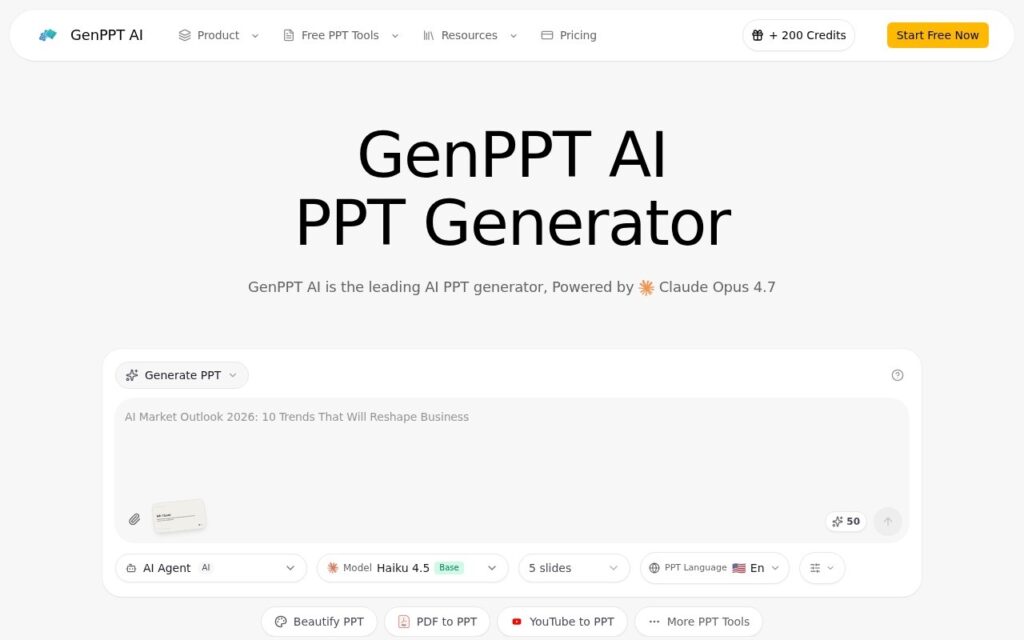
GenPPT AI generates PowerPoint from text prompts and converts existing material into slides – PDF, Word, Excel, HTML, Markdown, plain text and YouTube links all go in. It also beautifies decks you already have, generates speaker notes, selects layouts based on content, builds charts, edits in real time before export and works across languages. The company states it runs on Claude Opus 4.7.

Generating speaker notes is the feature that reflects how presentations actually fail. The deck is rarely the problem; the problem is the person clicking through it reading their own bullet points aloud because they never worked out what to say around them. Producing talking points alongside the slides addresses the half of the job that every other deck generator ignores.

YouTube-to-deck is the conversion worth noting – turning a recorded talk or briefing into slides is a real recurring task with no good manual method. No pricing figures appear on the page beyond a mention of 200 credits, and contact is an email address with no company entity named. Naming the underlying model is more transparency than most offer, and it also means the ceiling and the cost base are somebody else’s; AI-selected layouts produce competent decks rather than persuasive ones; and a converted document becomes slides that carry the document’s structure, which is rarely the right structure for speaking.

Key features

  • Presentations generated from a text prompt
  • PDF, Word, Excel, HTML, Markdown and YouTube conversion
  • Speaker note generation
  • AI layout selection and chart generation
  • Real-time editing before export

Screenshots & demo

Demo video

Screenshots

GenPPT AI screenshot 1

Pricing

GenPPT AI offers a free plan, with paid upgrades for higher limits and more features.

  • Pricing modelFreemium
  • Starting priceFree
  • Free planYes
Visit GenPPT AI

Pricing is provided as a guide. Check the official site for the latest plans.

Is GenPPT AI expensive?

GenPPT AI has no advertised paid tier. Among the 196 priced tools we list in Productivity, the median entry price is $10 a month.

70% of Productivity tools in the directory offer a free tier, and this is one of them.

Compared against every priced listing in Productivity, recalculated as the catalogue changes. Method and the full market breakdown are in our AI tool pricing study.

Pros & cons

Pros

  • Speaker notes address the half of presenting that decks ignore
  • YouTube-to-deck has no good manual equivalent
  • Names its underlying model openly

Cons

  • No pricing figures and no company entity named
  • AI layouts produce competent decks, not persuasive ones
  • A converted document keeps the document's structure, not a speaking one

How it compares

ToolRatingFreeFromBest known for
GenPPT AI (this tool)3.8YesFreePresentations generated from a text prompt
AI PPT Maker3.8YesFreeConverts text, PDF, YouTube video or audio into a full presentation
Motionit3.3No—Slides generated from keywords or documents
MagicSlides4.0Yes$16/moSlide generation from prompts, PDFs, documents, images, or YouTube links

Alternatives to GenPPT AI

4 tools matched to GenPPT AI on what they do, their category and their price.

Motionit

3.3

AI slide maker that turns keywords or documents into designed decks, with automatic images and Google Slides export.

Contact for Pricing Productivity

Frequently asked questions

What is GenPPT AI?
GenPPT AI generates PowerPoint from text prompts and converts existing material into slides – PDF, Word, Excel, HTML, Markdown, plain text and YouTube links all go in.
Is GenPPT AI free?
Yes, GenPPT AI offers a free plan. Paid plans unlock more features and higher usage limits.
What are the best GenPPT AI alternatives?
The closest matches in the directory are AI PPT Maker, Motionit, and MagicSlides, compared side by side above.

Reviews

3.8 Editorial rating No reviews yet

Write a review

More tools like GenPPT AI

SlidesPilot

3.7

Turns a research paper, YouTube video, or meeting notes into a structured PowerPoint – analyzes the source, builds a storyline, then designs slides with tables and charts.

Free Trial Productivity

Twistly

3.8

PowerPoint add-in that builds and redesigns decks inside the app you already present from.

Free Trial Design

PresentationGPT

3.5

LISA, a language model trained specifically for presentations, turns a topic into a full deck in seconds – compatible with PowerPoint and Google Slides.

Freemium Productivity

Chronicle

4.2

AI presentation software that drafts on-brand slide decks from notes and documents, then leaves room for manual polish on a freeform canvas.

Freemium Productivity