
Free

Visual Studio Code

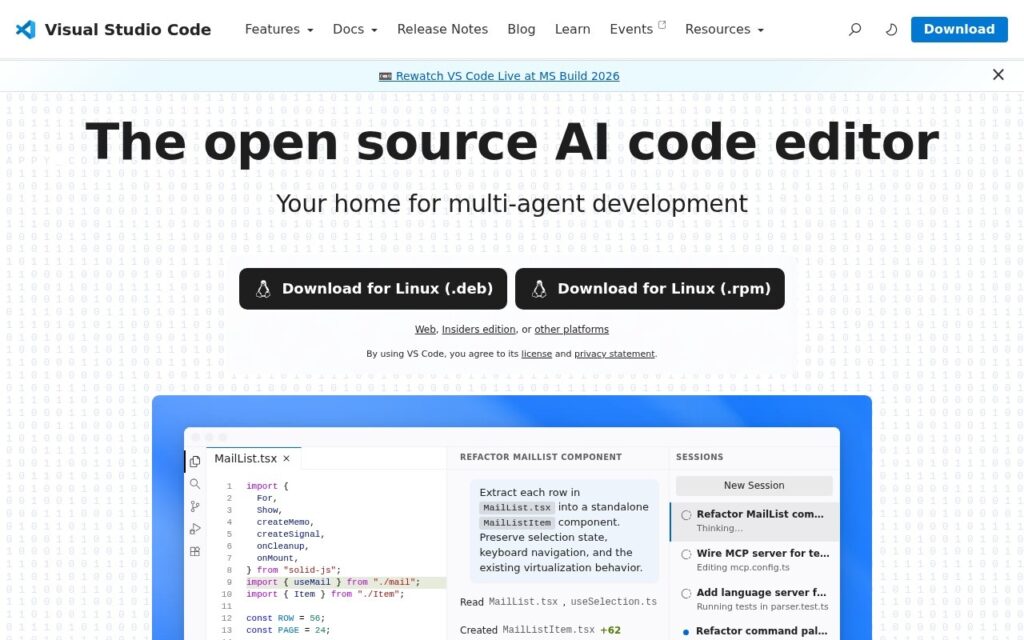
"The open source AI code editor" – hand off tasks to AI agents that autonomously plan, edit code, run commands, and iterate, across dozens of models.

3.9 Coding
3.9 Good 3.9

Bottom line: Visual Studio Code is a capable coding tool, best known for multi-agent development – agents autonomously plan, edit, and run commands. It has a free plan.

Free with just a GitHub login – no paywall to access core agent features Advanced reasoning models may carry separate usage costs depending on provider
Reviewed by Challenging Voice Editorial · Updated Aug 2026 How we rate
PricingFree
Free planYes
CompanyMicrosoft
PlatformsMac, Web, Windows
Best forCoding
Visits11
Last reviewedAug 2026
UpdatedAug 2026
Ask AI about Visual Studio Code ChatGPT Claude Perplexity

Overview

VS Code has evolved from a traditional editor into what Microsoft explicitly calls “the open source AI code editor,” built around AI-powered inline suggestions and intelligent completions for hands-on coding, plus a full multi-agent development system: hand off a task to an AI agent that autonomously plans, makes code changes, runs commands, and iterates, with multiple concurrent agent sessions manageable from one unified interface.

Model flexibility across providers is what actually matters for developers already invested in a specific ecosystem – VS Code supports Copilot alongside third-party providers like Claude and OpenAI, letting you choose from fast completion models to advanced reasoning models rather than being locked into one vendor’s AI. Model Context Protocol server integration extends agent capabilities further with custom instructions and agent skills, and the same Copilot agent experience spans VS Code, the Copilot CLI, GitHub.com, and mobile – so agent context follows you across surfaces rather than resetting each time.

VS Code retains its full traditional editor foundation – terminal, debugging, version control – with AI agent automation layered on top rather than replacing it. It’s free with a GitHub account login, no trial or credit card required.

Key features

  • Multi-agent development – agents autonomously plan, edit, and run commands
  • AI-powered inline suggestions and intelligent completions
  • Model flexibility – Copilot, Claude, OpenAI, and dozens of others
  • MCP server integration for extended agent capabilities
  • Consistent agent experience across editor, CLI, GitHub.com, and mobile

Screenshots & demo

Visual Studio Code screenshot 1

Pricing

Visual Studio Code offers a free plan, with paid upgrades for higher limits and more features.

  • Pricing modelFree
  • Starting priceFree
  • Free planYes
Visit Visual Studio Code

Pricing is provided as a guide. Check the official site for the latest plans.

Is Visual Studio Code expensive?

Visual Studio Code has no advertised paid tier. Among the 84 priced tools we list in Coding, the median entry price is $20 a month.

67% of Coding tools in the directory offer a free tier, and this is one of them.

Compared against every priced listing in Coding, recalculated as the catalogue changes. Method and the full market breakdown are in our AI tool pricing study.

Pros & cons

Pros

  • Free with just a GitHub login – no paywall to access core agent features
  • Model-provider flexibility avoids lock-in to a single AI vendor
  • Agent context follows you across editor, CLI, and mobile rather than resetting

Cons

  • Advanced reasoning models may carry separate usage costs depending on provider
  • Multi-agent workflows have a learning curve beyond basic inline suggestions
  • Full agent autonomy still requires review before trusting unattended code changes

How it compares

ToolRatingFreeFromBest known for
Visual Studio Code (this tool)3.9YesFreeMulti-agent development – agents autonomously plan, edit, and run commands
Cursor4.7Yes$20/moMulti-line Tab autocomplete predicting full edits
Claude Code4.6No$20/moTerminal-native agent with direct codebase and shell access
GitHub Copilot4.6Yes$10/moOriginal AI coding autocomplete, launched in 2021

Our verdict

3.9 / 5 3.9

Visual Studio Code is a solid coding tool, best known for multi-agent development – agents autonomously plan, edit, and run commands. It offers a free plan.

What makes it different: Visual Studio Code stands out for multi-agent development – agents autonomously plan, edit, and run commands.

How we score it
Overall 3.9
Value for money 4.7
Feature depth 4.9
Popularity 4.0
Best for DevelopersEngineering teamsStudentsIndie hackers

Frequently asked questions

What is Visual Studio Code?
Visual Studio Code is a coding tool listed in the Challenging Voice directory. "The open source AI code editor" – hand off tasks to AI agents that autonomously plan, edit code, run commands, and iterate, across dozens of models.
Is Visual Studio Code free?
Yes, Visual Studio Code offers a free plan. Paid plans unlock more features and higher usage limits.
What are the best Visual Studio Code alternatives?
Popular alternatives to Visual Studio Code include Appium, Userdoc, and Rosebud. Browse them all in the Coding category.
Is Visual Studio Code any good?
Visual Studio Code scores 3.9 out of 5 based on our editorial review.

Reviews

3.9 No reviews yet

Write a review

Similar tools you might like

MarsX

3.7

Development platform combining AI, no-code, and traditional code with reusable MicroApps.

Freemium Coding