
Free Verified

Google Stitch

Google's AI design canvas, exporting straight into Figma or code

4.2 Design
4.2 Very good 4.2

Bottom line: Google Stitch is a strong design tool, best known for AI-native design canvas built on Gemini models. It has a free plan.

Direct export to both Figma and code streamlines design-to-development handoff Free generation limits are more restrictive on the higher-quality Pro mode
Reviewed by Challenging Voice Editorial · Updated Jul 2026 How we rate
PricingFree
Free planYes
CompanyGoogle
PlatformsWeb
Best forDesign
Founded2025
Visits6
Last reviewedJul 2026
UpdatedJul 2026
Ask AI about Google Stitch ChatGPT Claude Perplexity

Overview

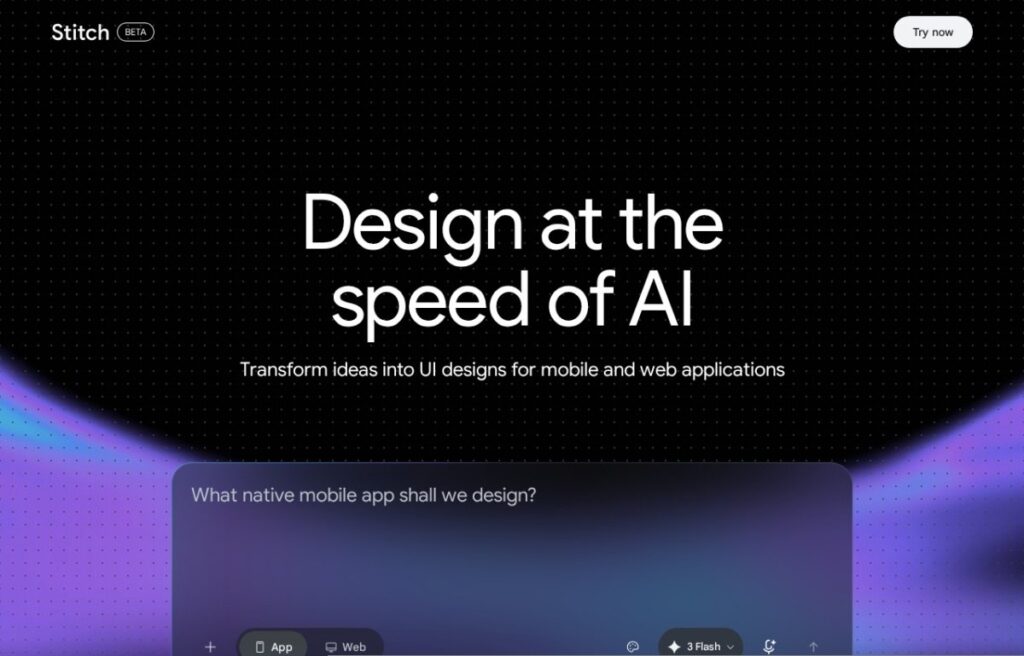
Stitch, launched by Google at Google I/O 2025, generates user interface designs from a text prompt, sketch, or reference screenshot, using Gemini's multimodal models to interpret what's being asked for and build a responsive interface in an AI-native design canvas rather than a traditional static mockup tool.

A 2026 update pushed it further into live, collaborative design: Stitch Agent can now stream work onto the canvas in real time while a user steers the direction, import existing design or code files, and generate motion-focused interfaces. Output exports directly into Figma for further design work, as HTML and CSS code for developers, or to Google Antigravity, also covered in this directory, extending Google's coding tools.

Stitch is free as part of Google Labs, with generation limits depending on the model mode: up to 350 monthly generations on the faster Gemini 2.5 Flash mode, or 50 on the more detailed Gemini 2.5 Pro mode. For a designer or product team already working with Gemini or Google's broader AI tooling, Stitch's direct export into Figma and Google's own coding tools connects design and implementation more directly than a standalone design tool would.

Key features

Screenshots & demo

Google Stitch screenshot 1

Pricing

Google Stitch offers a free plan, with paid upgrades for higher limits and more features.

  • Pricing modelFree
  • Starting priceFree
  • Free planYes
Visit Google Stitch

Pricing is provided as a guide. Check the official site for the latest plans.

Pros & cons

Pros

  • Direct export to both Figma and code streamlines design-to-development handoff
  • Free access with a genuinely usable monthly generation allowance
  • Backed by Google's ongoing Gemini model development
  • Connects directly to Google's broader AI coding tools

Cons

  • Free generation limits are more restrictive on the higher-quality Pro mode
  • Very new product still evolving rapidly
  • Full value ties most directly to teams already in Google's ecosystem

How it compares

ToolRatingFreeFromBest known for
Google Stitch (this tool)4.2YesFreeAI-native design canvas built on Gemini models
Durable4.7Yes$25/moWebsite generation marketed at roughly 30 seconds
Relume4.7Yes$26/moAI-generated wireframes and page structure from a prompt
Canva4.7Yes$15/moMagic Studio suite of AI design tools

Our verdict

4.2 / 5 4.2

Google Stitch is a strong design tool, best known for AI-native design canvas built on Gemini models. It offers a free plan.

What makes it different: Google Stitch stands out for AI-native design canvas built on Gemini models.

How we score it
Overall 4.2
Value for money 4.7
Feature depth 4.9
Popularity 3.7
Best for ProfessionalsTeamsCreatorsCurious learners

Frequently asked questions

What is Google Stitch?
Google Stitch is a design tool listed in the Challenging Voice directory. Google's AI design canvas, exporting straight into Figma or code.
Is Google Stitch free?
Yes, Google Stitch offers a free plan. Paid plans unlock more features and higher usage limits.
What are the best Google Stitch alternatives?
Popular alternatives to Google Stitch include Plus AI, Beautiful.ai, and Napkin AI. Browse them all in the Design category.
Is Google Stitch any good?
Google Stitch scores 4.2 out of 5 based on our editorial review.

Reviews

4.2 No reviews yet

Write a review

Similar tools you might like