Free Verified

AutoDraw

A free 2017 Google experiment that still cleans up rough doodles

4.5 Design
4.5 Excellent 4.5

Bottom line: A free 2017 Google experiment that still cleans up rough doodles. Free plan available.

Genuinely free with no signup or payment required Limited to simple icon-style illustrations, not complex artwork
Reviewed by Challenging Voice Editorial · Updated Jul 2026 How we rate
PricingFree
Free planYes
CompanyGoogle
PlatformsWeb
Best forDesign
Founded2017
Visits16
Last reviewedJun 2026
UpdatedJul 2026
Ask AI about AutoDraw ChatGPT Claude Perplexity

Overview

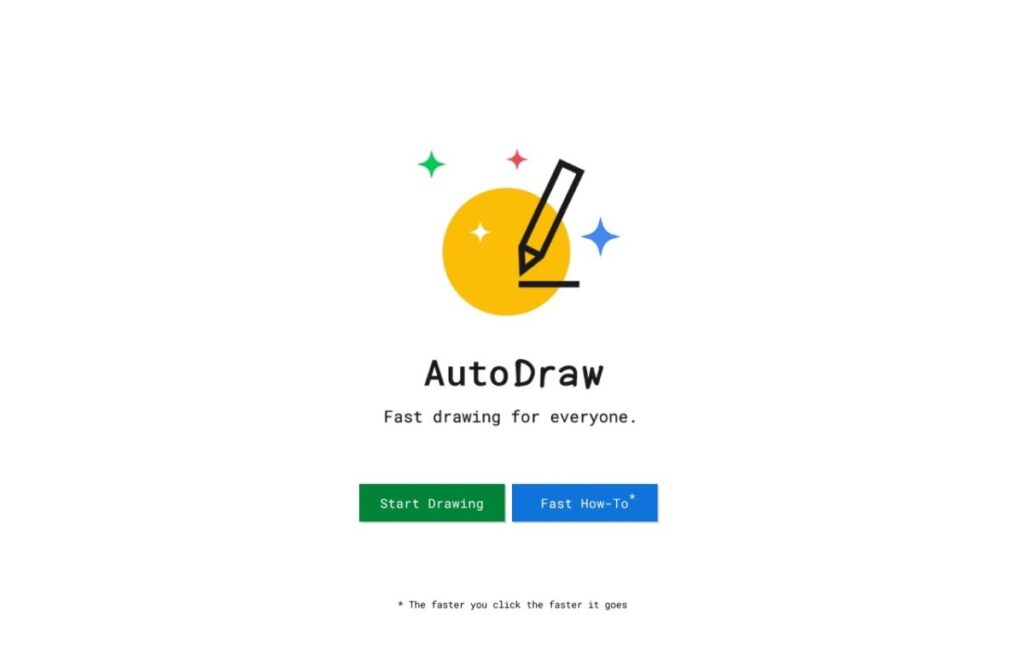
AutoDraw, released by Google in 2017, does one small, specific thing: as a user draws a rough shape, it suggests clean, professional-looking icon versions matching the doodle, drawn from a library of illustrations by working artists, letting anyone without drawing skill produce a usable icon or minimal illustration in seconds.

That narrow scope reflects its origin as one of Google's Creative Lab AI experiments rather than a full design platform, more a proof-of-concept turned permanently free tool than a product built to compete with broader design suites. It remains genuinely useful for exactly its intended job: fast, minimal icon-style drawings rather than complex illustrations or full page layouts.

AutoDraw is completely free with no paid tier. For anyone who wants a clean, minimal icon or doodle-style illustration without any drawing skill or a subscription, AutoDraw's narrow, free, no-signup design remains a fast, low-stakes option nearly a decade after its release.

Key features

  • Matches rough doodles to professional icon-style illustrations
  • Completely free with no account required
  • Library of illustrations from working artists
  • Originated from Google's Creative Lab experiments
  • Fast, single-purpose tool
  • No design skill required

Screenshots & demo

Demo video

Screenshots

AutoDraw screenshot 1

Pricing

AutoDraw offers a free plan, with paid upgrades for higher limits and more features.

  • Pricing modelFree
  • Starting priceFree
  • Free planYes
Visit AutoDraw

Pricing is provided as a guide. Check the official site for the latest plans.

Is AutoDraw expensive?

AutoDraw has no advertised paid tier. Among the 105 priced tools we list in Design, the median entry price is $15 a month.

72% of Design tools in the directory offer a free tier, and this is one of them.

Compared against every priced listing in Design, recalculated as the catalogue changes. Method and the full market breakdown are in our AI tool pricing study.

Pros & cons

Pros

  • Genuinely free with no signup or payment required
  • Extremely fast for simple icon-style illustrations
  • No drawing skill needed to get a usable result
  • Simple, focused, no-friction interface

Cons

  • Limited to simple icon-style illustrations, not complex artwork
  • Smaller and older than modern AI image generators
  • No advanced editing or customization options

How it compares

ToolRatingFreeFromBest known for
AutoDraw (this tool)4.5YesFreeMatches rough doodles to professional icon-style illustrations
LogoFast3.4YesFreeIcon-based logo generation
Sketch Logo AI3.7No$19/moSketch-to-logo generation from hand-drawn input
Make Floor Plan3.4No$14.99/moGenerates a floor plan from a written description

Alternatives to AutoDraw

4 tools matched to AutoDraw on what they do, their category and their price.

Sketch Logo AI

3.7

Draw a rough sketch, get a real logo – plus text-prompt and image-input modes, 4,300+ fonts, 30,000+ icons, unlimited use.

Paid Design

AI Vector

3.8

Free, unlimited PNG-to-SVG conversion in under 10 seconds – no signup, no watermark, no credit system at all.

Free Design

Frequently asked questions

What is AutoDraw?
AutoDraw is a design tool. A free 2017 Google experiment that still cleans up rough doodles.
Is AutoDraw free?
Yes, AutoDraw offers a free plan. Paid plans unlock more features and higher usage limits.
What are the best AutoDraw alternatives?
The closest matches in the directory are LogoFast, Sketch Logo AI, and Make Floor Plan, compared side by side above.

Reviews

4.5 No reviews yet

Write a review

More tools like AutoDraw