I’d choose Omi AI if I wanted all-day capture, my own extensions, or some features running locally, and I’d choose Plaud NotePin S if I mainly recorded meetings, interviews, and lectures and needed clear feedback when recording starts, 64GB of on-device storage, and original audio I can play back. Plaud NotePin S is a wearable AI note taker for in-person meetings, interviews, and lectures, and it suits people who want to decide for themselves which conversations are worth keeping.
I’ll admit Omi AI is the kind of product that wins you over at first glance.
You wear a small pendant, go about your meetings, chats, and walks as usual, and the device turns what it hears into transcripts, summaries, to-dos, and searchable memories. It isn’t trying to solve a single meeting. It’s trying to answer “what did I actually hear today, what did I promise, and what ideas came up?”
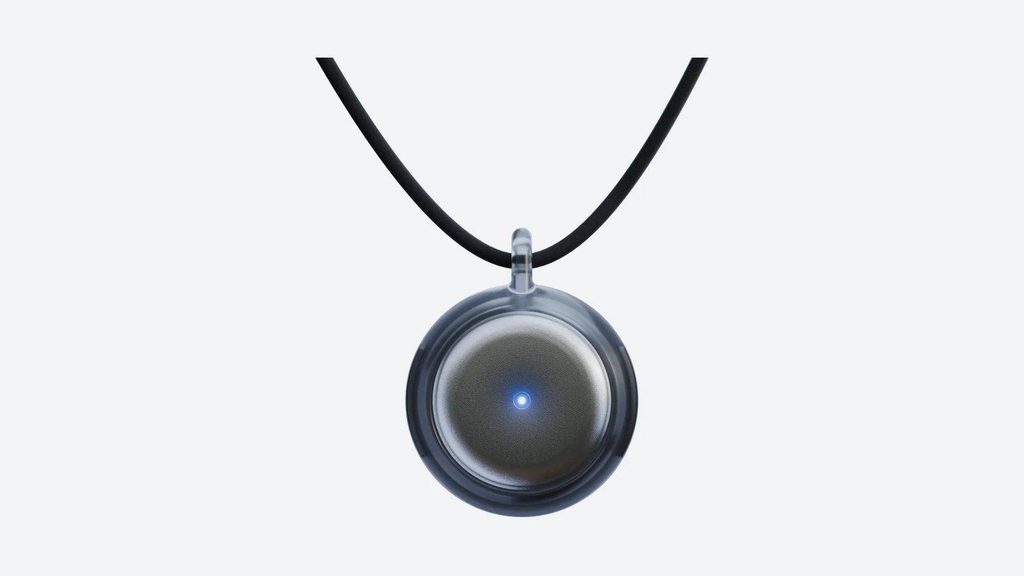
That direction is appealing. When I’m deep in work and don’t want to pick up my phone just to note one sentence, pressing the device to ask a question or create a task, with the answer showing up on my watch or lock screen, really is smoother than opening my phone and getting pulled away by twenty apps.
But I eventually realized that what I need isn’t a memory of my whole day.
What I need is to know for sure that an important conversation is being recorded when it starts, to know for sure that recording has stopped when it ends, and to still have the original audio to check if something goes wrong.
That standard is why, when I looked for an Omi AI alternative, Plaud NotePin S was the one I most wanted to compare. Both are worn on the body, but they solve the problem in quite different ways.
What I like about Omi AI is also what makes me hesitate
The most interesting thing about Omi AI is that it’s genuinely trying to build an external memory.
It isn’t content with recording one meeting. Omi AI links conversations together, lets me search what was said in the past, generates daily recaps, and sends content to calendars, task managers, Notion, or other tools through its app store and open interfaces. Its current website also lists open source, local running, and app extensions as core features.
If I liked tinkering, wanted to plug in my own model, swap the transcription service, or feed conversations into a personal automation setup, that openness would be hard to replace. Plaud NotePin S feels more like a finished work device, while Omi AI feels more like a piece of personal AI hardware you can keep building on.
That’s also where the trouble starts.
In one multi-device roundup of AI note takers, the reviewer had three Omi AI units. He appreciated the open-source approach and the product’s ambition, but his conclusion was that it spreads its features too wide, the core experience runs into problems, and it isn’t reliable enough for him to treat it as a serious tool.
Another test exposed a control problem. A recording that was never stopped ran for about six or seven hours and used up roughly 400 minutes of premium processing. The reviewer didn’t notice until he went back to the app.
This doesn’t simply mean the product is bound to record by mistake. Forgetting to stop is partly a user error. But for a device meant to be worn and forgotten, if the recording status isn’t easy to confirm, “forgetting about it” turns from an advantage into a risk.
The real difference between Omi AI and Plaud NotePin S is who decides what’s worth keeping
Omi AI leans toward continuous capture. It tries to interrupt me as little as possible, then build memories from a large volume of conversation.
Plaud NotePin S takes a more restrained approach. When I want to record, I press and hold the physical button for one second, and it vibrates once, and a red light turns on. To stop, I press and hold again; the device vibrates twice, and the red light turns off. When I hear a key decision mid-conversation, a short press adds a highlight, as described in Plaud’s support guide on starting a recording.
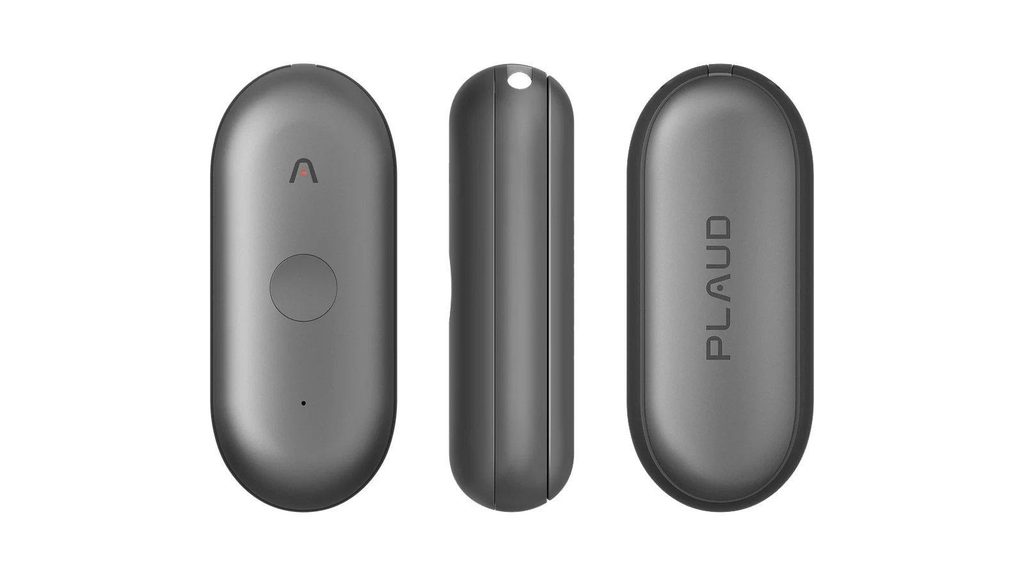
That means one extra action on my part, but I get my boundaries back. Before a client meeting, interview, lecture or on-site conversation, I decide whether it needs to be kept. Afterward, I don’t have to wonder whether the device is still listening.
| Comparison | Omi AI | Plaud NotePin S |
| Capture approach | Leans toward continuous capture, then organizes it into long-term memory | You start and stop it, and notes are organized around specific conversations |
| Feedback | Relies on device status and the app workflow, and the experience can vary by version | Physical button, light and vibration confirm start and stop |
| Offline recording | The current version supports offline recording and syncs later | Recordings are saved on the device and transferred to the Plaud App later |
| Device storage | The current official page doesn’t list a capacity | 64GB internal storage |
| Official battery life | 10 to 14 hours | Up to 20 hours of continuous recording |
| Software direction | Open source, local running, app store and custom extensions | Plaud App, Plaud Web, Plaud Desktop and structured notes |
| Best for | Building an all-day memory or developing your own workflows | Reliably recording meetings, interviews, lectures and on-site conversations |
Specs aren’t the only reason I choose, but the battery gap here matters in practice.
Omi AI is currently rated at 10 to 14 hours of use per charge, which roughly covers a workday. Plaud NotePin S is rated for up to 20 hours of continuous recording and 40 days of standby. On a day packed with client visits, lectures, or field interviews, Plaud NotePin S leaves more headroom, and I’m less likely to start counting how much battery is left by mid-afternoon.
I’d rather trust important conversations to Plaud NotePin S
My first reason isn’t that one company writes prettier summaries.
In a side-by-side test of several AI recording devices, the gap in raw transcription and speaker identification wasn’t as large as the marketing pages suggest. What really separated the experience was whether files were saved reliably, whether transfers went smoothly, and whether the device was actually working when I thought it was.
Plaud NotePin S saves recordings to its 64GB of storage first and then transfers them to the Plaud App. That order gives me peace of mind. Even if my phone isn’t on the table and the app isn’t open in the foreground, the device can still capture the conversation.
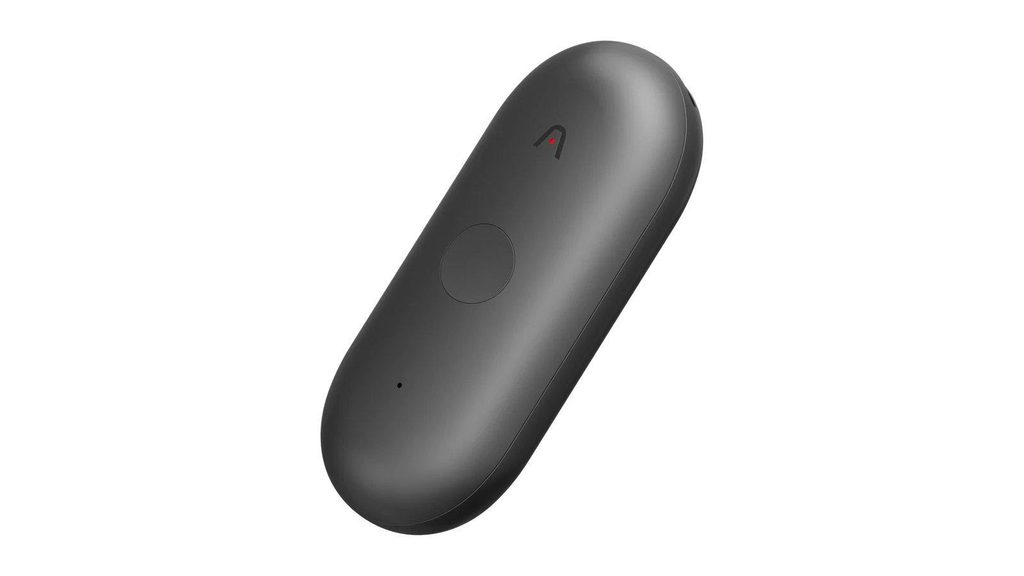
The physical button isn’t a decoration to make it look more “professional” either. I press and hold before the meeting and check for the vibration and red light. I tap when I hear a deadline, a price, or a key decision. I press and hold again when it’s over. The whole process is clunky, but every step is visible.
I actually like that clunkiness.
However smart the transcription, summaries, and action items are, none of it matters if the recording wasn’t kept in the first place. Omi AI feels like it tries to remember as much as possible first and lets software sort it out. Plaud NotePin S makes sure this one important conversation is recorded first, then hands it to Plaud Intelligence.
If I’m recording client commitments, exact interview quotes, lecture highlights, or on-site inspection results, I’d pick the latter.
Two things Omi AI does that Plaud NotePin S can’t replace
The first is openness.
Omi AI’s source code, API, MCP server, and app ecosystem give developers a lot of room. If I wanted to feed conversations into a self-built knowledge base, automation tools, or a local model, I’d look at Omi AI first. The strength of Plaud NotePin S is a ready-made product workflow, not letting users rework what’s underneath.
The second is its ambition around life memory.
Omi AI wants to capture more than meetings. It also covers ideas that come to you on a walk, the name of someone you talked to over lunch, and a line you suddenly want to find a few days later. As long as I’m comfortable with a device continuously capturing the sound around me and willing to review and delete content regularly, Omi AI offers something closer to a personal memory bank.
Plaud NotePin S is better for things with a clear start and end. I have to remember to start recording before it does anything. If my core problem is that I always forget to press record, manual control could become an extra burden.
So Plaud NotePin S doesn’t beat Omi AI across the board. It just puts the priorities in a different order.
Omi AI prioritizes fewer actions and lets software try to understand my day. Plaud NotePin S prioritizes confirmed recording and lets me decide which conversations go into my work records.
Plaud NotePin S also has one clear limitation
Plaud NotePin S mainly records face-to-face conversations and doesn’t have a dedicated phone call recording mode, according to Plaud’s support article on recording phone calls.
With the phone on speaker, it can record the call as sound in the room, but that isn’t the same as capturing the call audio directly. If most of my work happens on the phone, Plaud NotePin S isn’t the most complete choice.
Online meetings are a little different. After buying and pairing a Plaud device, I can use Plaud Desktop to record online meetings on my computer and manage them alongside everything else in the Plaud App and Plaud Web. But that’s a Plaud NotePin S plus Plaud Desktop combination, not the device on my chest recording computer audio by itself.
Free tiers and paid plans
Both products come with a free allowance and paid plans. As of October 23, 2026, on the US websites, the Omi AI free plan includes unlimited on-phone transcription and 300 cloud minutes a month, and the Plaud Starter Plan includes 300 minutes of transcription a month. Plaud’s paid tiers are the Plaud Pro Plan with 1,200 minutes a month and the Plaud Unlimited Plan with unlimited transcription. Before using either heavily, I’d work it out against my own monthly meeting time rather than only comparing hardware prices. Five one-hour meetings a week, for example, come to about 1,300 minutes a month.
How I’d decide if I had to choose today
If I wanted a personal memory system I could tinker with, extend, and that would remember my whole day as automatically as possible, I’d choose Omi AI. Its openness and app ecosystem are a direction Plaud NotePin S isn’t trying to go.
If I wanted to record the work conversations I can’t afford to lose, I’d choose Plaud NotePin S. The physical button, clear feedback, 64GB of on-device storage, and up to 20 hours of continuous recording solve a more basic problem: I know when it starts, I know when it stops, and I know the recording is saved on the device first.
In the end, it’s not that I dislike Omi AI’s “remember everything” approach. I just don’t want important meetings to depend on overly automatic judgment.
Everyday ideas can be a bit looser. For client commitments, exact interview quotes and meeting decisions, I’d still rather press that button myself.
Whichever device you choose, tell participants before you record, and get their consent where local law or your organization requires it. A wearable form factor means fewer steps, but it doesn’t reduce your responsibility for privacy and recording rules.
FAQ
Is Plaud NotePin S the closest alternative to Omi AI?
The form factor and the way you wear it are very similar, but the capture approach is different. Omi AI leans toward continuous memory and open extensions, while Plaud NotePin S is better for manually controlled face-to-face meetings, interviews, lectures and on-site recording.
Can Plaud NotePin S record without connecting to a phone?
Yes. Recordings are saved first to the 64GB internal storage of Plaud NotePin S and transferred to the Plaud App later. Transcription, summaries and further organization still happen in the Plaud ecosystem.
Which has longer battery life, Omi AI or Plaud NotePin S?
Based on current official ratings, Omi AI lasts 10 to 14 hours per charge, while Plaud NotePin S records continuously for up to 20 hours. Actual battery life depends on connectivity, processing and how heavily you use it.
Can Plaud NotePin S record phone calls?
Plaud NotePin S doesn’t have a dedicated phone call recording mode and is mainly meant for in-person recording. With the phone on speaker, it can pick up both sides as room audio, but if phone call recording is your main need, choose a device designed for it.