Free

AI Vector

Free, unlimited PNG-to-SVG conversion in under 10 seconds – no signup, no watermark, no credit system at all.

3.8 Design
3.8 Good 3.8

Bottom line: Free, unlimited PNG-to-SVG conversion in under 10 seconds – no signup, no watermark, no credit system at all. Free plan available.

Completely free with no credit system or watermark – unusual for this category Complex images with soft gradients trace less cleanly than flat-color logos or icons
Reviewed by Challenging Voice Editorial · Updated Aug 2026 How we rate
PricingFree
Free planYes
CompanyAIVector
PlatformsWeb
Best forDesign
Visits13
Last reviewedAug 2026
UpdatedAug 2026
Ask AI about AI Vector ChatGPT Claude Perplexity

Overview

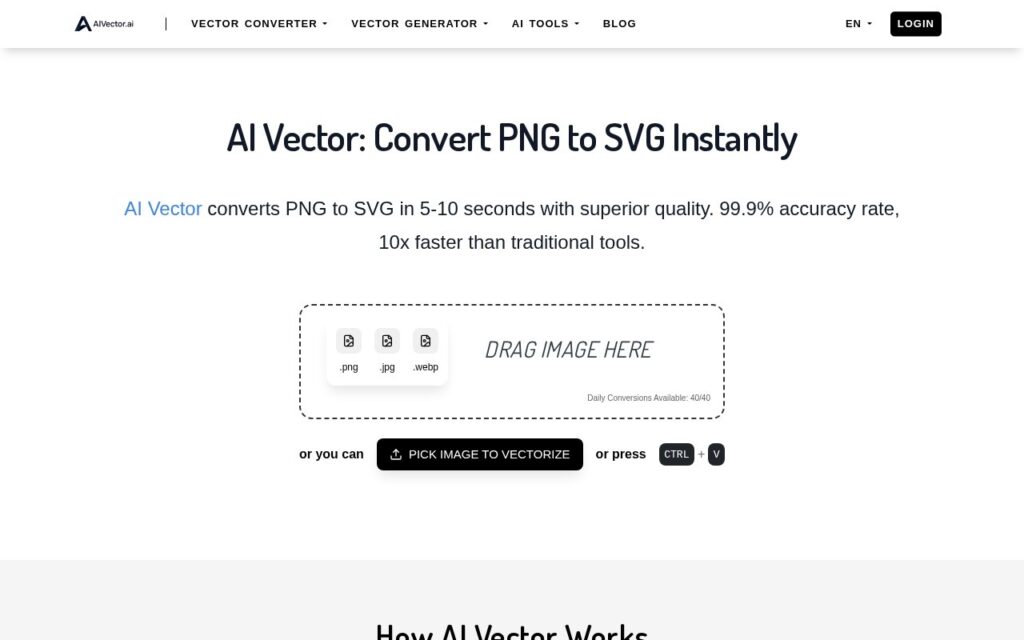
AI Vector converts raster images (PNG, JPG, WEBP) into scalable SVG vector format by analyzing pixel data to identify shapes, edges and colors, then reconstructing them as mathematical paths that scale to any size without quality loss. Conversion takes 5-10 seconds, requires no signup, and accepts files up to 5MB between 256px and 4096px.

Completely free with no credit system, no watermark and no registration is genuinely unusual for image conversion tooling, where a credit wall or a watermarked free tier is closer to the industry default. Raster-to-vector conversion is also a real, specific technical problem – correctly tracing shapes and edges rather than just embedding the original pixels – and this is a narrow tool that does exactly that one job rather than bolting vector conversion onto a broader, unrelated suite.

Vector conversion quality depends heavily on the source image – a photo with soft gradients and complex detail won’t trace as cleanly as a logo or icon with flat colors and clear edges, and results on complex images are worth checking before assuming production-ready output.
Key features

  • PNG/JPG/WEBP to SVG conversion in 5-10 seconds
  • No signup, no watermark, no credit system
  • Unlimited conversions
  • Files up to 5MB, 256px-4096px dimensions
  • Privacy-focused – files not stored or shared

Screenshots & demo

AI Vector screenshot 1

Pricing

AI Vector offers a free plan, with paid upgrades for higher limits and more features.

  • Pricing modelFree
  • Starting priceFree
  • Free planYes
Visit AI Vector

Pricing is provided as a guide. Check the official site for the latest plans.

Is AI Vector expensive?

AI Vector has no advertised paid tier. Among the 105 priced tools we list in Design, the median entry price is $15 a month.

72% of Design tools in the directory offer a free tier, and this is one of them.

Compared against every priced listing in Design, recalculated as the catalogue changes. Method and the full market breakdown are in our AI tool pricing study.

Pros & cons

Pros

  • Completely free with no credit system or watermark – unusual for this category
  • No signup required for unlimited use
  • Narrow, focused single-purpose tool rather than a bolted-on feature

Cons

  • Complex images with soft gradients trace less cleanly than flat-color logos or icons
  • 5MB file size and 4096px dimension ceiling limits very large source images
  • No batch conversion – one file at a time

How it compares

ToolRatingFreeFromBest known for
AI Vector (this tool)3.8YesFreePNG/JPG/WEBP to SVG conversion in 5-10 seconds
Vectorizer.AI4.3Yes$10/moRaster-to-vector image conversion (PNG/JPG to SVG/EPS)
SVGMaker3.9YesFreeText-to-SVG generation with up to four variations
LogoMakr3.7Yes$29/moAI-generated logo concepts from business name, industry, and style

Alternatives to AI Vector

4 tools matched to AI Vector on what they do, their category and their price.

LogoMakr

3.7

Describe your business, get original AI-generated logo concepts in seconds, then fine-tune on a full design canvas – free until you download.

Freemium Design

Sketch Logo AI

3.7

Draw a rough sketch, get a real logo – plus text-prompt and image-input modes, 4,300+ fonts, 30,000+ icons, unlimited use.

Paid Design

Frequently asked questions

What is AI Vector?
AI Vector converts raster images (PNG, JPG, WEBP) into scalable SVG vector format by analyzing pixel data to identify shapes, edges and colors, then reconstructing them as mathematical paths that scale to any size without quality loss.
Is AI Vector free?
Yes, AI Vector offers a free plan. Paid plans unlock more features and higher usage limits.
What are the best AI Vector alternatives?
The closest matches in the directory are Vectorizer.AI, SVGMaker, and LogoMakr, compared side by side above.

Reviews

3.8 No reviews yet

Write a review

More tools like AI Vector

EzRemove

3.8

Free background removal in under 5 seconds, with mode-specific processing for logos, text and anime art, plus a Magic Eraser for cleanup.

Free Design