Freemium Verified

Vectorizer.AI

Converts raster images into clean scalable vector graphics

4.3 Design
4.3 Very good 4.3

Bottom line: Vectorizer.AI is a strong design tool, best known for automatic raster to vector tracing. It has a free plan.

Accurate automated tracing results Downloads require paid credits
Reviewed by Challenging Voice Editorial · Updated Jul 2026 How we rate
PricingFrom $10/mo
Free planYes
CompanyVectorizer.AI
PlatformsAPI, Web
Best forDesign
Visits5
Last reviewedJul 2026
UpdatedJul 2026
Ask AI about Vectorizer.AI ChatGPT Claude Perplexity

Overview

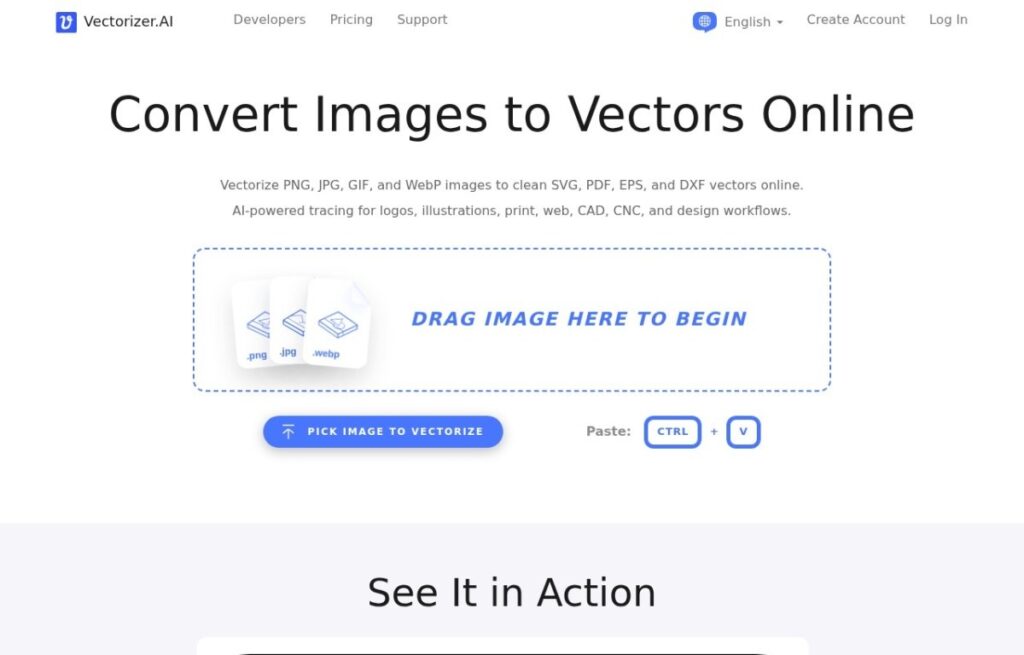
Vectorizer.AI is a focused tool that converts raster images such as PNG and JPG files into scalable vector graphics using automated tracing. It analyzes shapes, edges, and colors to produce clean vector paths that can be resized without losing quality, then exports to formats like SVG, PDF, and EPS. The tool is built for a single job, turning pixel based artwork into editable vectors, and applies AI driven tracing to handle detail and curves more accurately than basic manual tracing methods.

The tool is useful for designers, print shops, developers, and creators who need to prepare logos, icons, or illustrations for scaling, printing, or embroidery. It helps when only a low resolution image is available and a crisp, resolution independent version is needed. People who already work in vector formats may not need it often, but for anyone converting existing raster art into usable vectors, the automated process saves the tedious work of manual retracing.

Features include automatic image tracing, adjustable output settings, support for full color and detailed images, and export to standard vector formats. A preview lets users check results, with paid credits or subscriptions required to download full resolution files.

Key features

Screenshots & demo

Vectorizer.AI screenshot 1

Pricing

Vectorizer.AI has a free plan, and paid plans start at $10/mo.

  • Pricing modelFreemium
  • Starting priceFrom $10/mo
  • Free planYes
Visit Vectorizer.AI

Pricing is provided as a guide. Check the official site for the latest plans.

Pros & cons

Pros

  • Accurate automated tracing results
  • Supports standard vector formats
  • Simple single purpose workflow
  • Preview before paying

Cons

  • Downloads require paid credits
  • Narrow single purpose tool
  • Complex images may need cleanup

How it compares

ToolRatingFreeFromBest known for
Vectorizer.AI (this tool)4.3Yes$10/moAutomatic raster to vector tracing
Durable4.7Yes$25/moInstant AI website generation
Relume4.7Yes$26/moAI sitemap generation
Canva4.7Yes$15/moDrag-and-drop template editor

Our verdict

4.3 / 5 4.3

Vectorizer.AI is a strong design tool, best known for automatic raster to vector tracing. It offers a free plan, with paid upgrades from $10/mo.

What makes it different: Vectorizer.AI stands out for automatic raster to vector tracing.

How we score it
Overall 4.3
Value for money 4.7
Feature depth 4.9
Popularity 3.7
Best for ProfessionalsTeamsCreatorsCurious learners

Frequently asked questions

What is Vectorizer.AI?
Vectorizer.AI is a design tool listed in the Challenging Voice directory. Converts raster images into clean scalable vector graphics.
Is Vectorizer.AI free?
Yes, Vectorizer.AI offers a free plan. Paid plans unlock more features and higher usage limits, starting at $10/month.
How much does Vectorizer.AI cost?
Vectorizer.AI starts at $10 per month. See the pricing plans above for full details.
What are the best Vectorizer.AI alternatives?
Popular alternatives to Vectorizer.AI include Plus AI, Beautiful.ai, and Napkin AI. Browse them all in the Design category.
Is Vectorizer.AI any good?
Vectorizer.AI scores 4.3 out of 5 based on our editorial review.

Reviews

4.3 No reviews yet

Write a review

Similar tools you might like

Plus AI

4.3

An AI add-on that creates and edits presentations directly inside Google Slides and PowerPoint.

Free Trial Design