
Freemium

SVGMaker

Actual vector output — SVG, EPS, AI and DXF, not a picture of a shape.

3.9 Design
3.9 Good 3.9

Bottom line: SVGMaker is a capable design tool, best known for text-to-SVG generation with up to four variations. It has a free plan.

Genuine vector output, including DXF for cutting machines and CAD Generated paths often carry far more nodes than a human would draw
Reviewed by Challenging Voice Editorial · Updated Aug 2026 How we rate
PricingFree
Free planYes
CompanyGenWave LLC
PlatformsWeb
Best forDesign
Visits6
Last reviewedAug 2026
UpdatedAug 2026
Ask AI about SVGMaker ChatGPT Claude Perplexity

Overview

SVGMaker generates and edits vector graphics. Text becomes an SVG, photos convert to vector, and a prompt-based editor changes an existing file without redrawing it, alongside a background remover, colour editor and a full path-and-drawing editor. Up to four variations generate at once, with presets for flat, minimalist, outline and isometric styles. The company is GenWave LLC of Sacramento, and it reports more than 80,000 users.

The export list is the reason to take it seriously: SVG, PDF, EPS, AI and DXF for vector work, PNG, JPG and WebP for raster, and React or HTML for code. That is a real vector pipeline rather than an image with a vector-sounding label — DXF in particular is what cutting machines and CAD software read, and its presence tells you the output is genuine geometry. For the Etsy, Cricut and print-on-demand audience this names, that distinction is the entire purchase.

One caveat that matters specifically for that audience: **true vector is not the same as clean vector.** Generated paths frequently carry far more nodes than a human illustrator would use, and a shape with several thousand points cuts slowly, confuses a plotter and is miserable to edit by hand. Open the result in the path editor and check the node count before committing a design to a machine. Rates were not loading on the pricing section at the time of review.
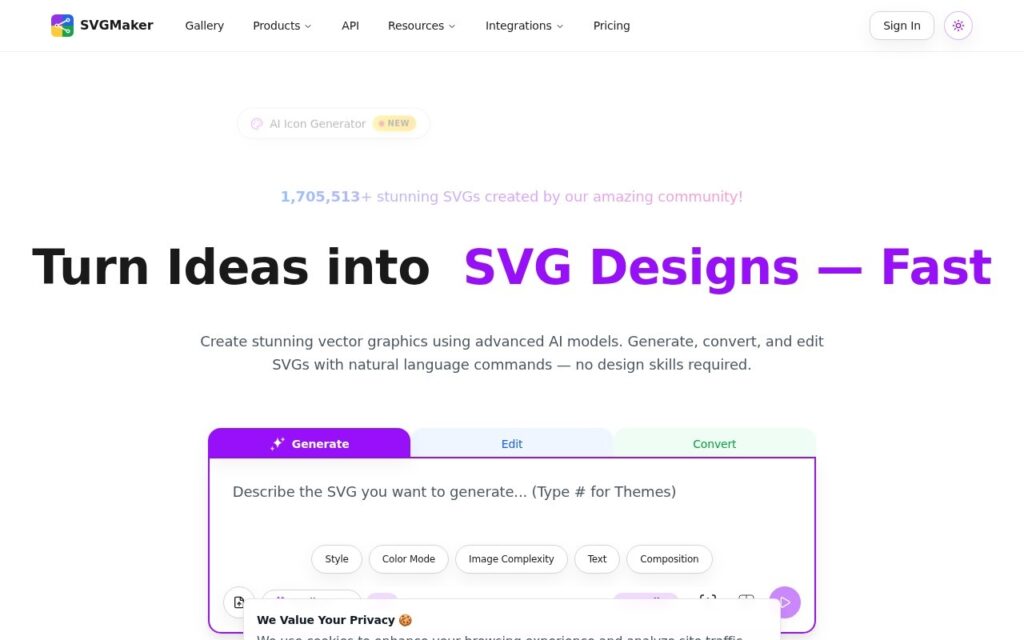

Key features

  • Text-to-SVG generation with up to four variations
  • Photo to vector conversion
  • Prompt-based editing of existing SVGs
  • Export to SVG, PDF, EPS, AI and DXF
  • Path editor, background remover and colour editor

Screenshots & demo

SVGMaker screenshot 1

Pricing

SVGMaker offers a free plan, with paid upgrades for higher limits and more features.

  • Pricing modelFreemium
  • Starting priceFree
  • Free planYes
Visit SVGMaker

Pricing is provided as a guide. Check the official site for the latest plans.

Is SVGMaker expensive?

SVGMaker has no advertised paid tier. Among the 89 priced tools we list in Design, the median entry price is $14.99 a month.

74% of Design tools in the directory offer a free tier, and this is one of them.

Compared against every priced listing in Design, recalculated as the catalogue changes. Method and the full market breakdown are in our AI tool pricing study.

Pros & cons

Pros

  • Genuine vector output, including DXF for cutting machines and CAD
  • Prompt editing of an existing file rather than regenerating it
  • Named company and a large stated user base

Cons

  • Generated paths often carry far more nodes than a human would draw
  • Dense paths cut slowly and are painful to edit by hand
  • Pricing section was not loading at review time

How it compares

ToolRatingFreeFromBest known for
SVGMaker (this tool)3.9YesFreeText-to-SVG generation with up to four variations
Durable4.7Yes$25/moWebsite generation marketed at roughly 30 seconds
Relume4.7Yes$26/moAI-generated wireframes and page structure from a prompt
Canva4.7Yes$15/moMagic Studio suite of AI design tools

Our verdict

3.9 / 5 3.9

SVGMaker is a solid design tool, best known for text-to-SVG generation with up to four variations. It offers a free plan.

What makes it different: SVGMaker stands out for text-to-SVG generation with up to four variations.

How we score it
Overall 3.9
Value for money 4.7
Feature depth 4.9
Popularity 3.7
Best for ProfessionalsTeamsCreatorsCurious learners

Frequently asked questions

What is SVGMaker?
SVGMaker is a design tool listed in the Challenging Voice directory. Actual vector output — SVG, EPS, AI and DXF, not a picture of a shape.
Is SVGMaker free?
Yes, SVGMaker offers a free plan. Paid plans unlock more features and higher usage limits.
What are the best SVGMaker alternatives?
Popular alternatives to SVGMaker include SketchUp, AI Vector, and Renovate AI. Browse them all in the Design category.
Is SVGMaker any good?
SVGMaker scores 3.9 out of 5 based on our editorial review.

Reviews

3.9 No reviews yet

Write a review

Similar tools you might like