Freemium

BrandBird

Turns a plain screenshot into a polished social-media graphic – device mockups, 3D effects, annotations – available as a web app, Chrome extension, Figma plugin and Mac app.

3.7 Design
3.7 Good 3.7

Bottom line: BrandBird is a capable design tool, best known for screenshot-to-social-graphic conversion. It has a free plan.

Available directly where screenshots are taken (Chrome, Figma, Mac), not just a website Needs an existing screenshot to work from – not a standalone design tool
Reviewed by Challenging Voice Editorial · Updated Aug 2026 How we rate
PricingFree
Free planYes
CompanyBrandFlow EE
PlatformsChrome Extension, Mac, Web
Best forDesign
Visits7
Last reviewedAug 2026
UpdatedAug 2026
Ask AI about BrandBird ChatGPT Claude Perplexity

Overview

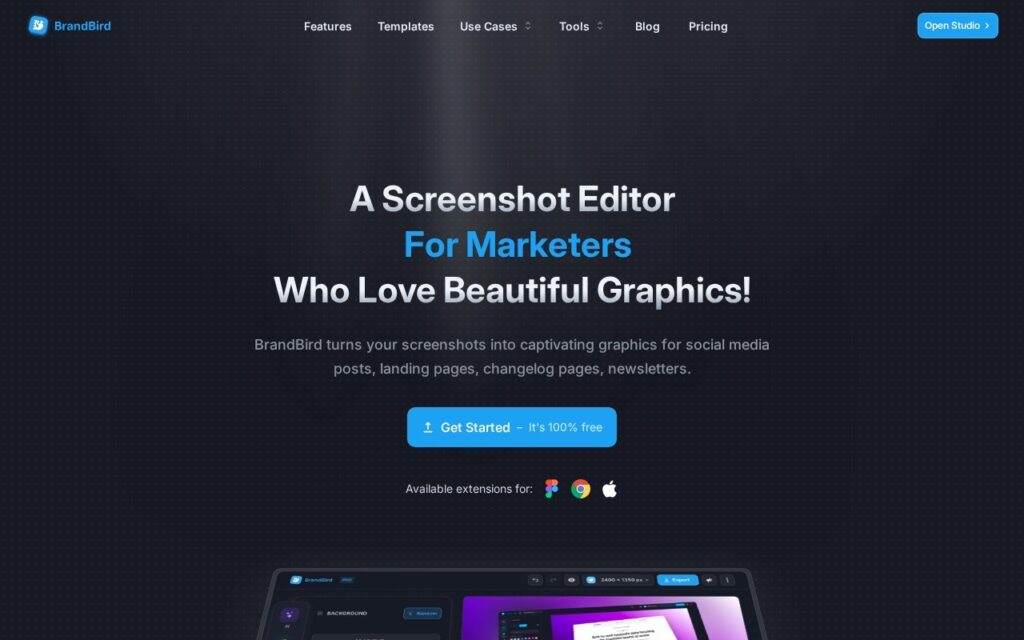
BrandBird converts ordinary screenshots into visually polished graphics for social posts, landing pages, changelogs and newsletters: 3D effects and transformations, customizable backgrounds (gradients, solids, patterns, images), annotation tools (arrows, emojis, headings, rectangles), and device mockups spanning iPhone, MacBook, iPad, Apple Watch and browser frames.

Being available everywhere a screenshot actually gets taken – a Chrome extension, a Figma plugin, a Mac app, and a web app – rather than only a standalone website, is what makes this fit into a real design or marketing workflow instead of adding an extra export-import step. Device mockup breadth specifically matters for product marketers who need a screenshot to look native inside a real phone or laptop frame for social posts and landing pages, not floating on a plain background.

This is a polish tool for existing screenshots, not a design or illustration tool in its own right – it needs a real screenshot to start from. A free tier covers core editing; premium backgrounds and advanced export options require the Pro tier, with specific pricing not detailed on the page checked.

Key features

  • Screenshot-to-social-graphic conversion
  • Device mockups: iPhone, MacBook, iPad, Apple Watch, browser
  • 3D effects and customizable backgrounds
  • Annotation tools: arrows, emojis, headings, rectangles
  • Available as web app, Chrome extension, Figma plugin, Mac app

Screenshots & demo

BrandBird screenshot 1

Pricing

BrandBird offers a free plan, with paid upgrades for higher limits and more features.

  • Pricing modelFreemium
  • Starting priceFree
  • Free planYes
Visit BrandBird

Pricing is provided as a guide. Check the official site for the latest plans.

Is BrandBird expensive?

BrandBird has no advertised paid tier. Among the 96 priced tools we list in Design, the median entry price is $15 a month.

74% of Design tools in the directory offer a free tier, and this is one of them.

Compared against every priced listing in Design, recalculated as the catalogue changes. Method and the full market breakdown are in our AI tool pricing study.

Pros & cons

Pros

  • Available directly where screenshots are taken (Chrome, Figma, Mac), not just a website
  • Wide device-mockup selection for native-looking product marketing
  • Free tier covers real core editing, not just a locked preview

Cons

  • Needs an existing screenshot to work from – not a standalone design tool
  • Premium backgrounds and exports require the Pro tier
  • Specific pricing wasn't detailed on the page checked

How it compares

ToolRatingFreeFromBest known for
BrandBird (this tool)3.7YesFreeScreenshot-to-social-graphic conversion
Canva4.7Yes$15/moMagic Studio suite of AI design tools
Relume4.7Yes$26/moAI-generated wireframes and page structure from a prompt
Durable4.7Yes$25/moWebsite generation marketed at roughly 30 seconds

Alternatives to BrandBird

4 tools our editors picked as direct alternatives to BrandBird.

Our verdict

3.7 / 5 3.7

BrandBird is a solid design tool, best known for screenshot-to-social-graphic conversion. It offers a free plan.

What makes it different: BrandBird stands out for screenshot-to-social-graphic conversion.

How we score it
Overall 3.7
Value for money 4.7
Feature depth 4.9
Popularity 3.7
Best for ProfessionalsTeamsCreatorsCurious learners

Frequently asked questions

What is BrandBird?
BrandBird is a design tool listed in the Challenging Voice directory. Turns a plain screenshot into a polished social-media graphic – device mockups, 3D effects, annotations – available as a web app, Chrome extension, Figma plugin and Mac app.
Is BrandBird free?
Yes, BrandBird offers a free plan. Paid plans unlock more features and higher usage limits.
What are the best BrandBird alternatives?
Popular alternatives to BrandBird include Everypixel, SizzlePop, and PicTools.AI. Browse them all in the Design category.
Is BrandBird any good?
BrandBird scores 3.7 out of 5 based on our editorial review.

Reviews

3.7 No reviews yet

Write a review

Similar tools you might like

Layer AI

4.2

AI creative platform where game studios generate and edit 2D, 3D, and video assets in one workspace.

Freemium Design

DreamHouse AI

3.5

Redesigns interiors and exteriors from a photo, with chat refinement and the ability to drop specific products into the scene.

Freemium Design

Kitkoo

3.5

Converts a logo or product image into e-commerce-ready mockups across apparel, packaging, and merchandise.

Contact for Pricing Design