
Freemium Verified

Gemini CLI

Google's free, open-source answer to terminal coding agents

4.3 Coding
4.3 Very good 4.3

Bottom line: Gemini CLI is a strong coding tool, best known for open-source, terminal-native coding agent. It has a free plan.

Free access with notably generous usage limits Newer product with a shorter track record than established terminal agents
Reviewed by Challenging Voice Editorial · Updated Jul 2026 How we rate
PricingFree
Free planYes
CompanyGoogle
PlatformsAPI, Mac, Windows
Best forCoding
Founded2025
Visits14
Last reviewedJul 2026
UpdatedJul 2026
Ask AI about Gemini CLI ChatGPT Claude Perplexity

Overview

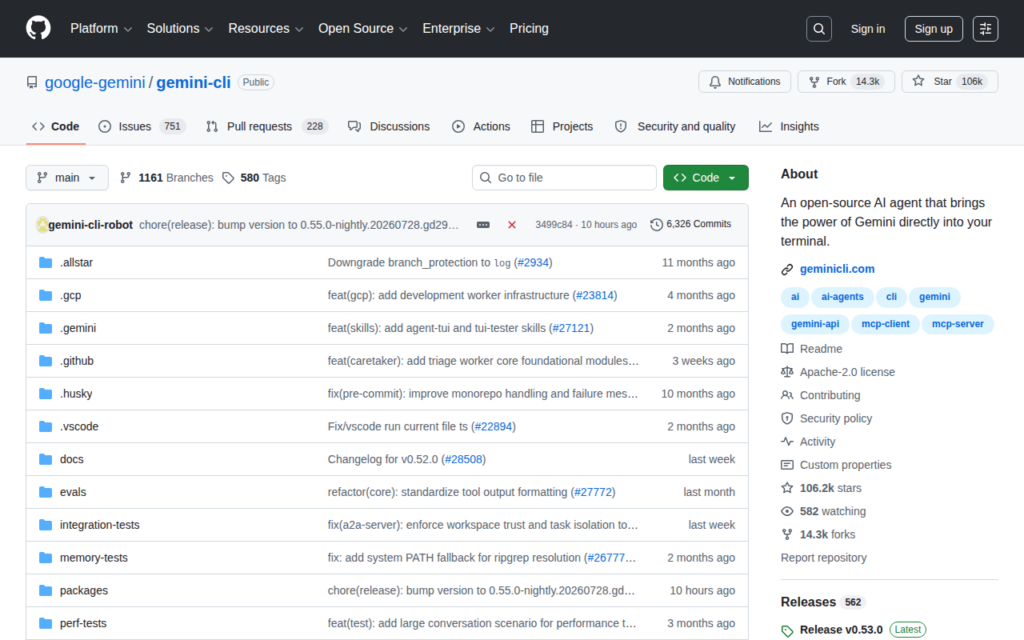
Gemini CLI, released by Google in 2025, brings Gemini's models into the terminal as an open-source agentic coding tool, positioned directly against terminal-first competitors like Claude Code and Aider rather than as a graphical IDE experience.

It operates against a real codebase and shell environment, reading files, making edits, and running commands as part of completing a task, with Google backing it with notably generous free usage limits relative to some competitors' paid-only or more restricted free access. Being open source lets developers inspect or extend it directly rather than treating it as a closed product.

Gemini CLI is free to use, with usage limits tied to a Google account. For a developer who wants a terminal-native coding agent backed by Google's Gemini models without a subscription requirement to get started, Gemini CLI's free, open-source access is a direct, low-barrier entry point into this specific style of tool.
Key features

  • Open-source, terminal-native coding agent
  • Built on Google's Gemini models
  • Direct codebase, file, and shell access
  • Generous free usage limits
  • No subscription required to start
  • Positioned against Claude Code and Aider specifically

Screenshots & demo

Pricing

Gemini CLI offers a free plan, with paid upgrades for higher limits and more features.

  • Pricing modelFreemium
  • Starting priceFree
  • Free planYes
Visit Gemini CLI

Pricing is provided as a guide. Check the official site for the latest plans.

Pros & cons

Pros

  • Free access with notably generous usage limits
  • Open source, allowing inspection and extension
  • Backed by Google's ongoing Gemini model development
  • Terminal-native design fits existing developer workflows

Cons

  • Newer product with a shorter track record than established terminal agents
  • Free usage limits are still tied to a Google account and subject to change
  • Less mature ecosystem of guides and community content so far

How it compares

ToolRatingFreeFromBest known for
Gemini CLI (this tool)4.3YesFreeOpen-source, terminal-native coding agent
Cursor4.5Yes$20/moMulti-line Tab autocomplete predicting full edits
Claude Code4.6No$20/moTerminal-native agent with direct codebase and shell access
Aider4.6YesFreeTerminal-based, no IDE required

Our verdict

4.3 / 5 4.3

Gemini CLI is a strong coding tool, best known for open-source, terminal-native coding agent. It offers a free plan.

What makes it different: Gemini CLI stands out for open-source, terminal-native coding agent.

How we score it
Overall 4.3
Value for money 4.7
Feature depth 4.9
Popularity 4.0
Best for DevelopersEngineering teamsStudentsIndie hackers

Frequently asked questions

What is Gemini CLI?
Gemini CLI is a coding tool listed in the Challenging Voice directory. Google's free, open-source answer to terminal coding agents.
Is Gemini CLI free?
Yes, Gemini CLI offers a free plan. Paid plans unlock more features and higher usage limits.
What are the best Gemini CLI alternatives?
Popular alternatives to Gemini CLI include Fenado AI, Jam, and KushoAI. Browse them all in the Coding category.
Is Gemini CLI any good?
Gemini CLI scores 4.3 out of 5 based on our editorial review.

Reviews

4.3 No reviews yet

Write a review

Similar tools you might like

KushoAI

4.0

An AI agent that generates and maintains API test suites from OpenAPI, Swagger, or Postman specs without hand-written tests.

Freemium Coding

Jam

4.3

Captures a screen recording, console logs, and network requests in one click to turn bug reports into ready-made tickets.

Freemium Coding