
Free Verified

Aider

A terminal-based pair programmer that commits its own changes

4.6 Coding
4.6 Excellent 4.6

Bottom line: Aider is a top-tier coding tool, best known for terminal-based, no IDE required. It has a free plan.

Automatic git commits keep a clean, reviewable change history No graphical interface, requires comfort with the command line
Reviewed by Challenging Voice Editorial · Updated Jul 2026 How we rate
PricingFree
Free planYes
CompanyAider AI
PlatformsAPI, Mac, Windows
Best forCoding
Founded2023
Visits15
Last reviewedJun 2026
UpdatedJul 2026
Ask AI about Aider ChatGPT Claude Perplexity

Overview

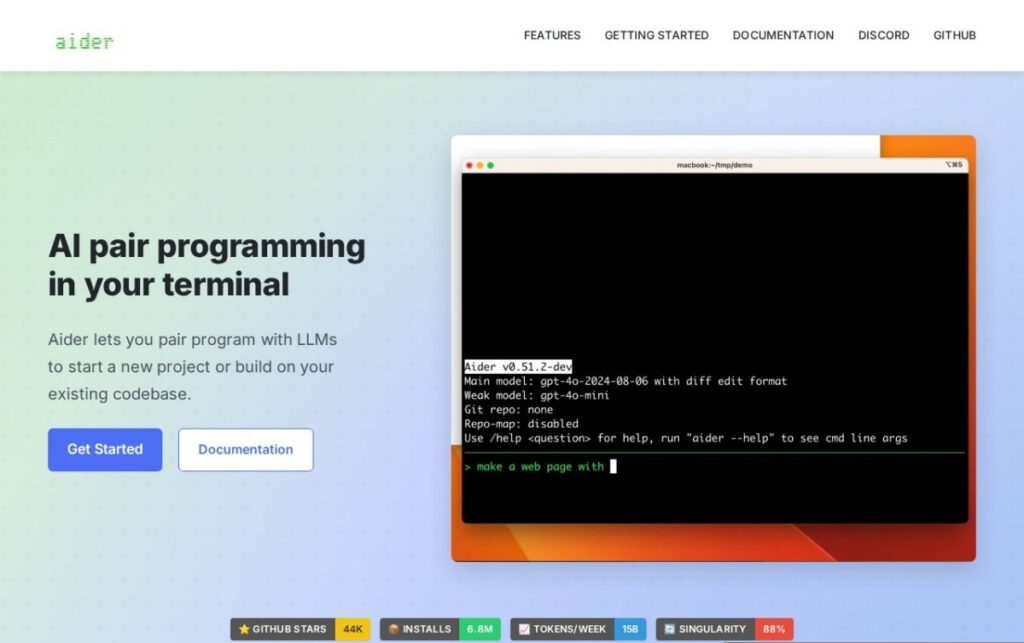
Aider, released in 2023, works entirely from the command line rather than inside an IDE, and pairs that terminal-first design with a specific, practical feature most coding assistants skip: it automatically writes and applies git commits with sensible messages for the changes it makes, keeping a clean, reviewable history rather than one large uncommitted diff.

It's also model-agnostic by design, connecting to whichever LLM a developer wants to use rather than being built around one proprietary model, which has made it a favorite among developers who want to swap models as better or cheaper options become available. That lightweight, editor-independent approach appeals specifically to developers who prefer their existing terminal and editor setup over adopting a new AI-native IDE.

Aider is free and open source, with the underlying model API costs paid separately to whichever provider a user connects. For a developer who wants a fast, scriptable, git-aware coding assistant that works alongside their existing tools rather than replacing their editor entirely, Aider's terminal-first, model-agnostic design remains a distinct choice in a category increasingly dominated by full IDE replacements.

Key features

  • Terminal-based, no IDE required
  • Automatic git commits with generated messages
  • Model-agnostic, works with many different LLM providers
  • Open source and free
  • Works alongside a developer's existing editor setup
  • Multi-file editing from natural-language requests

Screenshots & demo

Pricing

Aider offers a free plan, with paid upgrades for higher limits and more features.

  • Pricing modelFree
  • Starting priceFree
  • Free planYes
Visit Aider

Pricing is provided as a guide. Check the official site for the latest plans.

Pros & cons

Pros

  • Automatic git commits keep a clean, reviewable change history
  • Model flexibility avoids lock-in to one provider
  • Lightweight terminal workflow fits existing developer setups
  • Free and open source

Cons

  • No graphical interface, requires comfort with the command line
  • Model API costs apply separately depending on the provider chosen
  • Less visual context than IDE-integrated competitors provide

How it compares

ToolRatingFreeFromBest known for
Aider (this tool)4.6YesFreeTerminal-based, no IDE required
Cursor4.7Yes$20/moMulti-line Tab autocomplete predicting full edits
GitHub Copilot4.6Yes$10/moOriginal AI coding autocomplete, launched in 2021
Zed4.5Yes$10/moBuilt natively rather than as an Electron/VS Code fork

Our verdict

4.6 / 5 4.6

Aider is an excellent coding tool, best known for terminal-based, no IDE required. It offers a free plan.

What makes it different: Aider stands out for terminal-based, no IDE required.

How we score it
Overall 4.6
Value for money 4.7
Feature depth 4.9
Popularity 4.0
Best for DevelopersEngineering teamsStudentsIndie hackers

Frequently asked questions

What is Aider?
Aider is a coding tool listed in the Challenging Voice directory. A terminal-based pair programmer that commits its own changes.
Is Aider free?
Yes, Aider offers a free plan. Paid plans unlock more features and higher usage limits.
What are the best Aider alternatives?
Popular alternatives to Aider include AI App Generator by UI Bakery, Flowblock, and GPTConsole. Browse them all in the Coding category.
Is Aider any good?
Aider scores 4.6 out of 5 based on our editorial review.

Reviews

4.6 No reviews yet

Write a review

Similar tools you might like

KaneAI

4.1

GenAI-native test automation agent that authors, manages, and debugs software tests from plain language.

Free Trial Coding