Project management methods save you time. Applied with computer tools, they are all the more beneficial and effective. We present to you the best project management software on the market.
What is a Project Management Tool?
Project management is above all a method. It consists of planning, then executing and monitoring the actions of a team whose objectives are common. The idea is therefore to reach them as well as possible, while coordinating, taking into account the resources of the entire team, whether temporal, human, material, etc. It will make it possible to efficiently allocate these resources to achieve the best result, as quickly as possible. We use project management methodologies is used in the private sector as in the public because it is a guarantee of success.
The project is led by a project manager, responsible for coordinating and organizing the project. He is the one who will accompany his team in the distribution of tasks and the follow-up of the project.
The project management tool makes it possible to organize the proper conduct of the project in the form of software by framing the monitoring of the methodology and by recording the stages and developments of the project. Project management software is an excellent means of management. It brings together all the tools needed to manage your project in one place. It’s a real collaborative platform for everyone on the team. Interactions, sharing of documents, etc: everything will be done to maintain contact and ensure the project succeeds.
Why use Project Management Tools?
The best project management software is the one that will allow you to centralize all the tasks. Functionalities for allocating things to be executed are very often integrated. They will allow the project manager to manage the entire flow of work to be carried out.
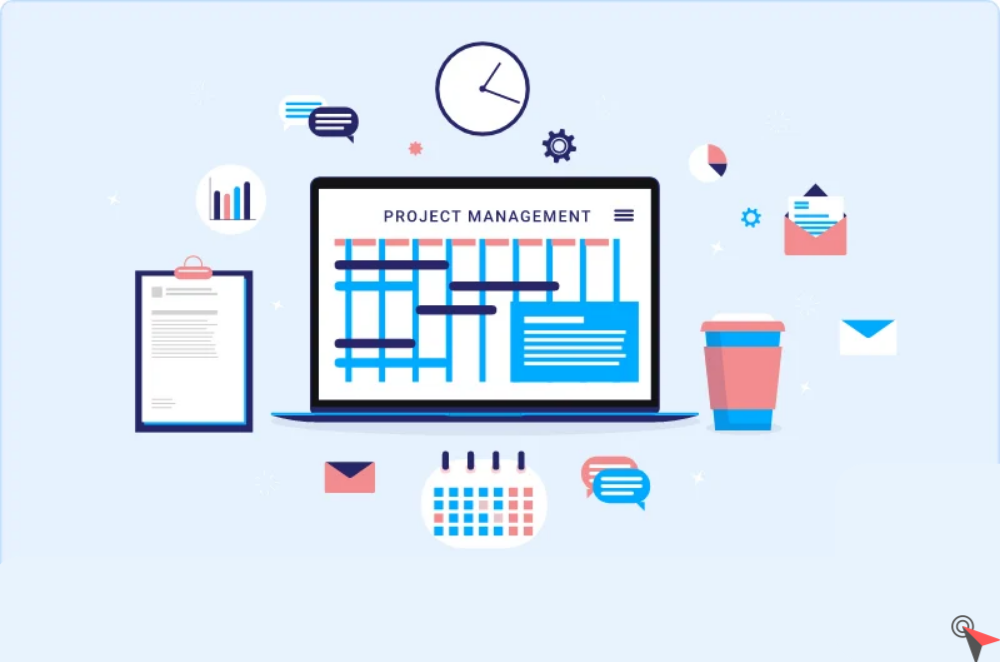
To visualize it, different types of views are possible. The list, table, calendar or even Gantt chart version allows you to see the progress of the project. The software will prove to be very useful for keeping track of all activities up to the minute.
In summary, using project tracking software is above all about saving time for you and your team.
What Criteria to Choose a Project Management Software?
Types of Project Management Tool
While marketing project management tools may look similar, they differ in their functionality. There are multimodal platforms, with pre-filled templates based on your area of expertise.
Others are prebuilt for immediate use. A last category includes those that are completely customizable and that you can shape according to your needs.
Features of Project Management Tool
The functionalities of a project monitoring tool are multiple. We find the creation and management of tasks in different views as the most important point. Monitoring the progress of the project is essential. The best project planning tools allow you to generate tracking graphs which are very useful for visualizing your progress.
Interactivity solutions with your colleagues are also essential to exchange at any point of the project. You will thus have integrated messaging or chats.
Another point is the integrations. These are interconnections with other software and applications that can be synchronized. So you save time with a centralized system.
How much does Project Management Software Cost?
Prices can vary greatly depending on your needs. Many offer free project management tools with basic functionality and for small teams. Intermediate versions with more options are offered between 10 and 20€ per month per user.
To go further if your company is large, you can request a personalized quote for a yearly purchase. It will be a question of opening access to all your employees, and possibly developing local options.
Detailed Review of the Best Project Management Tools
ChallengingVoice
ChallengingVoice is a tool that rivals the best project management tools. It is easily usable for personal projects but can be scaled to a business. With a good number of features, it remains very practical. Its advantage is that it is very customizable so that its interface resembles your projects as closely as possible. The design is streamlined so that it is quickly easy to use.
Moreover, you will start with a software to shape completely according to your desires. You will benefit from a data storage space, all in a collaborative way. Like any good project management software, you will have the possibility to create tasks, assign them, etc.
Several integrations have been included like Slack, Google Drive, GitHub or project management software like Asana and Jira.
A free trial is available of the following different subscriptions:
- Free for life with unlimited pages, 5 guests, device synchronization and API
- Paid version: Individual Pro for $4 per month billed annually, or £5 per month, with unlimited files and guests, 30-day version history
- Team package $8 per month annual billing or $10 with unlimited team members, collaborative workspace, sharing, admin tools
- Tailor-made for companies
Advantages
- Customizable in the image of the project
- Attractive rates
- Useful integrations
Monday
With Monday, no more tedious Mondays. It simplifies the management of your project on a daily basis, for all team members. It is the best free project management software.
Monday is a software intended for teams and which allows the realization of a very large number of tasks. All in connectivity, whether in the office or remotely. Its key word: flexibility. All with comprehensive functionality.
On this multimodal platform, you can do all the tasks required by project management. Conversations, document sharing, dynamic calendar, Gantt chart : all the work will be fluid.
It is software that is perfect for team coordination, especially if you are working on complex topics. Automatic features are built into the software. Before you start, you will complete a short quiz about your needs to access a personalized platform.
In terms of connectivity, this tool is compatible with a very large number of other applications, whether social networks, the Office suite, G suite, Git Lab, Chimpmail, etc. The list is long, we let you discover for yourself -same.
A 14-day free trial is offered. Then there are 5 packages to choose from:
Lifetime free project management for 2 users (individual)
- 40€ per month for 8 users (basic)
- 50€ per month for 10 users (standard)
- 80€ per month for 16 users (pro)
- Customized for companies (company)
Not all features are available for all plans: access for guests, Zoom integration, deadline view, calendar view, deadline tracking or diagram view are all features that are available after the standard version.
Monday is compliant with the following certifications: GDPR, ISO 27001, ISO 27018, AICPA SOC, and HIPAA.
Beyond the projects Monday also benefits from functionalities allowing it to be used to follow its commercial action. See our comparison of the best crm software for more info.
Advantages
- Easy to learn and intuitive
- Many features
- Automated Tasks
- Multiple interconnections
Disadvantages
- Access to the Gantt chart requires the paid version
- The most interesting features require switching to a paid offer
Teamwork
Specifically dedicated to work between provider and client, Teamwork brings everyone together on the same platform.
Easy to use it is a platform intended for the harmonization of teamwork and a free project management software for basic functionalities. By putting everyone on the same computer program, the results are multiplied tenfold.
From home or from your workspace, all the projects you are working on. Customers will be part of the project follow-up in order to best meet their expectations.
Level project management tools, we find the BA-BA of project management with minute monitoring of tasks performed, diagrams, a dialog box, budget monitoring. The idea is to be able to follow the progress of the project in a very precise and thorough way. Features are under development such as custom reports, Google Sheets integration, or Google Calendar.
Again, a good number of applications can be connected to Teamwork. We think in particular of Skype, certain products of the G suite, Outlook, Teams and many others. Social networks are not in the list.
For the trial version, you will have a period of 30 days free. Then several versions are to choose from:
- Lifetime free project management software for less than 5 users and basic features (messages, milestones, standard task management)
- 10€ per month for at least 3 users with models, time tracking, agile views, unlimited access for clients, collaborative documents
- 18€ per month for at least 5 users with all the features of the previous version and other advanced customization options
- The personalized version, prices available on contact
Advantages
- Easy to use
- Rich features
- Free Task Scheduler
Disadvantages
- Notifications quickly become spammy, be careful not to set too many
ClickUp
ClickUp is above all a personalized and connected offer for projects, even very large ones involving many participants.
Thanks to its very versatile management capacity, ClickUp is both agile and structured. This software will be perfect even to satisfy very large teams in a very large number of areas. It can support up to 1,000 employees.
Its advantage: connectivity. You can access it on all kinds of media, from your computer, your phone, or even your connected watch. It is a real task planning tool that works with global tracking tables. It allows you to holistically manage the progress of tasks in progress, done or to be done. The categories are multiple and customizable.
Using the folders, organize your space to see more clearly. The generation of a large number of different tracking diagrams is possible. There are multiple integrations with well-known management applications such as Dropbox, Google Drive, Google Calendar, GitLab, Slack or Outlook. They are actually hundreds.
Two types of subscriptions are offered: annual or monthly. Here are the details :
- Lifetime free project management tools with 100 MB of storage, and primary features
- $5/month annual subscription or $9/month monthly subscription for the paid version with all customizable features
- $12/month annual subscription or $19/month monthly subscription for the business version for several teams, advanced automations and advanced monitoring
- Custom business version
Advantages
- Unlimited members on free version
- Good interconnection and ease of transfer from other tools
- High degree of customization
Disadvantages
- “Guest” users are very restricted compared to “licensees”
- Advanced reporting features require paid version
Asana
Asana is one of the best project management tools in the project management space, and its efficiency is renowned. Whether for small tasks, or for large projects, you will find a suitable solution.
As you can see, Asana is made for all types of projects. Its keywords: precision and efficiency. It is therefore particularly recommended for those who like projects organized in optimal precision.
Several functionalities on tasks are interesting: attribution, deadlines, file import. Internal messaging will allow you to stay in touch with your employees.
Very colorful, its interface is easy to use, especially with list, table, timeline or calendar views. Custom options are available for a bespoke process, as are automations. Asana’s integrations are very numerous and will allow you to have a global approach. You can decide to easily integrate Google Calendar, DropBox, Slack, Sharepoint, and many other applications.
In terms of price, Asana offers a 30-day trial period for its various subscriptions.
- Free basic version includes basic features with unlimited tasks, messages, projects, project overview
- The premium version is at 10.99€/month annual subscription or 13.49€/month monthly subscription with chronological follow-up, process generator, advanced search, personalization, milestones
- The business version at €24.99/month annual subscription or €30.49/month monthly subscription plus portfolios, objectives, reviews
- A tailor-made enterprise version is offered on contract
Non-profit organizations will get 50% off.
Advantages
- Recognized platform
- Multiple views available
- Easy and intuitive
- Very good interconnectivity
Disadvantages
- RAS
Zoho Projects
Zoho Projects is software for businesses of all sizes. With very good task planning. Monitoring the completion of these tasks allows you to work efficiently, without losing sight of the objectives.
The interface is very intuitive and it will only take you a few minutes to get familiar with it. Gantt charts are automated and very practical to have a global view on the progress of projects. Other tasks can be automated to save you time.
Speaking of time, time tracking is available through timesheets. Several customizable options are available. For interconnectivity, you will be able to synchronize the most common applications such as G Suite, Slack, Pack Office, etc.
Here are the subscriptions offered:
- Free version up to 3 users for 2 projects and 10MB storage, with basic features, Gantt chart, mobile apps
- Premium version 5€/month for projects up to 50 users, unlimited projects, 100 GB of storage, time tracking of tasks, budget, progress of tasks
- Enterprise version 10€/month, unlimited and all features
A 10-day trial period is offered for each product.
Advantages
- Global view on the progress of projects
- Simple but effective
- Gantt chart
Disadvantages
- Less rich integration and interconnection
- Customization a bit complex
TeamGantt
At TeamGantt, we favor project monitoring thanks to an interface that is specially dedicated to it. It is intended for use by people who want to follow the projects implemented in a very graphic way. It is accessible to employees and customers alike. Activity monitoring is therefore facilitated via the online platform directly. Three views are available: Gantt, Kanban or calendar.
This platform has the advantage of being very easy to use. However, it may be limited for the management of very advanced projects. Integrated messaging and comments are also features offered.
It is possible to perform a 30-day trial on all products. The subscriptions offered are:
- Free version for 3 users without visitors, 1 single project with a limit of 60 tasks
- Standard version for $19.90/month for 1 user and unlimited visitors, unlimited projects, collaboration features and planning
- Advanced plan for $24.45/month for 1 user and unlimited visitors, time management features, and project progress
- Corporate Custom Version
Advantages
- Allows you to quickly understand the progress
- Easy handling
- simple visual
Disadvantages
- Limited integration
- Number of users
base camp
Basecamp is above all a toolbox for remote project management teams. Without requiring progress meetings, everything can be managed from the app. It allows you to centralize everything in one place, which remains accessible everywhere: smartphone, tablet or computer.
Here are a few features: an integrated messaging system, a list of things to do, planning, documents and folders, group conversations, and automated recurring questions.
You can also set up notifications as soon as an action is performed in Basecamp on the schedules of your choice. A number of applications are integrated, but they are not the most used on the market. Pay attention to the multiplication of supports.
Basecamp offers a 30-day trial on its products. The offer is simple because it consists of 2 products:
- Basic free version, limited to 3 projects, 20 users and 1 GB of storage
- Business version at $99 per month for the whole company (no individual billing like for the other versions) with all models accessible, unlimited clients, group projects
Advantages
- Centralized toolbox
- Handy Features
- Interesting price for an entire business
Disadvantages
- Price a little high for TPE
- Integration could be even further
Trello
Trello is a tool that can be used by everyone, from the entrepreneur who wants to organize their tasks, to individuals, but also to teams who have to work together but at a distance.
It is a tool that remains very ergonomic and easy to use. It mainly works on the creation of post-its and digital lists. These can be shared by different teammates for real-time work monitoring.
It has all the necessary tools to do visual team management in order to put everyone on the same page. Timeline, calendar and statistics generation are the other features of Trello. Automations are possible. It also offers good integration with applications such as Google Drive, Evernote, Slack or Dropbox.
For pricing, Trello offers several plans:
- Free version with 10 workspace boards, unlimited maps, unlimited storage, assigning managers and deadlines and other basic features
- Standard at $5/month per user, unlimited tables, advanced checklists, custom fields
- Premium at $10/month per user with dashboard view, timeline, calendar, plan, collections, observers
- Business at $17.50/month per user (decreasing rate depending on the number of users), unlimited workspace, several guests per board, management of public boards, permission for attachments It is possible to try the Premium version during 14 days.
Advantages
- UX & ergonomics
- Price degression for medium to large structures
- Multiplicity of views available
Disadvantages
- Diagrams
- Limited integrations
Gouti
Gouti is a working tool for collaborative project management. Designed for project managers, employees and managers alike, it brings everyone together on the same platform. Tracking project progress is easy. Whether for banking, insurance or industrial companies: it adapts to many teams.
It allows you to plan and organize all the stages of the project. Initialization, task management, planning, charges and cost, risks, task models… it’s all there. You will have several views to follow the progress of the project: calendar, list, Gantt or Kanban chart, which are also exportable, timesheets.
A special tool has been developed for risk management. You can also create groups to facilitate the work. Gouti does not show integrations.
In terms of price, here is the grid:
- Free basic version for a single project, basic planning features and follow-up management
- Premium paid version at €10.50/month, advanced features, installation, monitoring, control and reporting, this is the best formula for small teams
- Company on estimate to have the best of the functionalities
Advantages
- Easy to use
- Plurality of views
- Diagrams to generate and export
Disadvantages
- Comments
- Integration and interconnection
Sciforma
In a much more graphic style, Sciforma lets you manage your projects from start to finish. It ‘s project portfolio management software that adapts to you. Whether in terms of size, or in terms of subject, Sciforma is multifunctional.
It will be suitable for small teams, but also for large projects that involve several collaborators. It has all the advanced functions and programs you will need. Sciforma also emphasizes tracking graphics which are particularly detailed and have a very professional design.
With a simple interface, it is very easy to understand even for beginners. Then, scaling can be done with advanced features. As it is flexible, you will be able to shape the interface to your needs to best suit them. It can also be used on site as in SaaS in a secure way. The disadvantage is that it remains poorly integrated, and is therefore used independently.
If you want to test it, you will have a Demo period offered. As for the price, it will be necessary to make an estimate directly on Sciforma in order to obtain a billing grid. Depending on your needs, you will be given a personalized answer without superfluity.
Advantages
- Simple and very professional interface
- Basic and advanced features
- Tailor-made price
Disadvantages
- Integrated messaging
- Integration
FAQ – Best Project Management Software
Questions and answers about project management software:
What are the benefits of project management?
Project management is above all a method to implement specific tasks to achieve common objectives. Project management is mainly done in teams and brings together many actors with different but complementary skills. Project management is also a lot of coordination which is driven by the project manager.
Suddenly, the advantages of project management is to organize the work to be done as optimally as possible. Agile methods are perfect for best satisfying your customer and achieving your goals. They allow you to evaluate your resources, allocate them, and distribute the workload while working collaboratively.