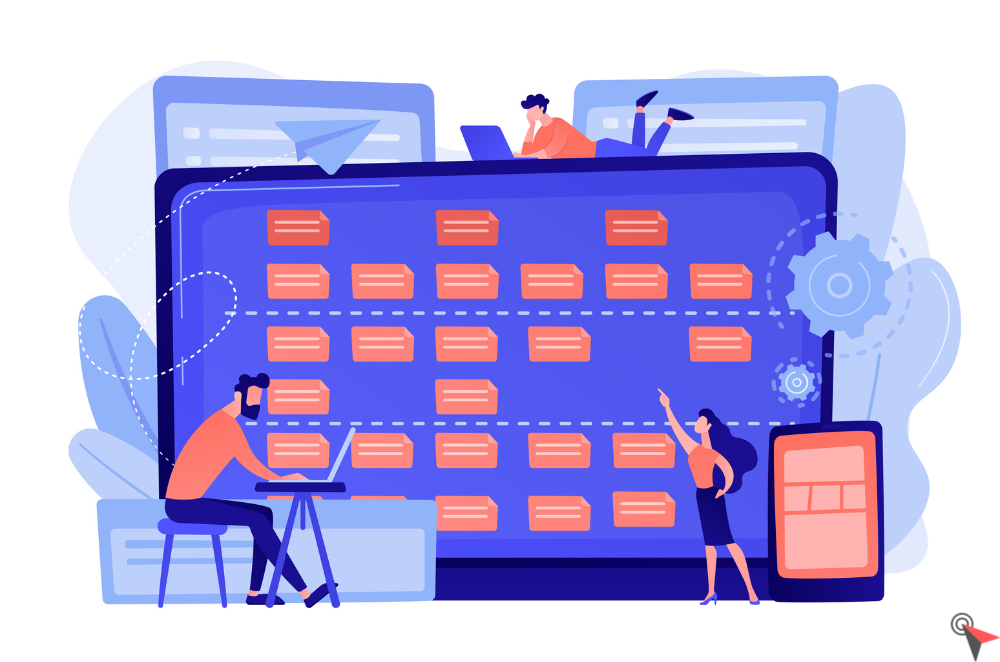
To obtain problem-free Intervention Management Software, you are confronted with many needs: exchange in real-time and remotely with your technicians in the field, reduce your costs and increase your productivity, etc.
But good management of interventions should not be an option, it brings many benefits. In addition to generating a fluid and profitable organization as well as good internal communication, it improves customer relationships.
But you are wondering how to equip your mobile teams with secure IT tools.
Intervention optimization solutions exist to relieve your entire company on a daily basis. And the best part of it all? Your customers are satisfied. Discover all the secrets of Intervention Management Software.
Focus On Monitoring Interventions
What Are The Objectives?
Its main objectives are to
- Manage/visualize field operations in real-time, their progress
- Optimize installation, maintenance, and after-sales service rounds for mobile teams
- Consult/evaluate a posteriori all the activities of the collaborators
- Inform/stay connected with field teams
- Simplify the management of work at all levels of the company
- Increase in productivity and quality of service
- Communicate with all the parties concerned by the intervention (various service providers, customers, etc.).
Who Are The People Concerned?
Several people and departments are involved in monitoring interventions:
- Activity managers (planners)
- Technicians and team leaders
- Technical support
- Commercial service
- The administrative department
- The HR department
- Accounting department
- Drivers/equipment deliverers
- Inspectors/auditors
- Customers (ordering parties, project owners).
Several Levels Of Management And Monitoring
1) Intervention Planning
A private customer calls on the after-sales service or the technical service of his supplier to troubleshoot a television, connect the fiber to his home or even restore electricity.
A professional customer, in the construction industry, for example, can ask a specialized service company (here a logging team) to cut the trees on his site before construction, etc.
In some cases, these interventions are provided for in a maintenance contract, when purchasing air conditioning, for example.
The planner must anticipate foreseeable demands (included in the contracts) and react in the event of exceptional, often urgent, demands.
Depending on the tools he uses to manage the management of interventions:
- He apprehends thanks to his schedules, or visualizes in real-time, the activity on the ground to know if the technicians are available, on the way, in intervention, if they are ahead or behind on their tasks;
- It identifies, at time T or after calculation, the closest employee in kilometers or time (traffic information), available and with the right skills to assign him an intervention, thanks to the geolocation of vehicles for example;
- It, therefore, manages the follow-up of intervention orders, the progress of interventions and the timetable/availability of the teams, taking into account their skills, and the stocks of equipment, ideally in real-time;
- If he benefits from an application, the activity management manager makes decisions to optimize the movement of the worker’s thanks to the cartographic visualization of the routes.
2) Follow-Up Of Interventions Thanks To The Intervention Voucher
The activity management manager provides the technician with an intervention form (or intervention sheet) containing all the details of the client and the mission:
- The place
- The date
- Target equipment
- The necessary equipment
- The history of past interventions and specific recommendations to respond precisely to the problems and expectations of customers.
Once completed by the technician, this document will serve as an intervention report (or intervention report), with the work actually carried out, the working time, the problems encountered, the parts used, etc.
The customer signs it at the end, annotating any remarks.
The work order is therefore a key document in the monitoring of work.
When the work order is dematerialized, and available via an application, all stakeholders with access can view it and complete it (depending on the rights granted) at any time, unlike a work order in a notebook, or in Excel.
It helps the activity manager, in real-time in the best case, or just after the intervention, in
- Monitoring operations (in progress, past, future orders)
- Monitoring of human resources (availability of technicians, current or future)
- Time tracking
- Monitoring of the equipment fleet (or inventory management).
The information resulting from the intervention order can be sent to the customer by the technical support managing the ticket so that he can follow the progress of the intervention. This information can be automated (sending an SMS, an email) or accessible online via an interface.
The sales department takes advantage of the follow-up provided by the work order to complete the CRM database with up-to-date customer information.
As for the HR department, it proceeds to the establishment of the technicians’ payrolls thanks to the follow-up of working hours, the accounts process the invoicing, adjusted according to the parts supplied and the services rendered, and the administration can then archive all this data for further consultation.
3) The Time Of The Analysis Thanks To The Follow-Up Of Intervention
Downstream of the intervention, the planner and the technicians have visibility of the work remaining to be done for a customer, or of their availability for new interventions.
Thanks to careful monitoring, the activity management manager can refine the deadlines announced for similar actions. He can also adjust the prices of the services according to the constraints encountered, in agreement with the sales department.
The latter, in relation to the customer, studies the remarks of technicians and customers and sets up loyalty actions.
In the event of a recurring technical problem, he can offer the customer a preventive maintenance formula; in the event of a dissatisfied customer (quality, delay), a reduction or an extension of the guarantee, for example.
In addition, the software dedicated to the management of interventions generates dashboards and personalized reports: they make it possible to analyze the functioning of the entire intervention chain to confirm its proper functioning or to consider corrective actions.
Several Tools For Monitoring Your Interventions
Excel Software
Excel can be used to create and complete work orders, detailed reports using pivot tables, and manage team schedules.
It can also generate an invoice based on the information provided (timesheet, hourly cost per technician, etc.).
The big downside of Excel is its lack of a collaborative dimension and its complexity in the case of extensive use of its features.
It also requires post-intervention use, which affects the responsiveness of the intervening company at all levels (operational and administrative).
It is also necessary to constrain access to certain cells in Excel tables to avoid errors.
If you download a template in Excel format from the internet, and although you save time on creating the document, customizing it and adapting it to your specific needs is ultimately time-consuming.
These tutorials show the extent of Excel’s functionalities but also the training time that this software requires:
Documents Downloadable Online
All these documents are also downloadable in PDF format. You will easily find templates for free Technician schedules On the internet, as well as blank work orders.
Be careful, they are not customizable, and sometimes not suited to your business.
Finally, there is no possible interaction between your work order, your work schedule, and your invoicing.
Intervention Management Software
The intervention management supports are accessible via an application on a tablet, smartphone or computer.
These tools are therefore very collaborative, allowing optimal responsiveness and real-time communication with the technician, the planner, all the company’s departments and the customer, at any time.
The information is readable, their entry is facilitated, and their access is restricted according to the user and their possible accessibility in white areas (outside the network) at certain publishers.
Some Advantages Of Software For Monitoring Your Interventions:
- Ease:
- No software installation or maintenance;
- Data security and confidentiality (access control);
- Accessibility:
- The complete history of interventions
- Intervention reports
- Intervention plans
- From any location (data in the Cloud) and any medium;
- Visualization:
- Sites and technicians via geolocation,
- The availability of spare parts;
- Automation:
- Customer billing
- Sending information to headquarters
- Sending information to the client;
- Precision:
- Research, refined in line with the skills of technicians and the geolocation of sites
- In the entry of time sheets and the calculation of routes;
- Customization:
- Of the interface according to your business
- Adding attachments and photos to reports;
- Economy:
- In paper printing
- In working time;
- Interoperability with other management systems (ERP, CRM, invoicing);
- Immediacy:
- Follow-up of interventions
- Communications;
- Responsiveness:
- In the consideration of customer requests
- In the event of a schedule change, etc.);
- Traceability of operations.
To our knowledge, there is no free intervention management software, but free trial versions over a defined period or formulas with a limited number of users (see our comparison table).
Do not hesitate to test the management software before subscribing.
10 Saas Solutions For Monitoring Your Interventions
You will find in this comparison of solutions classified in alphabetical order two types of SaaS software:
- Intervention and route management software
- Computer-assisted maintenance management software (CMMS): more focused on predictive maintenance of equipment.
Their common point: the management of personnel, schedules, requests for intervention and their follow-up.
The border is thin, some solutions display both areas of expertise.
Comparative Table Of The 10 Intervention Management Software
| Cost | Interoperability with other software | More |
| BigChange | ||
| From €17.95 to €59.95/month/user | SAP Business OneXeroMicrosoft Dynamics NAVSage 100c Accounting | Data hosted in the European Union5 languages supportedStrict access control Data reversibilityFluid rights management for clients/subcontractors |
| DIMO Maint | ||
| On demandfree trialfor 30 days | Microsoft Dynamics NAVMicrosoft Dynamics AXSage X3Sage 300Sage 100 0 | 15 languages supportedStrict access control Full data reversibility |
| Kizeo forms | ||
| From €9.90 to €14.90/month/userfree trial for 15 days | DropBoxSharePointDocuSignSalesforceSAPOracleSage(open API) | Data hosted in France8 languages supportedStrict access controlOffline mode |
| Mapotempo | ||
| On demandfree trialfor 14 days | TomTom webfleet | Data hosted in France5 languages supported |
| Organilog | ||
| From €9to €35/month/userfree welcome offer(3 users maximum) | N / A | Data hosted in France1 language supported |
| Opti-Time | ||
| On demand | SalesforceMicrosoft 365Hub OneanylineisilogRadiance | Data hosted in France5 languages supportedNAF nomenclature: 20-499 |
| Praxedo | ||
| From €24.50to €69/month/userfree trialfor one month | Salesforce Service CloudSage 100cloud QuickBooksSage LiveSage X3 | Data hosted in France5 languages supportedStrict access control |
| Synchroteam | ||
| On demandfree trialfor 14 days | XeroQuickBooksSage | Data hosted in France17 languages supported |
| Tempo by Kizeo | ||
| From €3.90 to €5.90/month/userfree trial for 15 days | APIsKizeo Forms | A responsive and responsive customer service (you have a single point of contact) |
| TimeTonic | ||
| €25.90/month/user | Google AppsSuite Microsoft OfficeSalesforce | Data hosted in France3 languages supported |
BigChange

BigChange is a 5-in-1 software suite dedicated to the intervention and delivery professions.
The strengths of BigChange:
- The CRM tool centralizes all data and exchanges with customers, from taking calls to quotes and invoices, including the history of interventions. Your interventions are directly piloted by your commercial management, without breaking tools.
- The interventions are created in one click and adapt to your sectors of activity. You can associate spare parts or intervene at the level of equipment or machines in the field, for example at the end of preventive maintenance contracts (PPM).
- Dynamic planning is carried out in “drag and drop” planning mode, in list mode, or in cartographic visualization mode.
- Technicians receive their assignments directly on their Mobile application (Android or iOS), fully configurable and allows the taking of photos, scanning, or electronic signature. The app works offline and automatically syncs when reconnected to the network.
DIMO Maint
DIMO Maint is a computer-aided maintenance management (CMMS), after-sales service and enterprise asset management (EAM) software.
The strengths of DIMO Maint:
- The user manages preventive (renewal alert), corrective, conditional, regulatory maintenance activities, etc.
- Monitoring the workload of operational staff: monitoring attendance time, color code to identify available resources, etc.
- Operations planning with resource allocation, Gantt chart, etc.
- Budget tracking.
Kizeo forms
Kizeo forms is a dematerialization solution for your forms, with a Office move management And a mobile application development for teams in the field.
The strengths of Kizeo Forms:
- Smart fields such as electronic signature, automatic geolocation, mandatory fields, drawing, photos, etc.
- The automatic generation of a report in Word or Excel format and the sharing of information in real-time thanks to programmable sending scenarios
- The automatic update of information as soon as a form is completed and their graphic display,
- Complete configuration, and interoperability with your business tools.
Mapotempo

Mapotempo is an intervention and route management, delivery, and route planning software.
The strengths of Mapotempo:
- Dedicated to optimizing routes for professionals with a delivery, collection or service activity in several sectors of activity: e-commerce, health, press, personal service, meal delivery, transport, etc.
- A web solution that can be interfaced with business software via its integrated APIs (functional components such as geocoding, routing, etc.)
- Historical and performance measurement via reports and analyses
- The automatic sending by SMS of the estimated time of arrival (with traffic) to the customer and the live chat with the mobile staff.
Opti-time

Opti-Time is an intervention planning and management software designed to optimize field activities.
The strengths of Opti-Time:
- The application available on smartphones allows mobile teams to carry out their missions efficiently and safely, no matter where they are.
- A real ally in optimizing your rounds: automatic proposal of slots, management of e-visits, follow-up of appointments, management of contingencies, etc.
- Numerous integrations: has connectors to the main Fleet Management Systems (Ocean, Masternaut, Road) and the possibility of integrating the software’s functionalities into your existing tools (CRM, ERP, TMS, etc.).
- Support in the quality of service and customer satisfaction: notifications by sms and e-mails to end customers with real-time tracking of arrival on a map, visualization of the estimated time of arrival, etc.
Organilog
Organilog is software for managing interventions and rounds and computer-aided maintenance management (CMMS).
Organilog’s strengths:
- A solution that can evolve into a complete information system: ERP, CMMS, CRM, field force management, ticket, activity analysis, site monitoring, etc.
- The creation of activity reports
- Customer follow-up (sending of delivery notices by SMS and reports by email)
- The portal allowing customers to view their contracts, intervention reports, planned interventions, or even make intervention requests online.
Praxedo
Praxedo is software for managing interventions and rounds and for managing maintenance.
Praxedo’s strengths:
- The SmartScheduler module enables intelligent scheduling based on location, technician skills, time constraints, etc.
- The “drag and drop” with the mouse to move the interventions, change the schedules or even plan mass interventions
- The mapping module to optimize the planning of preventive interventions and keep a comfortable margin for planning emergencies
- Accessibility on all media, even offline for interventions in white areas (without telecom network).
Synchroteam

Synchroteam is software for managing interventions and rounds and computer-aided maintenance management (CMMS).
The strengths of Synchroteam:
- A pre-configured and customizable CRM for customer service
- The ScheduleAssist planning assistance engine to facilitate decision-making and increase productivity
- The possibility of creating quotes, converting them into invoices and sending them to customers and registering them in the internal accounting tool
- Management of spare parts stocks: entries, exits, stock movements, the definition of an alert threshold, etc.
Tempo by Kizeo
Tempo by Kizeo is a smartphone clocking solution, which includes two features: a connected badge reader and a planning creation solution for your mobile employees. Very easy to use and perfectly adapted to SMEs, the platform promises better management of field interventions, increased visibility of the operations carried out as well as more precise control of working times.
The strengths of Tempo by Kizeo:
- Fast and secure clocking in, and the provision of various systems to control working hours and the location of workers: NFC tag, barcode and geolocation
- Simplified creation and management of online schedules, with real-time synchronization, to better organize interventions and allocate the necessary resources
- The centralization of all information within a single tool, whether information from employees (photos for example) or documents essential to carrying out missions in the field (security document, procedure sheet, etc.)
- Management of absence requests (paid leave, sick leave) and their validation by managers.
TimeTonic

TimeTonic is an easy-to-use intervention management software that works even offline.
The strengths of TimeTonic:
- A collaborative platform, secure, shared and accessible in mobility or telework
- Access to different views to monitor and plan the interventions of your teams
- GDPR certification and secure data hosted in France
- Automatic editing of your reports and access to tailor-made dashboards.
Mobility, visibility, efficiency!
With new technologies and the multitude of interventions, management offers, keep an eye on your teams, and your schedules and gain transparency and communication with your customers.
You control the chain of intervention from A to Z and meet the need for immediacy of service of our time!
Tip: Good field service software should be able to integrate with your existing IT resources or offer you alternatives. Check the possible connection modes so that your choice is beneficial for the whole company.