

Freemium

Supademo

Create interactive product demos in minutes

0.0 Fair
Fast to create: demos are built by clicking through your own product Captures screenshots or recorded steps, so it is not a live sandbox of your product
Reviewed by Challenging Voice Editorial · Updated Oct 2026 How we rate
PricingFree
Free planYes
CompanySupademo
PlatformsChrome Extension, Web
CategoryMarketing
UpdatedOct 2026
Ask AI about Supademo ChatGPT Claude Perplexity

Overview

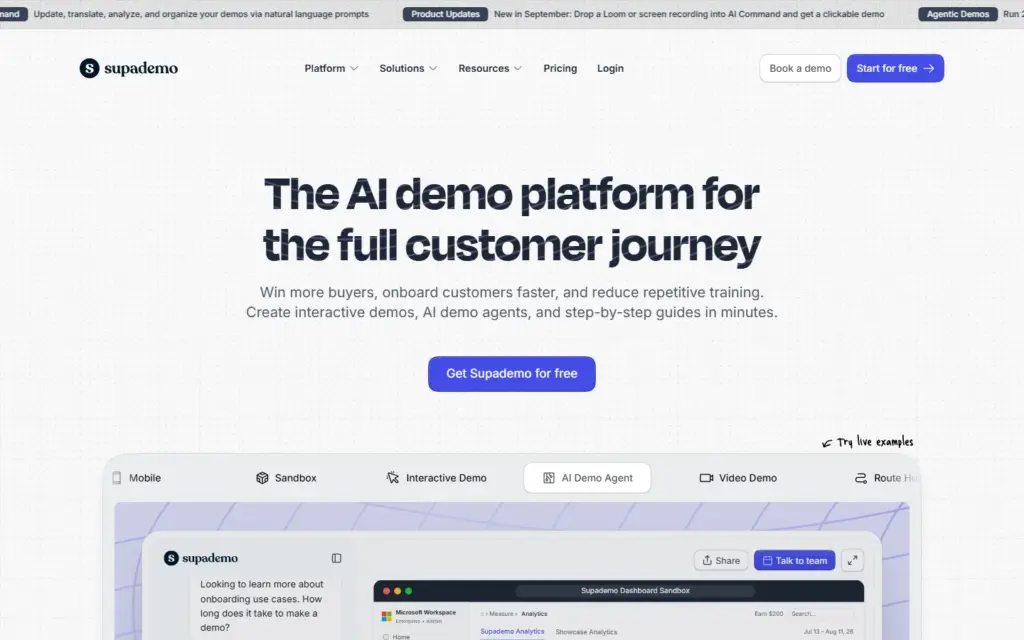
Supademo is a tool for building interactive product demos. You click through your software, it captures each step, and you turn the result into a guided walkthrough that prospects, customers or new hires can click through themselves. It is aimed at sales, marketing, support and onboarding teams.

What is Supademo?

Supademo is an interactive demo platform that converts a recorded walkthrough of your product into a step-by-step, clickable experience. Instead of a passive video, the viewer moves through the steps at their own pace, seeing callouts that explain each action.

This format sits between a screenshot guide and a full sandbox. It shows the real interface and the real workflow, but the viewer is following a prepared path rather than using live software. For many teams, that is enough to explain a feature without the cost of building a demo environment.

How does Supademo work?

Supademo works in three stages: you capture a workflow, edit the captured steps, then publish the demo. Capture usually happens while you perform the task in your product, and Supademo's own site lists the supported demo types and capture options.
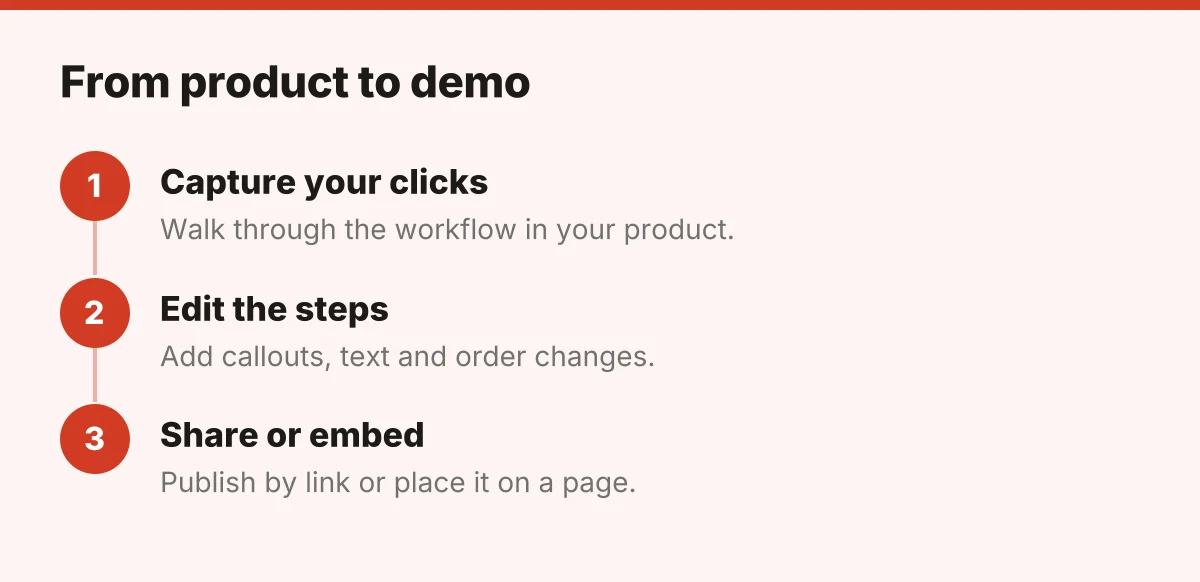
Three steps for building a Supademo demo: capture, edit, share
  1. Capture. Run through the process you want to show. Each click becomes a step.
  2. Edit. Reorder steps, rewrite the text, add callouts or hotspots, and trim anything unnecessary. AI text personalization is included on the Free plan, and AI voice cloning comes with the Growth plan and above.
  3. Share. Send a link, embed the demo in a website, help article or email, and review how viewers interact if your plan includes analytics.

Because the demo is built from your own screens, the main upkeep task is re-capturing steps when your interface changes.

Who is Supademo for?

Supademo suits teams that explain software repeatedly and want a faster option than recording and editing video. The common users are product marketers, sales reps, customer success managers and support teams.

Typical situations include:

  • Sales follow-ups: sending a prospect a short walkthrough of the exact feature they asked about.
  • Website demos: letting visitors explore a product on a landing page before they book a call.
  • Customer onboarding: guiding new users through first-time setup.
  • Help center content: replacing static screenshot articles with clickable guides.
  • Internal training: showing staff how to complete a process in an internal tool.

Where does Supademo fit in a demo stack?

Supademo is best treated as a lightweight layer for self-serve walkthroughs, not a replacement for live demos or hands-on trials. It helps a prospect understand what a product does before or after a conversation with your team.

If your goal is fully hands-on exploration, you would need a sandbox or free trial instead. If you want to automate other parts of the sales process, such as outreach, see this look at AI SDR tools. For teams using demos to welcome new customers or staff, the guide to AI-powered onboarding tools covers related options. If you also want avatar-led explainer videos rather than click-through demos, Vidnoz AI takes a different approach.

Check the official Supademo site for current features, plan limits and pricing before you decide.
Key features

  • Capture clicks in your product and turn them into a step-by-step interactive demo
  • AI text personalization on every plan, with AI voice cloning on Growth and above
  • Add callouts, hotspots and guided steps to direct the viewer
  • Share by link or embed demos on websites, help centers and emails
  • Tracking links and analytics from the Scale plan upward
  • Supademo MCP on the Scale plan and above, with further integrations listed on Supademo's site

Screenshots & demo

Supademo screenshot 1Supademo screenshot 2

Pricing

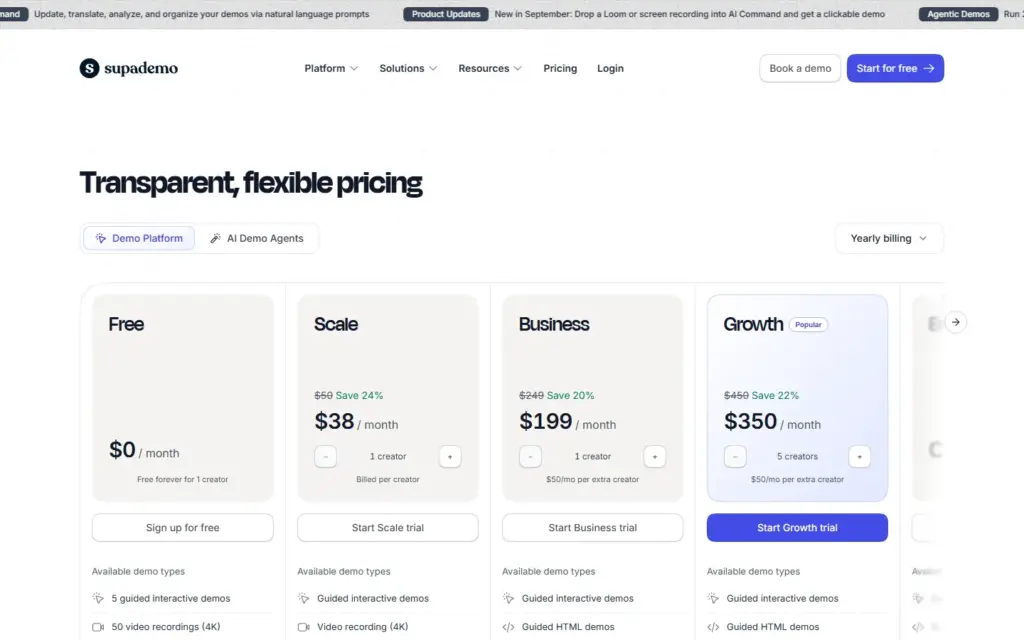
Free
$0 / month
  • 1 creator, 5 guided interactive demos, 50 video recordings (4K), unlimited demo views, AI text personalization
Scale
$38 / month per creator, billed yearly ($50 billed monthly)
  • Everything in Free, plus Supademo AI, Supademo MCP, branching and variables, tracking links and analytics, 5 view-only collaborators
Business
$199 / month billed yearly ($249 billed monthly), includes 1 creator
  • Everything in Scale, plus guided HTML demos, HTML text and image editing, AI data editing, priority support, unlimited view-only collaborators
Growth
$350 / month billed yearly ($450 billed monthly), includes 5 creators
  • Everything in Business, plus sandbox demos, Route Hub, AI voice cloning, demo versioning, white-glove onboarding
Enterprise
Custom, starts at 10 creators
  • Everything in Growth, plus SSO & SAML, custom data residency, multiple workspaces, dedicated support and training

Is Supademo expensive?

Supademo has no advertised paid tier. Among the 86 priced tools we list in Marketing, the median entry price is $39 a month.

29% of Marketing tools in the directory offer a free tier, and this is one of them.

Compared against every priced listing in Marketing, recalculated as the catalogue changes. Method and the full market breakdown are in our AI tool pricing study.

Pros & cons

Pros

  • Fast to create: demos are built by clicking through your own product
  • Interactive format lets viewers explore at their own pace instead of watching a video
  • Works for several teams, including sales, marketing, support and onboarding
  • Easy sharing through links and embeds

Cons

  • Captures screenshots or recorded steps, so it is not a live sandbox of your product
  • The Free plan is limited to 1 creator, 5 guided interactive demos and 50 video recordings
  • Demos can go out of date when your interface changes and need re-capturing or editing

Frequently asked questions

What is Supademo?
Supademo is a tool for building interactive product demos.
Is Supademo free?
Yes, Supademo offers a free plan. Paid plans unlock more features and higher usage limits.
How much does Supademo cost?
Supademo plans: Free $0 / month; Scale $38 / month per creator, billed yearly ($50 billed monthly); Business $199 / month billed yearly ($249 billed monthly), includes 1 creator; Growth $350 / month billed yearly ($450 billed monthly), includes 5 creators.

Reviews

No reviews yet

Write a review