
Free Trial

VoiceAppear

Private, high-accuracy dictation for Windows and Mac that switches languages mid-sentence.

3.8 Audio
3.8 Good 3.8

Bottom line: Private, high-accuracy dictation for Windows and Mac that switches languages mid-sentence.

Mid-sentence language switching is rare and genuinely useful Desktop only, with no mobile version
Reviewed by Challenging Voice Editorial · Updated Aug 2026 How we rate
PricingFree Trial
Free planNo
CompanyVeni Vidi Validus GmbH
PlatformsMac, Windows
Best forAudio
Visits18
Last reviewedAug 2026
UpdatedAug 2026
Ask AI about VoiceAppear ChatGPT Claude Perplexity

Overview

VoiceAppear is a system-wide dictation tool rather than a transcription service. It types into whatever application currently has focus, so email, documents, chat and prompt boxes all work without copying text between windows. The stated accuracy is above 99 percent across more than 90 languages.

Its genuinely unusual capability is mid-sentence language switching. Most dictation systems require selecting a language in advance and degrade badly when a speaker code-switches, which is normal for multilingual professionals. Handling that within a single utterance is a meaningful differentiator rather than a marketing line.

Privacy is a stated design position, which matters because dictation touches everything a person writes, including confidential material. The 14-day trial requires no card, so the accuracy and switching claims can be tested against your own accent and language mix before committing, which is the right way to evaluate any dictation tool.
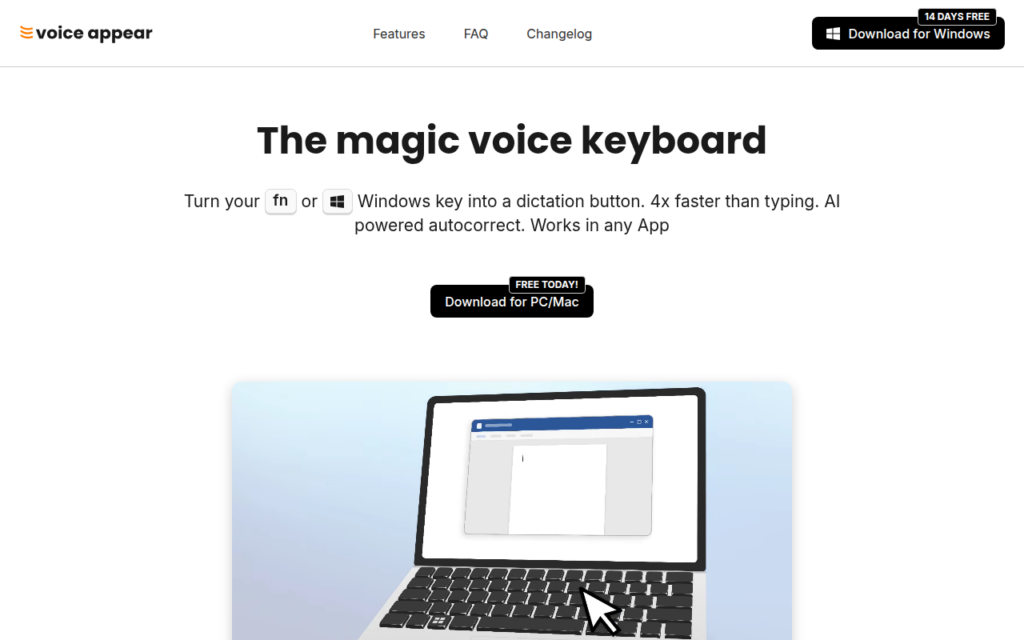

Key features

  • System-wide dictation into any application on Windows or Mac
  • Mid-sentence language switching across more than 90 languages
  • Stated accuracy above 99 percent
  • Privacy-oriented design for confidential written work
  • 14-day free trial with no card required

Screenshots & demo

VoiceAppear screenshot 1

Pricing

Monthly
$8.99/mo
  • 14-day free trial, no credit card required
  • Voice dictation via keyboard shortcut in any app
  • AI cleans up filler words, stutters, punctuation
  • Works in Gmail, Docs, ChatGPT, Claude, LinkedIn
  • Supports 90+ languages

Pros & cons

Pros

  • Mid-sentence language switching is rare and genuinely useful
  • Works across every application rather than one editor
  • Trial without a card allows honest evaluation

Cons

  • Desktop only, with no mobile version
  • Smaller product with a limited public track record

How it compares

ToolRatingFreeFromBest known for
VoiceAppear (this tool)3.8NoSystem-wide dictation into any application on Windows or Mac
Nuance Dragon4.1NoProfessional dictation and documentation
SpeechText.AI3.6YesFreeDomain-specific vocabulary and acoustic models
Voiceitt4.1NoRecognition trained on atypical speech patterns

Alternatives to VoiceAppear

4 tools matched to VoiceAppear on what they do, their category and their price.

Voiceitt

4.1

Speech recognition trained on atypical speech, so people whose voices standard systems cannot parse can use voice technology.

Free Trial Audio

Frequently asked questions

What is VoiceAppear?
VoiceAppear is a system-wide dictation tool rather than a transcription service.
Is VoiceAppear free?
VoiceAppear does not offer a free plan.
How much does VoiceAppear cost?
VoiceAppear plans: Monthly $8.99/mo.
What are the best VoiceAppear alternatives?
The closest matches in the directory are Nuance Dragon, SpeechText.AI, and Voiceitt, compared side by side above.

Reviews

3.8 No reviews yet

Write a review

More tools like VoiceAppear

Inworld

4.2

Cut voice AI pricing by more than 50% while topping the Artificial Analysis Speech Arena

Freemium Audio