
Freemium

Onlook

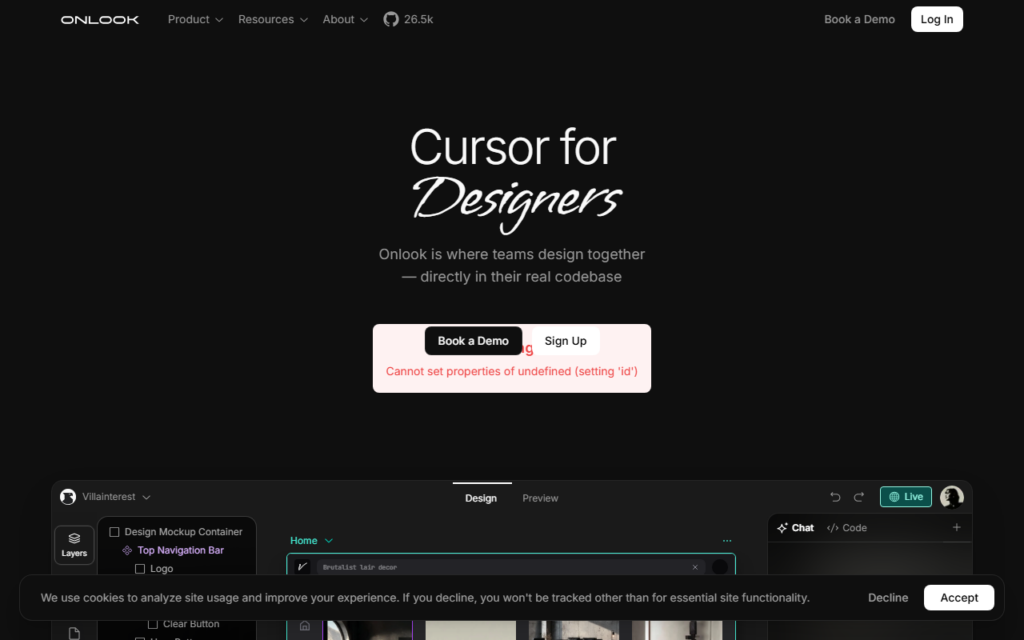
A visual editor that lets designers edit live React components directly in the real codebase.

4.1 Design
4.1 Very good 4.1

Bottom line: Onlook is a strong design tool, best known for visual editing of live React components in the actual codebase. It has a free plan.

Removes design-to-code drift by removing the translation step Requires a React codebase with Storybook already in place
Reviewed by Challenging Voice Editorial · Updated Aug 2026 How we rate
PricingFree
Free planYes
PlatformsMac, Web
Best forDesign
Visits7
Last reviewedJul 2026
UpdatedAug 2026
Ask AI about Onlook ChatGPT Claude Perplexity

Overview

Onlook attacks the handoff problem between design and engineering. Designers work in a tool that produces pictures of an interface, engineers rebuild those pictures in code, and the two drift apart immediately. Every design system initiative is an attempt to narrow that gap, and most narrow it without closing it.

Onlook closes it by making the design surface the code itself. Designers edit live React components on an infinite canvas, working against the team's real Storybook design system, and the changes are changes to the codebase rather than to a mockup. There is no translation step because there is no separate artefact to translate.

The positioning as Cursor for designers is apt. It assumes a React codebase with Storybook, which is a real prerequisite rather than a detail, and it assumes designers willing to work closer to code. Teams meeting both conditions get something genuinely different from a mockup tool.

Key features

  • Visual editing of live React components in the actual codebase
  • Infinite canvas that keeps design exploration familiar to designers
  • Works against the team's real Storybook design system
  • Changes produce code, eliminating the design-to-code handoff
  • AI assistance layered into the editing workflow

Screenshots & demo

Demo video

Screenshots

Onlook screenshot 1

Pricing

Onlook offers a free plan, with paid upgrades for higher limits and more features.

  • Pricing modelFreemium
  • Starting priceFree
  • Free planYes
Visit Onlook

Pricing is provided as a guide. Check the official site for the latest plans.

Is Onlook expensive?

Onlook has no advertised paid tier. Among the 84 priced tools we list in Design, the median entry price is $14 a month.

74% of Design tools in the directory offer a free tier, and this is one of them.

Compared against every priced listing in Design, recalculated as the catalogue changes. Method and the full market breakdown are in our AI tool pricing study.

Pros & cons

Pros

  • Removes design-to-code drift by removing the translation step
  • Uses the real design system rather than a copy of it
  • Keeps a canvas-based workflow designers already understand

Cons

  • Requires a React codebase with Storybook already in place
  • Asks designers to work closer to code than a mockup tool does

How it compares

ToolRatingFreeFromBest known for
Onlook (this tool)4.1YesFreeVisual editing of live React components in the actual codebase
Google Stitch4.2YesFreeAI-native design canvas built on Gemini models
Renderforest4.1Yes$15/moAnimated explainer video and logo animation creation
Meshy4.2Yes$20/moText-to-3D and image-to-3D generation of game-ready meshes

Alternatives to Onlook

4 tools our editors picked as direct alternatives to Onlook.

Our verdict

4.1 / 5 4.1

Onlook is a strong design tool, best known for visual editing of live React components in the actual codebase. It offers a free plan.

What makes it different: Onlook stands out for visual editing of live React components in the actual codebase.

How we score it
Overall 4.1
Value for money 4.7
Feature depth 4.9
Popularity 3.7
Best for ProfessionalsTeamsCreatorsCurious learners

Frequently asked questions

What is Onlook?
Onlook is a design tool listed in the Challenging Voice directory. A visual editor that lets designers edit live React components directly in the real codebase.
Is Onlook free?
Yes, Onlook offers a free plan. Paid plans unlock more features and higher usage limits.
What are the best Onlook alternatives?
Popular alternatives to Onlook include VoxDeck, Workflow, and Limecube. Browse them all in the Design category.
Is Onlook any good?
Onlook scores 4.1 out of 5 based on our editorial review.

Reviews

4.1 No reviews yet

Write a review

Similar tools you might like

Alai

3.8

An AI presentation tool that drafts four design options per slide instead of one.

Freemium Design