
Free Trial

Pismo

A native Mac and Windows writing assistant that works inside email, documents and browsers.

3.7 Writing
3.7 Good 3.7

Bottom line: Pismo is a capable writing tool, best known for native desktop application for Mac and Windows.

Works where writing happens instead of demanding a separate editor Desktop only, with no mobile support
Reviewed by Challenging Voice Editorial · Updated Aug 2026 How we rate
PricingFree Trial
Free planNo
PlatformsMac, Windows
Best forWriting
Visits1
Last reviewedAug 2026
UpdatedAug 2026
Ask AI about Pismo ChatGPT Claude Perplexity

Overview

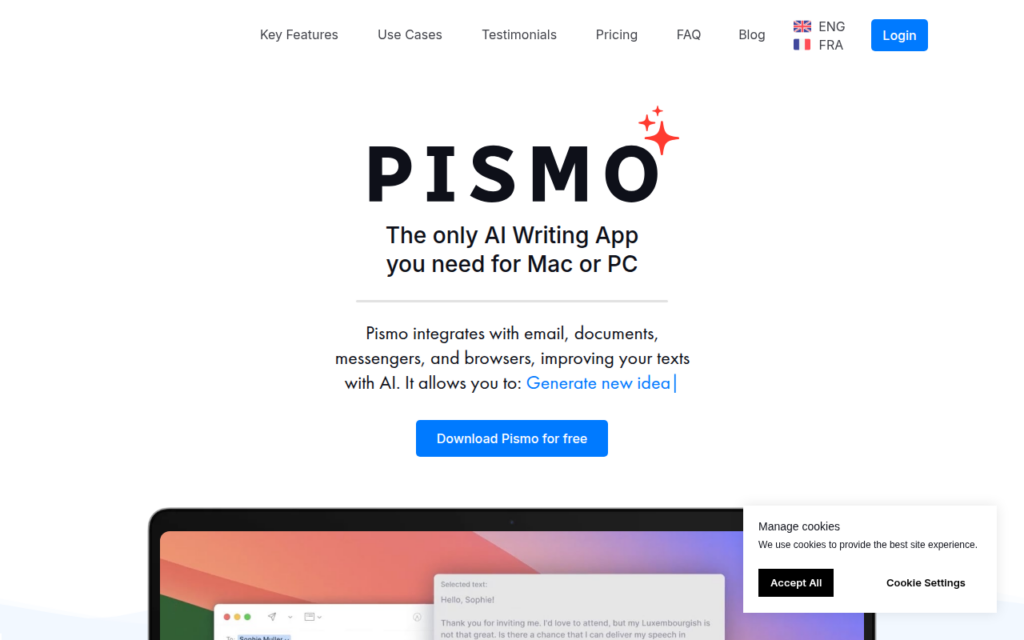
Pismo is a native desktop writing assistant rather than a web application, integrating with email clients, documents, messengers and browsers so it improves text wherever writing actually happens. That distinction is the whole product: most writing assistants require moving text into their editor and back, which is enough friction that people stop using them.

Being native to Mac and Windows means it works across applications rather than only in a browser, so the same assistance applies in a desktop mail client, a chat application and a word processor. Translation is included alongside improvement, which suits people writing routinely in a second language.

It is a focused tool doing one job across many surfaces rather than a broad AI suite. A free trial allows evaluation, and the sensible test is whether it reaches the specific applications you write in most.
Key features

  • Native desktop application for Mac and Windows
  • Works inside email, documents, messengers and browsers
  • Writing improvement applied in place, with no copying between tools
  • Translation into other languages
  • Free trial before purchase

Screenshots & demo

Demo video

Screenshots

Pismo screenshot 1

Pricing

Visit the Pismo website for current plans and pricing.

  • Pricing modelFree Trial
  • Starting priceCustom
  • Free planNo
Visit Pismo

Pricing is provided as a guide. Check the official site for the latest plans.

Pros & cons

Pros

  • Works where writing happens instead of demanding a separate editor
  • Native desktop reach beyond browser-only tools
  • Focused on doing one job well across many applications

Cons

  • Desktop only, with no mobile support
  • Narrower scope than general-purpose AI assistants

How it compares

ToolRatingFreeFromBest known for
Pismo (this tool)3.7NoNative desktop application for Mac and Windows
Hemingway Editor4.4Yes$10/moReal-time readability grading with color-coded issues
Article Forge4.0No$27/moSingle-keyword article generation
Sapling4.5Yes$25/moReal-time grammar and tone suggestions while typing

Our verdict

3.7 / 5 3.7

Pismo is a solid writing tool, best known for native desktop application for Mac and Windows.

What makes it different: Pismo stands out for native desktop application for Mac and Windows.

How we score it
Overall 3.7
Value for money 4.2
Feature depth 4.9
Popularity 3.7
Best for Writers & bloggersMarketersStudentsContent teams

Frequently asked questions

What is Pismo?
Pismo is a writing tool listed in the Challenging Voice directory. A native Mac and Windows writing assistant that works inside email, documents and browsers.
Is Pismo free?
Pismo does not offer a free plan.
What are the best Pismo alternatives?
Popular alternatives to Pismo include Writio, Copymatic, and Cowriter. Browse them all in the Writing category.
Is Pismo any good?
Pismo scores 3.7 out of 5 based on our editorial review.

Reviews

3.7 No reviews yet

Write a review

Similar tools you might like