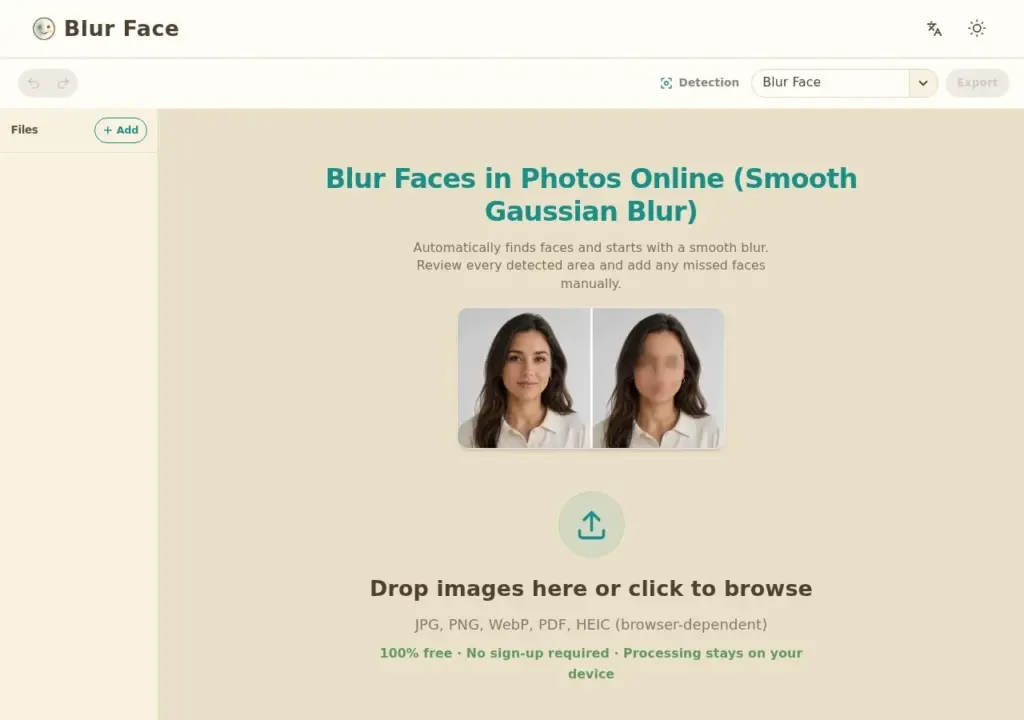
Blur Face does one narrow job and makes one claim that matters: it blurs faces in photos, and it does the processing locally in your browser so the image is never uploaded anywhere. For anyone anonymising photos before publishing them, that distinction is the whole point, because it removes the question of what a service does with the file after processing. Faces are detected automatically with adjustable blur intensity, and manual adjustment covers the cases detection misses, which in practice means profiles and partially obscured faces. It is free with no account. The limits follow from the design: it does nothing beyond face blurring, and browser-side processing caps throughput if you have a large batch to work through.
Key features
Automatic face detection with adjustable blur intensity
Gaussian blur applied locally in the browser
No image upload, so photos never leave the device
Manual adjustment where automatic detection misses a face
Free to use with no account
Screenshots & demo
Pricing
Blur Face offers a free plan, with paid upgrades for higher limits and more features.
Pricing is provided as a guide. Check the official site for the latest plans.
Is Blur Face expensive?
Blur Face has no advertised paid tier. Among the 147 priced tools we list in Image Generation, the median entry price is $10 a month.
66% of Image Generation tools in the directory offer a free tier, and this is one of them.
Compared against every priced listing in Image Generation, recalculated as the catalogue changes. Method and the full market breakdown are in our AI tool pricing study.
Pros & cons
Pros
Local processing means genuinely private handling, not a privacy promise
No account or payment required
Adjustable intensity rather than a single fixed blur
Cons
Single-purpose, with nothing beyond face blurring
Automatic detection can miss profiles and partially covered faces
Browser processing limits throughput on large batches
Automatically detects the subject in a photo and removes the background in under 3 seconds – batch process up to 1,000 images at once, with API access.
Blur Face does one narrow job and makes one claim that matters: it blurs faces in photos, and it does the processing locally in your browser so the image is never uploaded anywhere.
Is Blur Face free?
Yes, Blur Face offers a free plan. Paid plans unlock more features and higher usage limits.
What are the best Blur Face alternatives?
The closest matches in the directory are Img Cut, Removal.AI, and BgEraser, compared side by side above.
Instant, 100% automatic background removal handling hair and fur edges – bulk processing, Figma/WooCommerce/Chrome plugins, and an API, trusted by Shopify, Pinterest, and Lyft.
AI detects whether a photo is a portrait, landscape, bird or pet shot and applies genre-specific corrections automatically – explicitly no generative AI adding or inventing content.