
Freemium

TurnCage

Builds a website and its content from a guided question-and-answer flow.

3.5 Design
3.5 Good 3.5

Bottom line: TurnCage is a capable design tool, best known for guided question flow instead of a blank prompt. It has a free plan.

Guided questions elicit content a prompt box would not Output is conventional rather than distinctive
Reviewed by Challenging Voice Editorial · Updated Aug 2026 How we rate
PricingFree
Free planYes
PlatformsWeb
Best forDesign
Visits1
Last reviewedAug 2026
UpdatedAug 2026
Ask AI about TurnCage ChatGPT Claude Perplexity

Overview

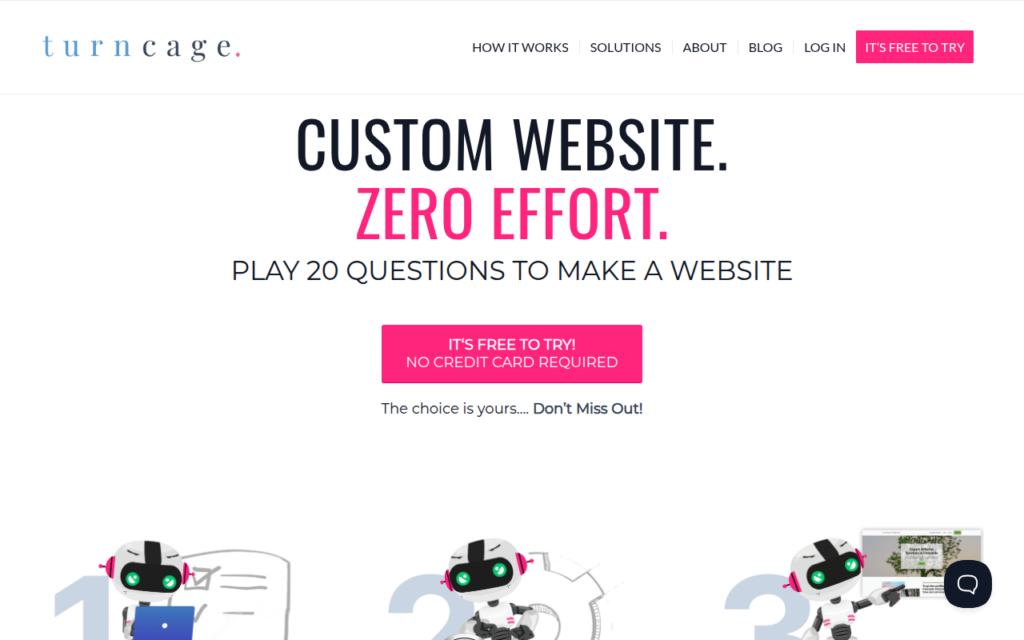
TurnCage produces a website by asking questions rather than by taking a prompt, describing the process as playing twenty questions to make a website. That is a genuinely better interface for the audience it targets, because the hard part for a small business owner is not writing a prompt but knowing what a website needs to contain.

A guided flow elicits the material, services, audience, tone, differentiators, that a good site depends on and that a blank prompt box does not prompt anyone to supply. The result is a site with actual content rather than a template full of placeholder text, which is where most DIY website attempts stall.

It generates content as well as layout, aimed at small and midsize businesses, solopreneurs and creatives. The realistic expectation is a solid, conventional site quickly rather than a distinctive one, and generated copy benefits from an editing pass before launch.

Key features

  • Guided question flow instead of a blank prompt
  • Generates site content as well as layout
  • Three-step path from questions to a published site
  • Aimed at small businesses, solopreneurs and creatives
  • Free tier and trial before subscription

Screenshots & demo

Demo video

Screenshots

TurnCage screenshot 1

Pricing

TurnCage offers a free plan, with paid upgrades for higher limits and more features.

  • Pricing modelFreemium
  • Starting priceFree
  • Free planYes
Visit TurnCage

Pricing is provided as a guide. Check the official site for the latest plans.

Pros & cons

Pros

  • Guided questions elicit content a prompt box would not
  • Produces real copy rather than placeholder text
  • Genuinely accessible to non-designers

Cons

  • Output is conventional rather than distinctive
  • Generated copy needs an editing pass before launch

How it compares

ToolRatingFreeFromBest known for
TurnCage (this tool)3.5YesFreeGuided question flow instead of a blank prompt
Alai3.8Yes$30/moFour distinct AI-generated design options per slide
Khroma4.6YesFreeLearns personal color preferences from user selections
Microsoft Designer4.1YesFreeTemplate-first design editing similar to Canva's approach

Our verdict

3.5 / 5 3.5

TurnCage is a solid design tool, best known for guided question flow instead of a blank prompt. It offers a free plan.

What makes it different: TurnCage stands out for guided question flow instead of a blank prompt.

How we score it
Overall 3.5
Value for money 4.7
Feature depth 4.9
Popularity 3.7
Best for ProfessionalsTeamsCreatorsCurious learners

Frequently asked questions

What is TurnCage?
TurnCage is a design tool listed in the Challenging Voice directory. Builds a website and its content from a guided question-and-answer flow.
Is TurnCage free?
Yes, TurnCage offers a free plan. Paid plans unlock more features and higher usage limits.
What are the best TurnCage alternatives?
Popular alternatives to TurnCage include Cactus Interior, Namelix, and AI Invitation Generator by Greetings Island. Browse them all in the Design category.
Is TurnCage any good?
TurnCage scores 3.5 out of 5 based on our editorial review.

Reviews

3.5 No reviews yet

Write a review

Similar tools you might like

Layer AI

4.2

AI creative platform where game studios generate and edit 2D, 3D, and video assets in one workspace.

Freemium Design

Swapp

4.0

Automates architectural construction documentation inside Revit and ArchiCAD.

Contact for Pricing Design