
Paid Verified

Carly AI

Email-native AI assistant that runs scheduling, CRM and research tasks by CC

3.9 Productivity
3.9 Good 3.9
Zero-onboarding interface for teams that live in email Email-only interaction is awkward for tasks needing visual review
Reviewed by Challenging Voice Editorial · Updated Aug 2026 How we rate
PricingFrom $30/mo
Free planYes
CompanyCarly AI
PlatformsWeb
CategoryProductivity
Last reviewedAug 2026
Ask AI about Carly AI ChatGPT Claude Perplexity

Overview

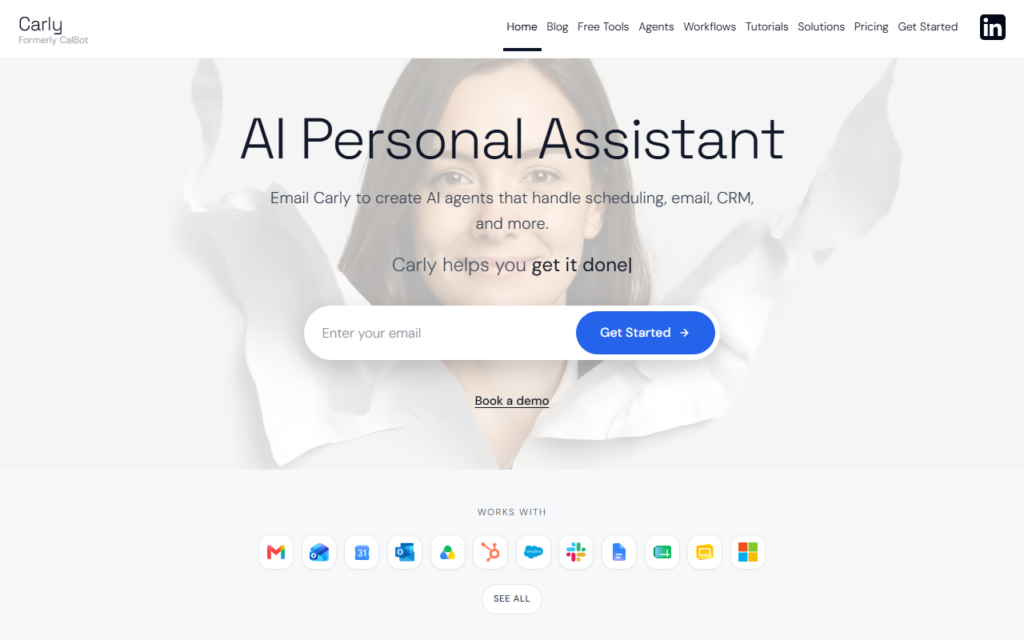
Carly AI removes the app layer entirely: the assistant is addressed by copying an email address on a thread. From there it books meetings, updates CRM records, enriches leads and runs research, replying in the same thread where the request was made. For people whose work already lives in an inbox, that avoids learning another interface.

Behind the email front end sits an agent platform with a claimed 120-plus integrations, so the assistant can act in the systems where the work actually lands rather than reporting back with instructions. Custom agents can be defined for recurring tasks a team repeats weekly.

The email-only interface cuts both ways. It is frictionless for delegation and awkward for anything needing a visual review step, and every action is mediated by a message rather than a confirmation screen. Teams handling sensitive records should check what the assistant retains from forwarded threads before rollout.

Key features

  • Assistant invoked by copying it on an email thread
  • 120+ integrations across calendar, CRM and data sources
  • Custom agents for recurring team workflows
  • Lead enrichment and research delivered in-thread
  • Scheduling and calendar negotiation handled end to end
  • No separate app to install or train staff on

Screenshots & demo

Demo video

Screenshots

Carly AI screenshot 1

Pricing

Carly AI has a free plan, and paid plans start at $30/mo.

  • Pricing modelPaid
  • Starting priceFrom $30/mo
  • Free planYes
Visit Carly AI

Pricing is provided as a guide. Check the official site for the latest plans.

Is Carly AI expensive?

Carly AI starts at $30, which is 200% above the Productivity median of $10 a month across the 187 priced tools we list in that category.

The cheapest paid option in Productivity starts at $0.29 and the most expensive at $165.

71% of Productivity tools in the directory offer a free tier, and this is one of them.

Compared against every priced listing in Productivity, recalculated as the catalogue changes. Method and the full market breakdown are in our AI tool pricing study.

Pros & cons

Pros

  • Zero-onboarding interface for teams that live in email
  • Acts inside connected systems rather than returning instructions
  • Wide integration coverage for a young platform

Cons

  • Email-only interaction is awkward for tasks needing visual review
  • Forwarding threads to an assistant needs a data-handling review first

How it compares

ToolRatingFreeFromBest known for
Carly AI (this tool)3.9Yes$30/moAssistant invoked by copying it on an email thread
Sidekick AI3.7YesFreeForward to Schedule from an email thread
Saidar3.5YesFreeEmail and calendar management over iMessage
SkimIt3.5YesFreeSummaries requested by emailing a link

Alternatives to Carly AI

4 tools matched to Carly AI on what they do, their category and their price.

Frequently asked questions

What is Carly AI?
Carly AI removes the app layer entirely: the assistant is addressed by copying an email address on a thread.
Is Carly AI free?
Yes, Carly AI offers a free plan. Paid plans unlock more features and higher usage limits, starting at $30/month.
How much does Carly AI cost?
Carly AI starts at $30 per month. See the pricing plans above for full details.
What are the best Carly AI alternatives?
The closest matches in the directory are Sidekick AI, Saidar, and SkimIt, compared side by side above.

Reviews

3.9 Editorial rating No reviews yet

Write a review