
Free Trial

Speaktor

Text and documents read aloud in 50-plus languages, with 15 emotional tones to pick from.

3.9 Audio
3.9 Good 3.9

Bottom line: Speaktor is a capable audio tool, best known for text and document to speech in 50-plus languages.

Tone selection makes long documents actually listenable No pricing figures published anywhere
Reviewed by Challenging Voice Editorial · Updated Aug 2026 How we rate
PricingFree Trial
Free planNo
CompanyTranskriptor
PlatformsAndroid, Chrome Extension, iOS, Web
Best forAudio
Visits6
Last reviewedAug 2026
UpdatedAug 2026
Ask AI about Speaktor ChatGPT Claude Perplexity

Overview

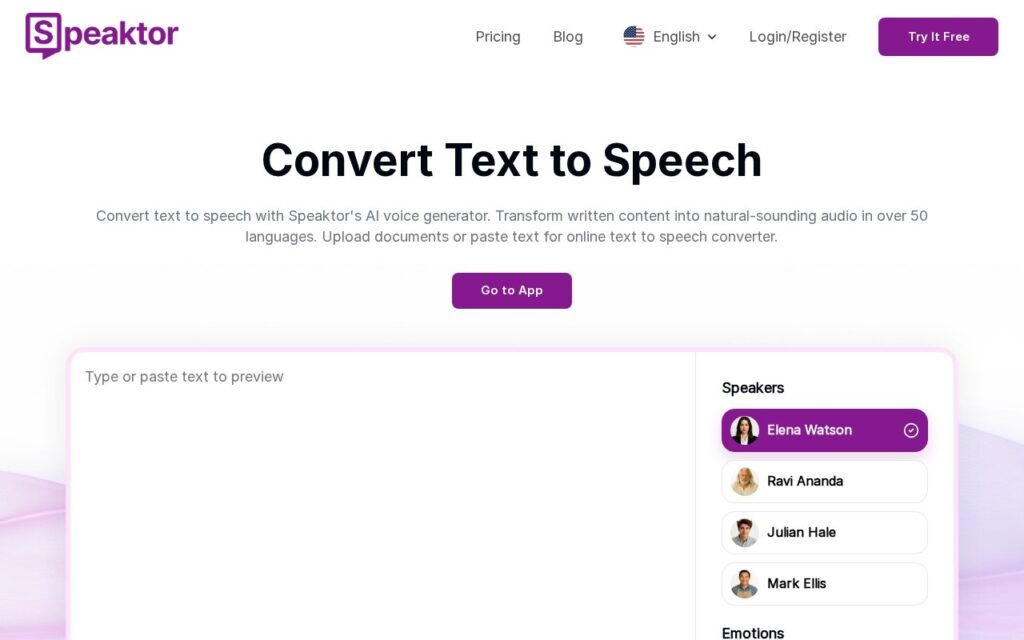
Speaktor reads text aloud. Paste it or upload a document, choose from named voices and more than fifteen tones, from calm and formal to newscast and dramatic, and download the audio. Coverage runs to 50-plus languages, on web, a Chrome extension, Android and iOS.

Tone selection is a bigger deal than it sounds for the accessibility use case. A flat robotic read of a long research document is technically an audio version and practically unlistenable, and the difference between finishing a paper and abandoning it is often just whether the voice holds attention. Novartis, Pfizer, Microsoft and Harvard are named as users, largely for training material and accessibility.

It comes from Transkriptor. Pricing is described only as budget-friendly with a free trial, no figures anywhere. Synthetic narration still misreads technical terms, names and abbreviations, tone selection is applied to a whole document rather than per passage, and 50-plus languages vary considerably in quality.

Key features

  • Text and document to speech in 50-plus languages
  • Named AI voices with 15-plus emotional tones
  • Document upload as well as pasted text
  • Preview before download
  • Web, Chrome extension, Android and iOS

Screenshots & demo

Speaktor screenshot 1

Pricing

Visit the Speaktor website for current plans and pricing.

  • Pricing modelFree Trial
  • Starting priceCustom
  • Free planNo
Visit Speaktor

Pricing is provided as a guide. Check the official site for the latest plans.

Pros & cons

Pros

  • Tone selection makes long documents actually listenable
  • Runs on desktop, browser and both mobile platforms
  • Used at Novartis, Pfizer and Harvard for accessibility

Cons

  • No pricing figures published anywhere
  • Misreads technical terms, names and abbreviations
  • Tone applies to a whole document rather than per passage

How it compares

ToolRatingFreeFromBest known for
Speaktor (this tool)3.9NoText and document to speech in 50-plus languages
Resemble AI4.3Yes$30/moReal-time voice conversion and cloning
Voxify3.6YesFreeMore than 450 voices including male, female and children's
Bark by Suno3.9YesFreeText-to-audio covering speech, music and sound effects

Alternatives to Speaktor

4 tools our editors picked as direct alternatives to Speaktor.

Our verdict

3.9 / 5 3.9

Speaktor is a solid audio tool, best known for text and document to speech in 50-plus languages.

What makes it different: Speaktor stands out for text and document to speech in 50-plus languages.

How we score it
Overall 3.9
Value for money 4.2
Feature depth 4.9
Popularity 3.7
Best for PodcastersMusiciansVideo editorsCreators

Frequently asked questions

What is Speaktor?
Speaktor is an audio tool listed in the Challenging Voice directory. Text and documents read aloud in 50-plus languages, with 15 emotional tones to pick from.
Is Speaktor free?
Speaktor does not offer a free plan.
What are the best Speaktor alternatives?
Popular alternatives to Speaktor include AIVocal, iListen, and Voice Cleaner. Browse them all in the Audio category.
Is Speaktor any good?
Speaktor scores 3.9 out of 5 based on our editorial review.

Reviews

3.9 No reviews yet

Write a review

Similar tools you might like