Free Trial

Twistly

PowerPoint add-in that builds and redesigns decks inside the app you already present from.

3.8 Design
3.8 Good 3.8

Bottom line: Twistly is a capable design tool, best known for runs as an add-in inside PowerPoint.

Native .pptx because it never leaves PowerPoint No pricing figures published
Reviewed by Challenging Voice Editorial · Updated Aug 2026 How we rate
PricingFree Trial
Free planNo
CompanyTwistly
PlatformsWeb
Best forDesign
Visits10
Last reviewedAug 2026
UpdatedAug 2026
Ask AI about Twistly ChatGPT Claude Perplexity

Overview

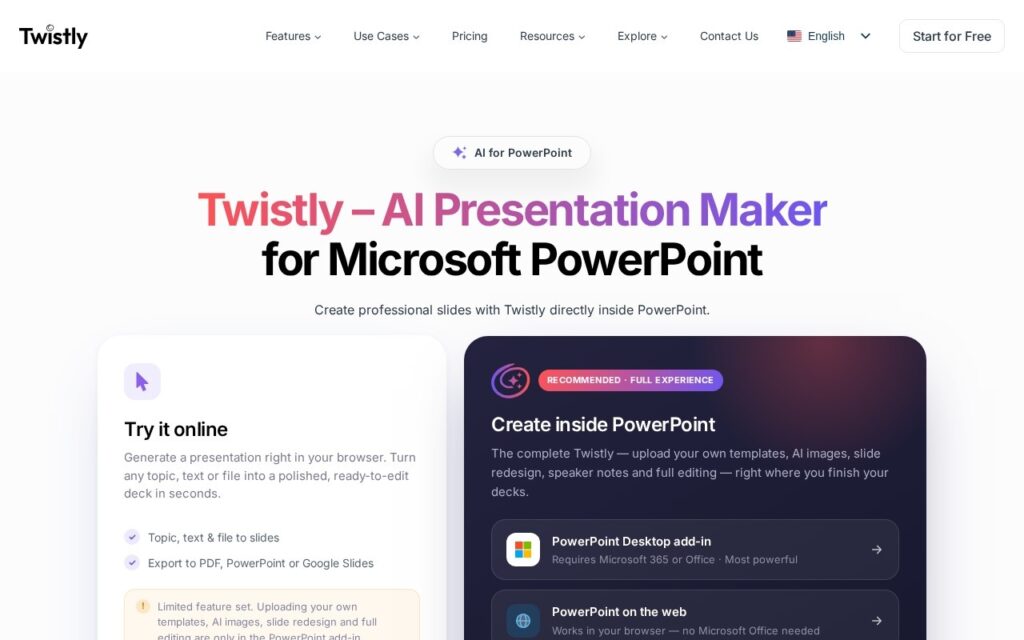
Twistly runs inside PowerPoint rather than beside it. It converts PDFs, Word documents or plain text into slides, generates images, writes speaker notes, translates a whole deck, and redesigns existing slides, exporting native .pptx because it never left PowerPoint in the first place.

Working as an add-in is the entire argument against the browser-based generators. Corporate decks live in PowerPoint, get edited by colleagues in PowerPoint and are presented from PowerPoint, and every tool that generates elsewhere adds an export step where formatting breaks. Deck translation is the standout: doing it manually means retyping every text box and refixing every layout.

It targets students, teachers, marketers, sales and HR, with brand templates supported. A free month and trial access are offered but no pricing figures appear. Being an add-in ties it to PowerPoint, generated slides still need editing for anything that matters, and translated text changes length, which breaks layouts regardless of who does the translating.

Key features

  • Runs as an add-in inside PowerPoint
  • PDF, Word and text to slides
  • Whole-deck translation
  • Automatic speaker notes
  • AI image generation and slide redesign with brand templates

Screenshots & demo

Twistly screenshot 1

Pricing

Visit the Twistly website for current plans and pricing.

  • Pricing modelFree Trial
  • Starting priceCustom
  • Free planNo
Visit Twistly

Pricing is provided as a guide. Check the official site for the latest plans.

Pros & cons

Pros

  • Native .pptx because it never leaves PowerPoint
  • Deck translation replaces retyping every text box
  • Free month offered before paying

Cons

  • No pricing figures published
  • Tied to PowerPoint by design
  • Translated text changes length and breaks layouts

How it compares

ToolRatingFreeFromBest known for
Twistly (this tool)3.8NoRuns as an add-in inside PowerPoint
Canva4.7Yes$15/moMagic Studio suite of AI design tools
Relume4.7Yes$26/moAI-generated wireframes and page structure from a prompt
Durable4.7Yes$25/moWebsite generation marketed at roughly 30 seconds

Alternatives to Twistly

4 tools our editors picked as direct alternatives to Twistly.

Our verdict

3.8 / 5 3.8

Twistly is a solid design tool, best known for runs as an add-in inside PowerPoint.

What makes it different: Twistly stands out for runs as an add-in inside PowerPoint.

How we score it
Overall 3.8
Value for money 4.2
Feature depth 4.9
Popularity 3.7
Best for ProfessionalsTeamsCreatorsCurious learners

Frequently asked questions

What is Twistly?
Twistly is a design tool listed in the Challenging Voice directory. PowerPoint add-in that builds and redesigns decks inside the app you already present from.
Is Twistly free?
Twistly does not offer a free plan.
What are the best Twistly alternatives?
Popular alternatives to Twistly include MakeLanding, IconifyAI, and TimelessHome.AI. Browse them all in the Design category.
Is Twistly any good?
Twistly scores 3.8 out of 5 based on our editorial review.

Reviews

3.8 No reviews yet

Write a review

Similar tools you might like

Augmenta

4.0

Spatial AI automates electrical and building system design for construction and engineering teams.

Contact for Pricing Design

Sitekick

3.4

Describe your business and AI builds a full website in under 5 minutes – copywriter, designer and product-image generator rolled into one, no coding or design skill needed.

Free Trial Design