
List your tool
Freemium

Submagic

123-language captions at 99% accuracy, Magic Clips to pull several shorts from one long video – trusted by 4M+ businesses including Shopify and Uber.

4.0 Video
4.0 Very good 4.0
Magic Clips automates a real, time-consuming repurposing workflow Text-based editing is less precise than a timeline for frame-level control
Reviewed by Challenging Voice Editorial · Updated Aug 2026 How we rate
PricingFree
Free planYes
CompanySubmagic
PlatformsWeb
CategoryVideo
Last reviewedAug 2026

Is this your tool?

  • Claim this listing. Sign in with an email at submagic.co to manage it. Claim Submagic
  • Get into the top 5 of Video. 5 of 5 spots open, from $159/month. See positions
  • Something out of date? Owners can request edits from My listings; anyone can tell us.
Ask AI about Submagic ChatGPT Claude Perplexity

Overview

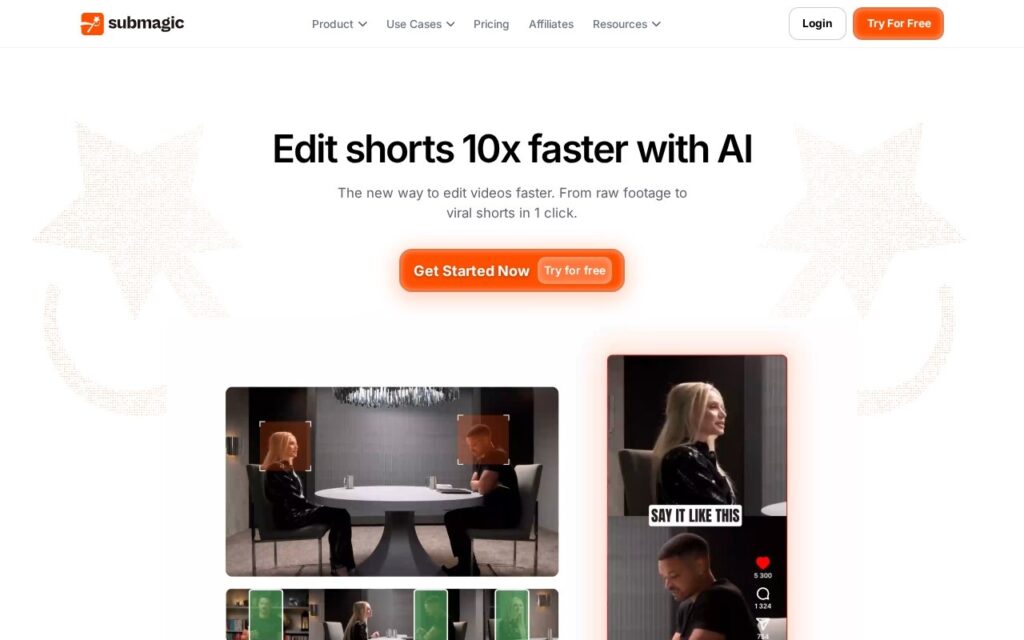
Submagic is an AI video editor purpose-built for short-form content: it generates captions in 123 languages at a claimed 99% accuracy, automatically cuts and trims footage and removes silence, and its Magic Clips feature extracts multiple ready-to-post shorts from one piece of long-form content like a podcast or webinar. It adds AI avatar creation for filmless content, auto-zoom and eye-contact correction, B-roll and sound-effect insertion, and multi-platform scheduling across TikTok, Instagram Reels and YouTube Shorts, with export up to 4K/60fps and a text-based editing interface as an alternative to a traditional timeline.

Turning one long-form recording into several distinct short clips automatically (Magic Clips), rather than requiring a creator to manually find and cut the good moments, is a genuine repurposing workflow that saves real editorial time for anyone already producing longer content like podcasts or webinars. A stated 4 million-plus business user base including recognizable names (Shopify, Uber, Booking, Zapier) is a specific, checkable scale claim rather than vague marketing.

Text-based editing as an alternative to a timeline is faster for caption-driven cuts but less precise for frame-level adjustments a traditional editor would want for fine control. Pricing isn’t shown on the homepage; a free trial is available to test quality first.

Key features

  • AI captions in 123 languages at claimed 99% accuracy
  • Magic Clips: extract multiple shorts from one long-form video
  • Automatic cutting, trimming and silence removal
  • AI avatar creation for filmless content
  • 4K/60fps export with multi-platform scheduling

Screenshots & demo

Submagic screenshot 1

Pricing

Submagic offers a free plan, with paid upgrades for higher limits and more features.

  • Pricing modelFreemium
  • Starting priceFree
  • Free planYes
Visit Submagic

Pricing is provided as a guide. Check the official site for the latest plans.

Is Submagic expensive?

Submagic has no advertised paid tier. Among the 145 priced tools we list in Video, the median entry price is $15.9 a month.

65% of Video tools in the directory offer a free tier, and this is one of them.

Compared against every priced listing in Video, recalculated as the catalogue changes. Method and the full market breakdown are in our AI tool pricing study.

Pros & cons

Pros

  • Magic Clips automates a real, time-consuming repurposing workflow
  • Specific, checkable scale claim (4M+ businesses, named recognizable clients)
  • Text-based editing is fast for caption-driven cuts

Cons

  • Text-based editing is less precise than a timeline for frame-level control
  • Pricing isn't shown on the homepage – use the free trial to evaluate first
  • 123-language caption accuracy likely varies by language, not uniformly 99%

How it compares

ToolRatingFreeFromBest known for
Submagic (this tool)4.0YesFreeAI captions in 123 languages at claimed 99% accuracy
Choppity3.5YesFreeAutomatic clip extraction from long-form video
Exemplary AI3.6YesFreeTranscript-based video editing – select text to generate the matching clip
HiClip3.7YesFreeAutomatic identification of self-contained high-engagement moments

Alternatives to Submagic

4 tools matched to Submagic on what they do, their category and their price.

Choppity

3.5

AI video editor that turns long-form footage into dozens of short clips, aimed at creators repurposing podcasts and streams.

Freemium Video

Exemplary AI

3.6

Turn one long video into clips, summaries, blogs, chapters and subtitles – one click, 98%+ transcription accuracy, 120+ languages. The editor lets you cut a clip by selecting text in the transcript.

Freemium Video

HiClip

3.7

Turns long videos into captioned, reframed Shorts, Reels and TikToks automatically.

Freemium Video

Klap

4.1

Cuts long-form video into short, captioned clips sized for TikTok, Reels, and Shorts.

Free Trial Video

Frequently asked questions

What is Submagic?
Submagic is a video tool. 123-language captions at 99% accuracy, Magic Clips to pull several shorts from one long video – trusted by 4M+ businesses including Shopify and Uber.
Is Submagic free?
Yes, Submagic offers a free plan. Paid plans unlock more features and higher usage limits.
What are the best Submagic alternatives?
The closest matches in the directory are Choppity, Exemplary AI, and HiClip, compared side by side above.

Reviews

4.0 Editorial rating No reviews yet

Write a review

More tools like Submagic

Gling

4.0

Removes silences, filler words and bad takes from video before you start editing.

Freemium Video

Flowjin

4.0

AI clipping platform that turns long-form video and audio into short, captioned social clips.

Paid Video