Free Trial

iListen

Turns any article or webpage into a listenable podcast – a Chrome extension for "no time to read" days.

3.5 Audio
3.5 Good 3.5

Bottom line: iListen is a capable audio tool, best known for converts articles and webpages into podcast-style audio.

Podcast-style pacing is more listenable than flat text-to-speech Condensed audio necessarily loses detail versus reading the full article
Reviewed by Challenging Voice Editorial · Updated Aug 2026 How we rate
PricingFree Trial
Free planNo
CompanyiListen
PlatformsChrome Extension, Web
Best forAudio
Visits1
Last reviewedAug 2026
UpdatedAug 2026
Ask AI about iListen ChatGPT Claude Perplexity

Overview

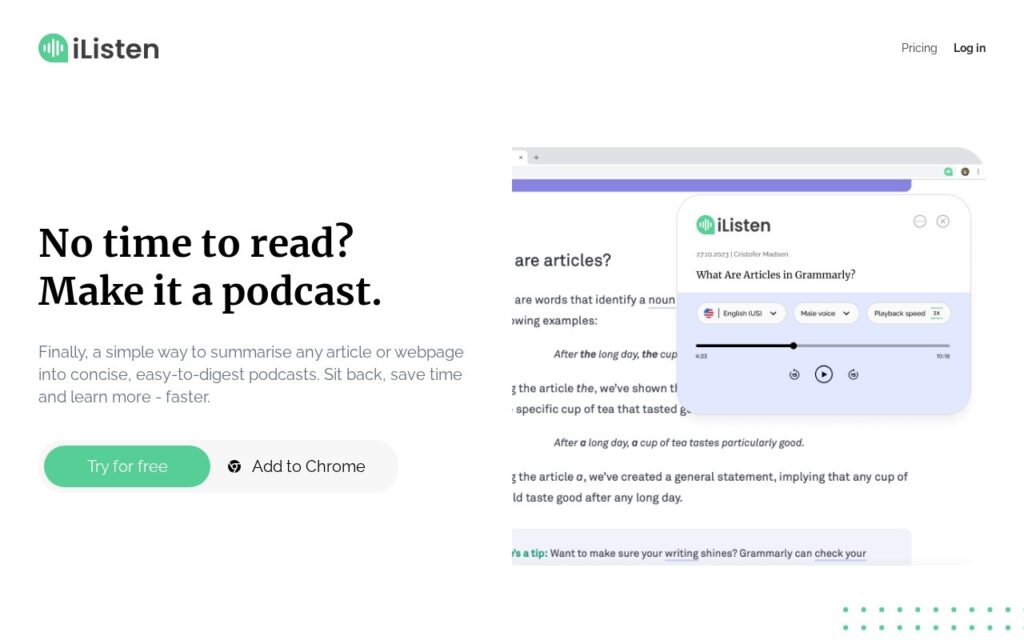
iListen converts articles and webpages into concise, easy-to-digest podcast-style audio, letting users listen instead of read, with a Chrome extension for one-click conversion of whatever page they’re currently on.

Podcast-style framing rather than a flat text-to-speech reading is the small but real difference here – a condensed, well-paced audio summary is more genuinely listenable during a commute or workout than a robotic word-for-word reading of a full article, which is what plain TTS tools usually produce. A Chrome extension also removes the friction of copy-pasting a URL into a separate tool.

Condensing an article into podcast-style audio necessarily loses some detail and nuance versus reading the full piece – treat it as a way to triage and prioritize what’s worth reading in full later, not a complete substitute for the source. Pricing beyond the free trial wasn’t detailed on the page checked.

Key features

  • Converts articles and webpages into podcast-style audio
  • Chrome extension for one-click conversion
  • Condensed, easy-to-digest summarization
  • Playback speed and voice controls

Screenshots & demo

iListen screenshot 1

Pricing

Visit the iListen website for current plans and pricing.

  • Pricing modelFree Trial
  • Starting priceCustom
  • Free planNo
Visit iListen

Pricing is provided as a guide. Check the official site for the latest plans.

Pros & cons

Pros

  • Podcast-style pacing is more listenable than flat text-to-speech
  • Chrome extension removes the copy-paste friction of a separate tool
  • Good for triaging what's worth a full read later

Cons

  • Condensed audio necessarily loses detail versus reading the full article
  • Pricing beyond the free trial wasn't detailed on the page checked
  • Not a substitute for reading anything where exact wording matters

How it compares

ToolRatingFreeFromBest known for
iListen (this tool)3.5NoConverts articles and webpages into podcast-style audio
Speechify4.6Yes$11/moReads any text, PDF, or webpage aloud
iZotope RX4.6No$99/moSpectral repair with visual audio editing
ElevenLabs4.6Yes$5/moVoice Design for generating new voices from text description

Our verdict

3.5 / 5 3.5

iListen is a solid audio tool, best known for converts articles and webpages into podcast-style audio.

What makes it different: iListen stands out for converts articles and webpages into podcast-style audio.

How we score it
Overall 3.5
Value for money 4.2
Feature depth 4.9
Popularity 3.7
Best for PodcastersMusiciansVideo editorsCreators

Frequently asked questions

What is iListen?
iListen is an audio tool listed in the Challenging Voice directory. Turns any article or webpage into a listenable podcast – a Chrome extension for "no time to read" days.
Is iListen free?
iListen does not offer a free plan.
What are the best iListen alternatives?
Popular alternatives to iListen include AIVocal, Voice Cleaner, and BeatMusic. Browse them all in the Audio category.
Is iListen any good?
iListen scores 3.5 out of 5 based on our editorial review.

Reviews

3.5 No reviews yet

Write a review

Similar tools you might like

Speaktor

3.9

Text and documents read aloud in 50-plus languages, with 15 emotional tones to pick from.

Free Trial Audio