
List your tool
Free Trial

InstantChapters

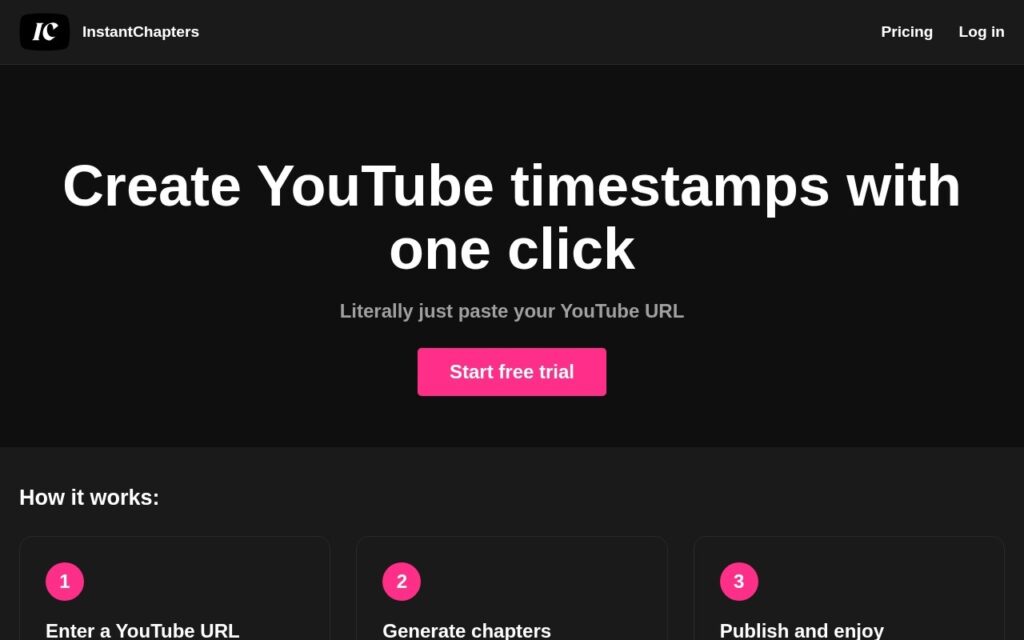
Paste a YouTube URL and get a full set of timestamped chapters back, ready to drop into the video description.

3.3 Video
3.3 Good 3.3
Single-purpose and genuinely one click – no setup to learn Does nothing beyond chapters – no editing, thumbnails or scheduling
Reviewed by Challenging Voice Editorial · Updated Sep 2026 How we rate
PricingFree Trial
Free planNo
CompanyInstantChapters
PlatformsWeb
CategoryVideo
Last reviewedAug 2026
UpdatedSep 2026

Is this your tool?

  • Claim this listing. Sign in with an email at instantchapters.com to manage it. Claim InstantChapters
  • Get into the top 5 of Video. 5 of 5 spots open, from $159/month. See positions
  • Something out of date? Owners can request edits from My listings; anyone can tell us.
Ask AI about InstantChapters ChatGPT Claude Perplexity

Overview

InstantChapters does one job for YouTube creators: it turns a video into a set of chapter timestamps without any manual scrubbing through the timeline.

The workflow is three steps and no configuration. Paste the URL of the video you want chaptered, let the app generate the chapter list from it, then copy the result into the video description. Chapters are a real ranking and retention lever on YouTube – they give viewers a way into a long video and produce the segmented progress bar – and writing them by hand is the kind of task creators skip when publishing at pace.

Access starts with a free trial and the product is deliberately single-purpose. There is no editing suite, no thumbnail generation and no scheduling attached; it generates chapters and hands them back. Note that the site’s pricing route currently 404s, so tier detail comes from inside the app rather than a public page.

Key features

  • Generates YouTube chapters from a pasted video URL
  • No manual timeline scrubbing or configuration
  • Output is copy-paste ready for the video description
  • Three-step workflow with a walk-through video on site
  • Free trial to start

Screenshots & demo

InstantChapters screenshot 1

Pricing

Visit the InstantChapters website for current plans and pricing.

  • Pricing modelFree Trial
  • Starting priceCustom
  • Free planNo
Visit InstantChapters

Pricing is provided as a guide. Check the official site for the latest plans.

Pros & cons

Pros

  • Single-purpose and genuinely one click – no setup to learn
  • Chapters improve watch time and navigation, so the output has real value
  • Free trial before committing

Cons

  • Does nothing beyond chapters – no editing, thumbnails or scheduling
  • The public pricing page 404s, so tiers are only visible after signing up
  • YouTube only; no equivalent for other video platforms

How it compares

ToolRatingFreeFromBest known for
InstantChapters (this tool)3.3No—Generates YouTube chapters from a pasted video URL
ChapterMe3.3No—Named AI system (ChapterGPT) for automated chapter generation
Exemplary AI3.6YesFreeTranscript-based video editing – select text to generate the matching clip
Taja AI3.8No—Shorts, clips, captions and text outputs from one video

Alternatives to InstantChapters

4 tools matched to InstantChapters on what they do, their category and their price.

ChapterMe

3.3

ChapterGPT turns an hour of manual chapter-marking into under 7 minutes – trusted by Y Combinator, Exponent, and TheSoul Publishing, with SEO discoverability up roughly 25%.

Free Trial Video

Exemplary AI

3.6

Turn one long video into clips, summaries, blogs, chapters and subtitles – one click, 98%+ transcription accuracy, 120+ languages. The editor lets you cut a clip by selecting text in the transcript.

Freemium Video

Noiz

3.8

One-click YouTube video summaries in 41 languages, timestamped – also known as Eightify, an established browser-extension summarizer, now handling videos up to 12 hours.

Free Trial Video

Frequently asked questions

What is InstantChapters?
InstantChapters does one job for YouTube creators: it turns a video into a set of chapter timestamps without any manual scrubbing through the timeline.
Is InstantChapters free?
InstantChapters does not offer a free plan.
What are the best InstantChapters alternatives?
The closest matches in the directory are ChapterMe, Exemplary AI, and Taja AI, compared side by side above.

Reviews

3.3 Editorial rating No reviews yet

Write a review

More tools like InstantChapters

CloneDub

3.5

Automated video dubbing across 27+ languages, with FastDub for parallelised processing of long-form podcast and YouTube content.

Free Trial Video

ClipMaker

3.1

Publish a YouTube video, and AI automatically cuts, captions, and schedules short clips for TikTok and Instagram – no manual editing, no manual posting.

Free Trial Video

Fliz

3.8

Paste a URL, get the script, images, voice and edit back as a finished video.

Free Trial Video