
Free Trial

InstantChapters

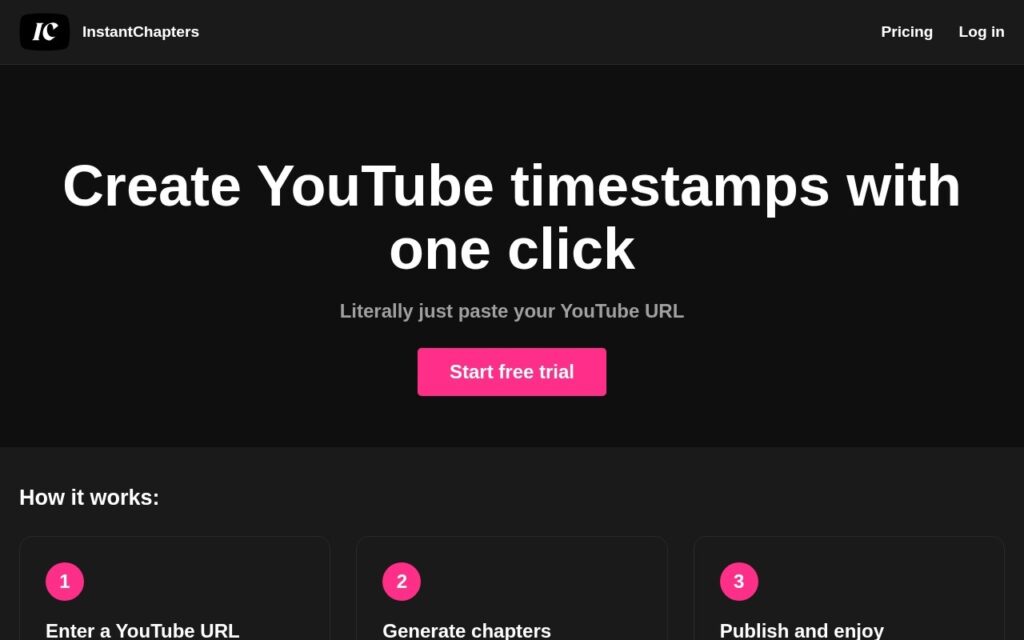
Paste a YouTube URL and get a full set of timestamped chapters back, ready to drop into the video description.

3.3 Video
3.3 Good 3.3

Bottom line: InstantChapters is a capable video tool, best known for generates YouTube chapters from a pasted video URL.

Single-purpose and genuinely one click – no setup to learn Does nothing beyond chapters – no editing, thumbnails or scheduling
Reviewed by Challenging Voice Editorial · Updated Aug 2026 How we rate
PricingFree Trial
Free planNo
CompanyInstantChapters
PlatformsWeb
Best forVideo
Visits4
Last reviewedAug 2026
UpdatedAug 2026
Ask AI about InstantChapters ChatGPT Claude Perplexity

Overview

InstantChapters does one job for YouTube creators: it turns a video into a set of chapter timestamps without any manual scrubbing through the timeline.

The workflow is three steps and no configuration. Paste the URL of the video you want chaptered, let the app generate the chapter list from it, then copy the result into the video description. Chapters are a real ranking and retention lever on YouTube – they give viewers a way into a long video and produce the segmented progress bar – and writing them by hand is the kind of task creators skip when publishing at pace.

Access starts with a free trial and the product is deliberately single-purpose. There is no editing suite, no thumbnail generation and no scheduling attached; it generates chapters and hands them back. Note that the site’s pricing route currently 404s, so tier detail comes from inside the app rather than a public page.

Key features

  • Generates YouTube chapters from a pasted video URL
  • No manual timeline scrubbing or configuration
  • Output is copy-paste ready for the video description
  • Three-step workflow with a walk-through video on site
  • Free trial to start

Screenshots & demo

InstantChapters screenshot 1

Pricing

Visit the InstantChapters website for current plans and pricing.

  • Pricing modelFree Trial
  • Starting priceCustom
  • Free planNo
Visit InstantChapters

Pricing is provided as a guide. Check the official site for the latest plans.

Pros & cons

Pros

  • Single-purpose and genuinely one click – no setup to learn
  • Chapters improve watch time and navigation, so the output has real value
  • Free trial before committing

Cons

  • Does nothing beyond chapters – no editing, thumbnails or scheduling
  • The public pricing page 404s, so tiers are only visible after signing up
  • YouTube only; no equivalent for other video platforms

How it compares

ToolRatingFreeFromBest known for
InstantChapters (this tool)3.3NoGenerates YouTube chapters from a pasted video URL
Synthesia4.5No$29/moAmong the earliest and most established AI avatar tools, operating since 2017
HeyGen4.5Yes$24/moBroadly recognized avatar realism and ease of use
Fliki4.5Yes$21/moLarge library of natural-sounding AI voices across numerous languages

Alternatives to InstantChapters

4 tools our editors picked as direct alternatives to InstantChapters.

Fliki

4.5

Turns a script or article into video, built around a large natural-voice library

Freemium Video

Our verdict

3.3 / 5 3.3

InstantChapters is a solid video tool, best known for generates YouTube chapters from a pasted video URL.

What makes it different: InstantChapters stands out for generates YouTube chapters from a pasted video URL.

How we score it
Overall 3.3
Value for money 4.2
Feature depth 4.9
Popularity 3.7
Best for Video creatorsMarketersAgenciesEducators

Frequently asked questions

What is InstantChapters?
InstantChapters is a video tool listed in the Challenging Voice directory. Paste a YouTube URL and get a full set of timestamped chapters back, ready to drop into the video description.
Is InstantChapters free?
InstantChapters does not offer a free plan.
What are the best InstantChapters alternatives?
Popular alternatives to InstantChapters include AdsTurbo, SubtitlesDog, and RAVATAR. Browse them all in the Video category.
Is InstantChapters any good?
InstantChapters scores 3.3 out of 5 based on our editorial review.

Reviews

3.3 No reviews yet

Write a review

Similar tools you might like

AutoPod

3.3

Automatic multi-camera podcast editing for Premiere Pro – handles up to 10 cameras, generates social clips in three formats, and cuts silence based on your own decibel threshold.

Free Trial Video

Shuffll

3.9

API-first video infrastructure for generating personalised, on-brand video at scale.

Contact for Pricing Video

Signapse

3.6

Real-time AI sign-language translation for broadcast, transit, and government – generative AI blends a library of qualified sign-language video into natural, flowing translations.

Free Trial Video