Free Trial

VideoProc

Desktop AI media suite for remastering, upscaling and converting video, images and audio, with hardware acceleration and a separate editor in VideoProc Vlogger.

3.9 Video
3.9 Good 3.9

Bottom line: VideoProc is a capable video tool, best known for AI video, image and audio enhancement and upscaling.

Local processing keeps footage off third-party servers Desktop only – no browser or mobile workflow
Reviewed by Challenging Voice Editorial · Updated Sep 2026 How we rate
PricingFree Trial
Free planNo
CompanyDigiarty Software
PlatformsMac, Windows
Best forVideo
Founded2006
Visits2
Last reviewedAug 2026
UpdatedSep 2026
Ask AI about VideoProc ChatGPT Claude Perplexity

Overview

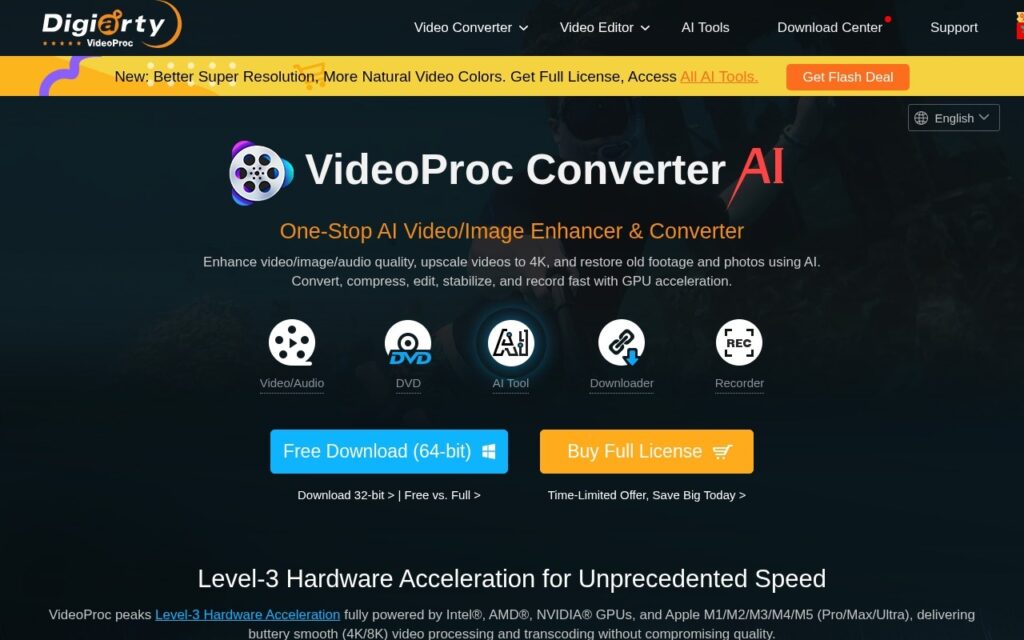
VideoProc is a desktop media suite rather than a browser tool, split across two products: VideoProc Converter AI for processing and VideoProc Vlogger for editing.

Converter AI handles remastering video, images and audio – AI enhancement and upscaling, colour work aimed at more natural and consistent results, plus conversion, compression, downloading and screen recording. Hardware acceleration is a deliberate focus and it matters here: AI upscaling is GPU-bound, and the difference between an accelerated and unaccelerated pass on a long clip is hours. Vlogger is the editing side, positioned for cinematic work.

Being desktop software is the real trade. Processing runs locally, so footage never leaves the machine and there are no per-minute cloud charges – which suits large archives and sensitive material. The cost is that you are bound to one computer’s hardware, and results depend on the GPU you have.

Key features

  • AI video, image and audio enhancement and upscaling
  • Colour remastering for more natural, consistent results
  • Conversion, compression, downloading and screen recording
  • Hardware acceleration for GPU-bound AI passes
  • VideoProc Vlogger editor for cinematic work
  • Extensive user guides and tutorials

Screenshots & demo

VideoProc screenshot 1

Pricing

Visit the VideoProc website for current plans and pricing.

  • Pricing modelFree Trial
  • Starting priceCustom
  • Free planNo
Visit VideoProc

Pricing is provided as a guide. Check the official site for the latest plans.

Pros & cons

Pros

  • Local processing keeps footage off third-party servers
  • No per-minute cloud charges, which matters for large archives
  • Hardware acceleration makes AI upscaling practical on long files

Cons

  • Desktop only – no browser or mobile workflow
  • Output speed and quality depend on your own GPU
  • Split across two products, so the full toolset means two installs

How it compares

ToolRatingFreeFromBest known for
VideoProc (this tool)3.9NoAI video, image and audio enhancement and upscaling
Synthesia4.5No$29/moAmong the earliest and most established AI avatar tools, operating since 2017
HeyGen4.5Yes$24/moBroadly recognized avatar realism and ease of use
Fliki4.5Yes$21/moLarge library of natural-sounding AI voices across numerous languages

Alternatives to VideoProc

4 tools our editors picked as direct alternatives to VideoProc.

Fliki

4.5

Turns a script or article into video, built around a large natural-voice library

Freemium Video

Our verdict

3.9 / 5 3.9

VideoProc is a solid video tool, best known for AI video, image and audio enhancement and upscaling.

What makes it different: VideoProc stands out for AI video, image and audio enhancement and upscaling.

How we score it
Overall 3.9
Value for money 4.2
Feature depth 4.9
Popularity 3.7
Best for Video creatorsMarketersAgenciesEducators

Frequently asked questions

What is VideoProc?
VideoProc is a video tool listed in the Challenging Voice directory. Desktop AI media suite for remastering, upscaling and converting video, images and audio, with hardware acceleration and a separate editor in VideoProc Vlogger.
Is VideoProc free?
VideoProc does not offer a free plan.
What are the best VideoProc alternatives?
Popular alternatives to VideoProc include AI Baby Dance Generator, Glam AI, and BeatViz.ai. Browse them all in the Video category.
Is VideoProc any good?
VideoProc scores 3.9 out of 5 based on our editorial review.

Reviews

3.9 No reviews yet

Write a review

Similar tools you might like

Deepfakes Web

2.9

AI swaps faces in a video in minutes, automatically embedding invisible watermarks and staying intentionally imperfect by design so results are identifiable as fake.

Paid Video

Artflow AI

3.5

Build a consistent AI character once, then animate it across scenes with text-to-speech and lip-sync – Character Builder, Image Studio, Video Studio and Story Studio in one platform.

Freemium Video