List your tool
Freemium

Quilgo

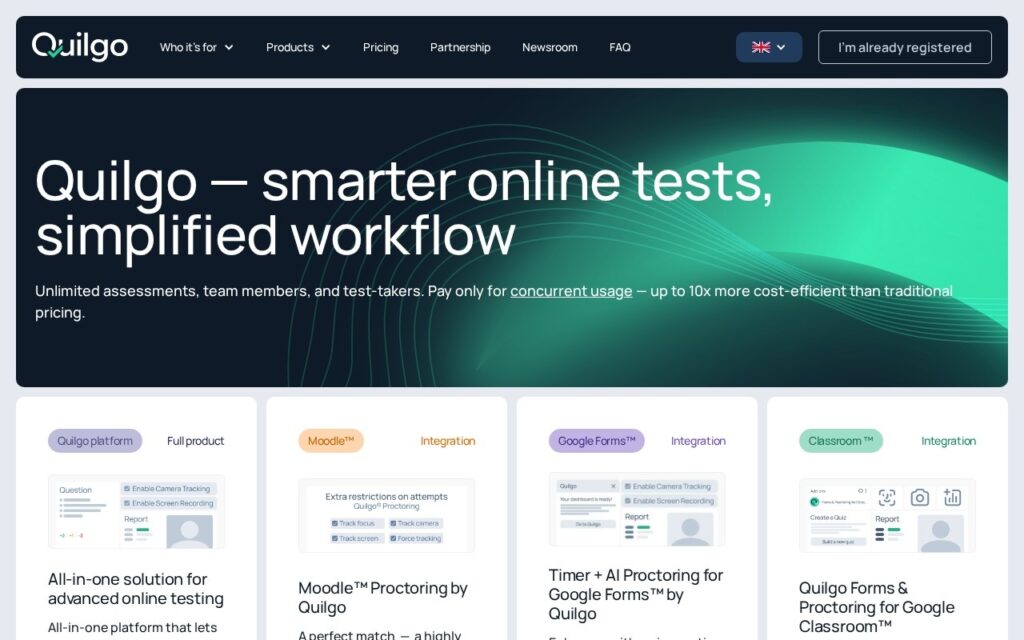
Adds timers and AI proctoring to Google Forms, Moodle and Google Classroom, turning tools teachers already use into invigilated tests.

3.6 Education
3.6 Good 3.6
Works inside tools institutions already use rather than requiring migration Face detection is biometric processing – consent and lawful basis sit with the institution
Reviewed by Challenging Voice Editorial · Updated Sep 2026 How we rate
PricingFree
Free planYes
CompanyQuilgo
PlatformsWeb
CategoryEducation
Last reviewedSep 2026

Is this your tool?

  • Claim this listing. Sign in with an email at quilgo.com to manage it. Claim Quilgo
  • Get into the top 5 of Education. 5 of 5 spots open, from $159/month. See positions
  • Something out of date? Owners can request edits from My listings; anyone can tell us.
Ask AI about Quilgo ChatGPT Claude Perplexity

Overview

Quilgo adds timing and AI proctoring to test tools institutions already run – Google Forms, Moodle and Google Classroom – rather than asking them to move to a new platform. It serves schools, recruiters, olympiad organisers and training providers, with an interface in six languages.

Meeting people where they are is a sensible strategy. Google Forms is already the default quiz tool in a great many schools, and its missing pieces are exactly a countdown timer and any assurance about who is answering. Adding those as a plug-in is a far lower-friction path than migrating a department to an exam platform.

The proctoring side needs deliberate handling. It uses face detection to monitor test-takers, which makes it biometric processing under GDPR and laws like Illinois BIPA – consent, retention and a lawful basis are the institution’s responsibility, not the vendor’s. Face detection accuracy is also known to vary across skin tones, so flags must be reviewed by a person and never treated as evidence of cheating on their own.
Key features

  • Timer and AI proctoring add-on for Google Forms
  • Moodle plug-in and Google Classroom add-on
  • Standalone Quilgo test platform
  • Face detection monitoring during tests
  • Reports on test sessions
  • Interface in six languages

Screenshots & demo

Quilgo screenshot 1

Pricing

Quilgo offers a free plan, with paid upgrades for higher limits and more features.

  • Pricing modelFreemium
  • Starting priceFree
  • Free planYes
Visit Quilgo

Pricing is provided as a guide. Check the official site for the latest plans.

Is Quilgo expensive?

Quilgo has no advertised paid tier. Among the 78 priced tools we list in Education, the median entry price is $10.5 a month.

65% of Education tools in the directory offer a free tier, and this is one of them.

Compared against every priced listing in Education, recalculated as the catalogue changes. Method and the full market breakdown are in our AI tool pricing study.

Pros & cons

Pros

  • Works inside tools institutions already use rather than requiring migration
  • Fills the two gaps Google Forms has for real testing – timing and invigilation
  • Covers education, recruitment and competition use cases

Cons

  • Face detection is biometric processing – consent and lawful basis sit with the institution
  • Face detection accuracy varies across skin tones, so flags need human review
  • Proctoring flags are not evidence of cheating on their own

How it compares

ToolRatingFreeFromBest known for
Quilgo (this tool)3.6YesFreeTimer and AI proctoring add-on for Google Forms
Brisk Teaching4.6YesFreeChrome extension running inside Google Docs and Classroom
Vocavio3.4No—vCONNECT assessment of team communication
Quizalize3.6YesFreeAI Quiz Generation from a topic prompt

Alternatives to Quilgo

4 tools matched to Quilgo on what they do, their category and their price.

Vocavio

3.4

Scores team communication during high-stakes training simulations, giving instructors measurable data on non-technical skills.

Contact for Pricing Education

Quizalize

3.6

Generate a quiz from a prompt, then auto-differentiation adjusts difficulty and assigns follow-up resources based on how each student actually scored.

Freemium Education

QuestionAid

3.6

Turns any text into exam questions with distractors and exports straight to Moodle and Kahoot, sold as one-off credits with no subscription.

Freemium Education

Frequently asked questions

What is Quilgo?
Quilgo adds timing and AI proctoring to test tools institutions already run – Google Forms, Moodle and Google Classroom – rather than asking them to move to a new platform.
Is Quilgo free?
Yes, Quilgo offers a free plan. Paid plans unlock more features and higher usage limits.
What are the best Quilgo alternatives?
The closest matches in the directory are Brisk Teaching, Vocavio, and Quizalize, compared side by side above.

Reviews

3.6 Editorial rating No reviews yet

Write a review

More tools like Quilgo

LanguageMate

3.6

AI spoken-language practice platform for schools and businesses, covering 19+ languages, with a UK Department for Education project behind it.

Contact for Pricing Education

Quino

4.1

Learning management system for US colleges and schools with AI that grades photographed exams against the instructor's rubric, reads handwriting and equations, and writes quizzes from course notes.

Contact for Pricing Education