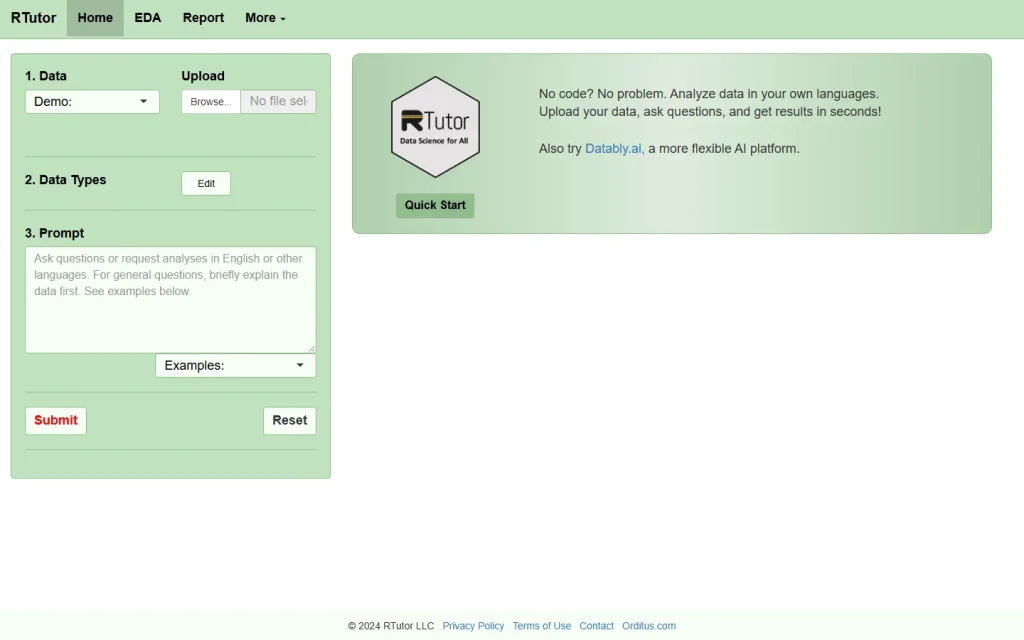
RTutor is a web app that turns plain-English requests into R or Python code, then runs that code on a file you upload. It suits researchers and analysts who know what they want from a dataset but don't write R. You get plots, tables and a downloadable HTML report.
How RTutor Turns a Request Into Code
RTutor sends your request to OpenAI's large language models, which write R (or Python) code that the app then executes. The site says the default model is GPT-4o.
You upload a CSV, tab-delimited text file or Excel sheet. It loads automatically as a data frame called df, so you never ask RTutor to load it. A second file can go in as df2, but you must name it in your prompts.
Before your request goes out, RTutor adds "Generate R code" at the start and a note about your columns at the end. That's why clear column names matter. The site suggests cleaning data in Excel first and checking that numeric codes for categories are typed as categories.
Sessions have memory. After one chunk of code, you can say "Change background color to white" and RTutor edits the previous plot. Start with simple distributions, then add complexity.
What Happens to Your Data
By default, RTutor randomly selects 5 rows of your data and sends them to OpenAI to improve the code it writes. You can opt out in Settings. The site says your data isn't stored on its web server after the session.
If your data is sensitive, switch the sample off and read the privacy details yourself before uploading.
Who Should Use RTutor, and Who Shouldn't
Use RTutor if you have a clean spreadsheet and want a fast first pass: distributions, group comparisons, correlation plots. The EDA tab (exploratory data analysis) gives you summaries before you type anything. It's also a decent way to learn R, since you see the code behind every result.
Skip it if your data isn't rows and columns. The site says RTutor handles traditional statistics data only, and points complex data to its sister platform Datably.ai, which supports multiple file formats and Python.
And don't trust it blindly. The vendor's own warning is plain: generated code can be logically wrong even when it runs without errors. Treat output as a draft, and have someone who knows statistics check anything that matters. The tool comes with no warranty.
If you're weighing it against other ways to work with data, our product management guide covers how teams turn analysis into decisions, and the piece on user feedback in iterative development shows where quick analyses like these fit.
Pricing and Where to Go Next
RTutor's pricing is not published on its site, so we can't state a cost or say whether a free tier exists. Check the official site before planning around it.
The developers describe themselves as a small startup open to academic and industry partnerships, and the source code is on GitHub. If you want a walkthrough first, the site links an 8-minute YouTube video. Browse the Data and Analytics category to compare RTutor with other AI tools for working with data.