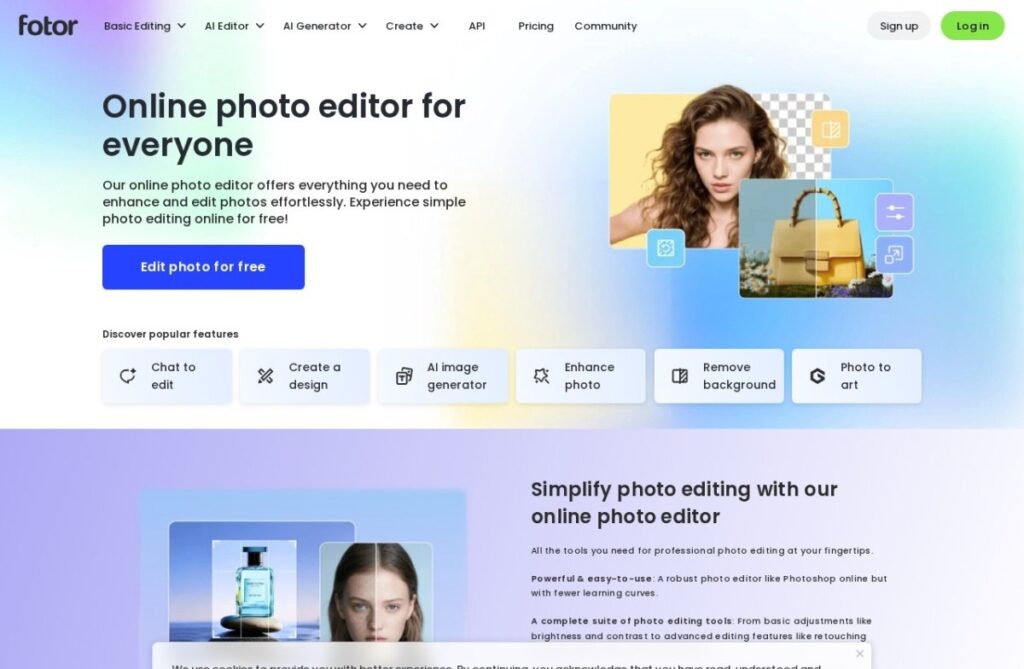
Fotor predates the diffusion-model era by a decade. Everimaging launched it in 2012 as a browser-based photo editor and collage maker, and that editing-first foundation still shapes the product: AI image generation sits alongside retouching, background removal, and design templates rather than standing alone as the main event.
That layered structure suits a specific kind of user well: someone who wants to generate an image and then immediately crop, color-correct, or drop it into a poster template without exporting to a second app. Batch photo editing and a library of design templates round out a toolset built more for everyday content production than for chasing a specific art style.
A free tier covers basic editing and limited generations, and paid plans start around $9 a month for higher resolution exports and more AI credits. Fotor won't be the first choice for someone focused purely on image generation quality, but for small businesses and casual creators who want generation and editing under one login, its decade of photo-editing groundwork is a real advantage.
Key features
Text-to-image generation alongside full photo editing
Background removal and object retouching
Design templates for posters, social posts, and collages
Batch photo editing tools
AI headshot and avatar generation
Free tier with limited AI credits
Screenshots & demo
Demo video
Screenshots
Pricing
Fotor has a free plan, and paid plans start at $9/mo.
Pricing is provided as a guide. Check the official site for the latest plans.
Is Fotor expensive?
Fotor starts at $9, which is right at the Image Generation median of $10 a month across the 150 priced tools we list in that category.
The cheapest paid option in Image Generation starts at $0 and the most expensive at $800.
65% of Image Generation tools in the directory offer a free tier, and this is one of them.
Compared against every priced listing in Image Generation, recalculated as the catalogue changes. Method and the full market breakdown are in our AI tool pricing study.
Pros & cons
Pros
Generation and editing live in one app, no exporting back and forth
Long operating history with a mature editing toolset
Useful template library for turning images into finished designs