
Freemium

Figma Make

Turns Figma designs into functional prototypes and production code with AI credits

4.1 Design
4.1 Very good 4.1

Bottom line: Figma Make is a strong design tool, best known for publishes functional prototypes and web apps as live URLs directly from Figma. It has a free plan.

No new tool to learn, works directly inside the Figma files designers already use Not available as a standalone purchase, requires an existing Figma plan
Reviewed by Challenging Voice Editorial · Updated Jul 2026 How we rate
PricingFrom $12/mo
Free planYes
CompanyFigma
PlatformsAPI, Mac, Web, Windows
Best forDesign
Founded2012
Visits10
Last reviewedJul 2026
UpdatedJul 2026
Ask AI about Figma Make ChatGPT Claude Perplexity

Overview

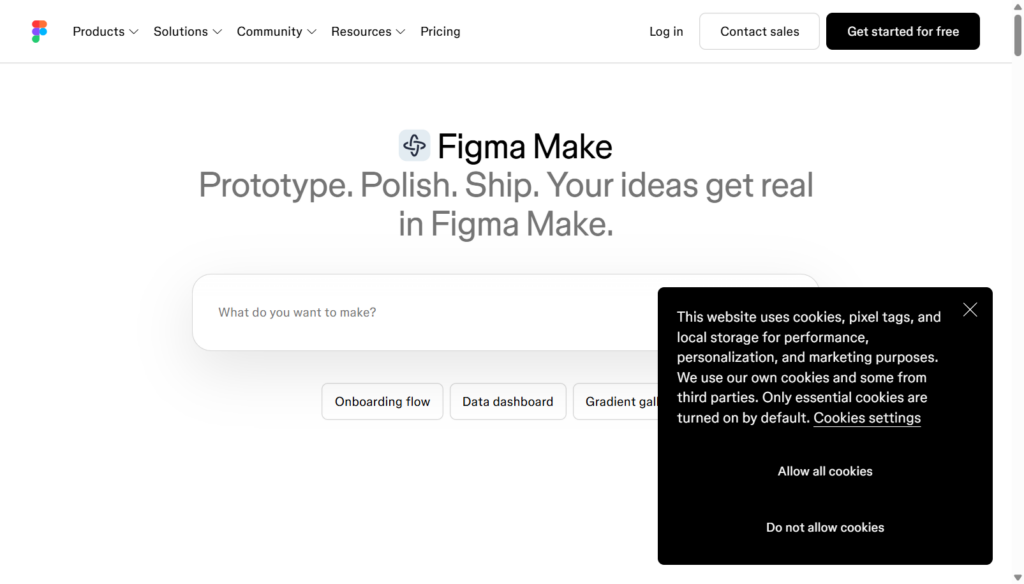
Figma Make, built by Figma, founded in 2012 by Dylan Field and Evan Wallace, lets designers publish functional prototypes and web apps as live URLs directly from Figma files, and share Make files with AI coding agents to carry prototypes through toward production rather than handing off static mockups alone.

That prototype-to-production bridge sits inside Figma's existing plan structure rather than selling as a standalone product: access follows from a Figma seat, with an AI credit system introduced in 2026 governing usage, enforced starting March 2026 with pay-as-you-go credits available at $0.03 each starting in the second quarter.

Figma's Professional plan runs $12 a seat monthly billed annually, with Make access layered on top through the credit system rather than a separate subscription. For a designer who wants to turn a Figma file into a working prototype or production-ready code without switching to a separate tool, Figma Make's in-platform bridge addresses that directly.

Key features

  • Publishes functional prototypes and web apps as live URLs directly from Figma
  • Shares Make files and code directly with AI coding agents for production handoff
  • Bundled into existing Figma plans rather than sold as a standalone product
  • AI credit system governs usage, with pay-as-you-go credits at $0.03 each
  • Built on Figma's established design platform, active since 2015
  • Access follows from a Figma seat rather than a separate purchase

Screenshots & demo

Demo video

Screenshots

Figma Make screenshot 1

Pricing

Starter
Free
  • 150 AI credits/day, up to 500/mo
  • Unlimited drafts
  • UI kits and templates
  • Limited Figma Make access
Professional (Full seat)
$16/mo
  • 3,000 AI credits/mo for Figma Make
  • Unlimited files and folders
  • Team-wide design libraries
  • Advanced Dev Mode inspection
Organization (Full seat)
$55/mo
  • 3,500 AI credits/mo for Figma Make
  • Billed annually
  • Unlimited teams
  • Centralized admin tools

Is Figma Make expensive?

Figma Make starts at $12, which is 20% below the Design median of $15 a month across the 101 priced tools we list in that category.

The cheapest paid option in Design starts at $0.5 and the most expensive at $185.

73% of Design tools in the directory offer a free tier, and this is one of them.

Compared against every priced listing in Design, recalculated as the catalogue changes. Method and the full market breakdown are in our AI tool pricing study.

Pros & cons

Pros

  • No new tool to learn, works directly inside the Figma files designers already use
  • Bridges the gap between design mockups and functional, shareable prototypes
  • AI credit pay-as-you-go option adds flexibility beyond fixed subscription tiers
  • Backed by Figma's mature, widely adopted design platform

Cons

  • Not available as a standalone purchase, requires an existing Figma plan
  • AI credit system adds a layer of cost complexity beyond the base subscription
  • Credit enforcement is relatively new, with pricing behavior still settling in 2026

How it compares

ToolRatingFreeFromBest known for
Figma Make (this tool)4.1Yes$12/moPublishes functional prototypes and web apps as live URLs directly from Figma
Dzine4.4Yes$9/moLayer-based composition with manual positioning and sketching
B124.4Yes$49/moAI-generated site draft refined by a human expert team
Designhill4.0Yes$20/moCrowdsourced design contest marketplace

Alternatives to Figma Make

4 tools our editors picked as direct alternatives to Figma Make.

Our verdict

4.1 / 5 4.1

Figma Make is a strong design tool, best known for publishes functional prototypes and web apps as live URLs directly from Figma. It offers a free plan, with paid upgrades from $12/mo.

What makes it different: Figma Make stands out for publishes functional prototypes and web apps as live URLs directly from Figma.

How we score it
Overall 4.1
Value for money 4.7
Feature depth 4.9
Popularity 3.7
Best for ProfessionalsTeamsCreatorsCurious learners

Frequently asked questions

What is Figma Make?
Figma Make is a design tool listed in the Challenging Voice directory. Turns Figma designs into functional prototypes and production code with AI credits.
Is Figma Make free?
Yes, Figma Make offers a free plan. Paid plans unlock more features and higher usage limits, starting at $12/month.
How much does Figma Make cost?
Figma Make starts at $12 per month. See the pricing plans above for full details.
What are the best Figma Make alternatives?
Popular alternatives to Figma Make include ColorMagic, OutdoorBrite, and Phygital+. Browse them all in the Design category.
Is Figma Make any good?
Figma Make scores 4.1 out of 5 based on our editorial review.

Reviews

4.1 No reviews yet

Write a review

Similar tools you might like

Moda

3.9

Generates slides, social posts and diagrams as editable objects on a real canvas.

Freemium Design