Freemium

Jam

Captures a screen recording, console logs, and network requests in one click to turn bug reports into ready-made tickets.

4.3 Coding
4.3 Very good 4.3

Bottom line: Jam is a strong coding tool, best known for one-click capture of screen recording, console logs, and network requests. It has a free plan.

Most of the product remains free, useful even without a paid plan Jam AI usage is capped monthly on free and Team plans
Reviewed by Challenging Voice Editorial · Updated Jul 2026 How we rate
PricingFrom $14/mo
Free planYes
CompanyJam
PlatformsChrome Extension, Web
Best forCoding
Founded2020
Visits6
Last reviewedJul 2026
UpdatedJul 2026
Ask AI about Jam ChatGPT Claude Perplexity

Overview

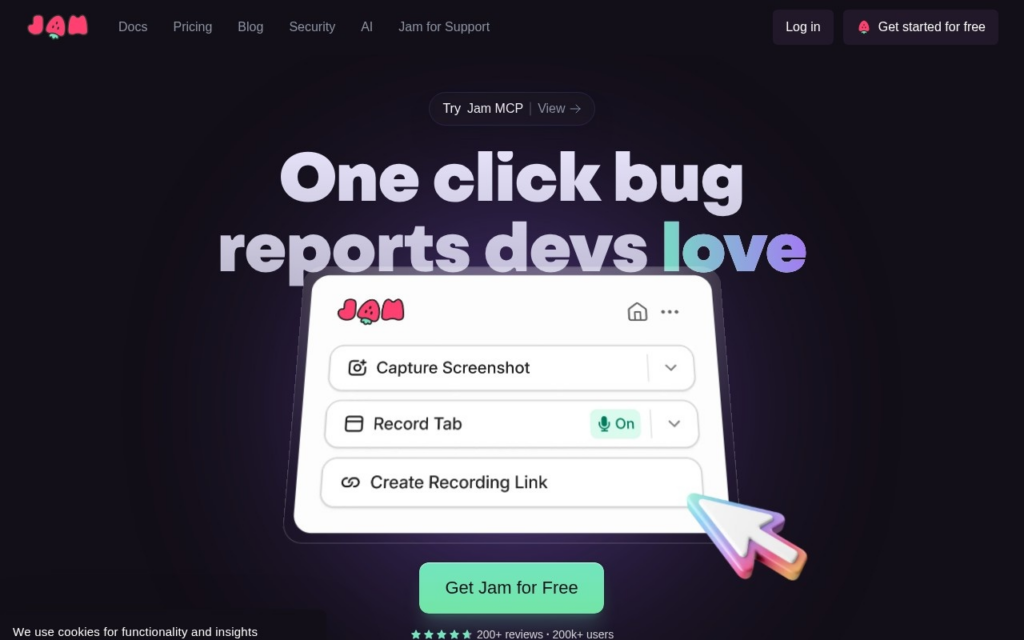
Jam is a bug reporting tool that captures a screen recording along with console logs, network requests, and browser metadata in a single click, then hands engineers a report with everything needed to reproduce an issue. Dani Grant and Mohd Irtefa, both former Cloudflare product managers, founded the company in 2020 after experiencing firsthand how much back-and-forth it took to communicate a bug clearly to an engineering team. Jam raised an $8.9 million Series A led by GGV Capital, with participation from Figma Ventures and other investors.

When a bug occurs, Jam saves a rolling recording of the prior 30 seconds along with technical context most bug reporters would never think to capture manually. A feature called Jam AI takes that raw capture and writes an auto-titled, structured bug report with reproduction steps, then can create a ticket directly in tools like Jira or Linear, cutting the manual writing step out of the process for both reporters and engineers. Companies including Salesforce, Ramp, UiPath, and Autodesk use Jam internally.

Jam suits engineering and QA teams at companies of any size that are tired of vague bug reports lacking reproduction steps, from solo developers to large enterprise teams. Most of the product stays free; the Team plan starts at $14 per user a month and includes up to 50 members, while free-plan and trial users get a limited number of Jam AI uses per month before enterprise plans unlock unlimited AI usage.

Key features

  • One-click capture of screen recording, console logs, and network requests
  • Jam AI auto-generates titled bug reports with reproduction steps
  • Direct ticket creation in Jira, Linear, and other issue trackers
  • Automatic 30-second rolling recording before a bug is reported
  • Deep-link sharing to the exact moment in a recording an engineer needs to see
  • Team workspace with shared permissions and collaboration tools

Screenshots & demo

Demo video

Screenshots

Jam screenshot 1

Pricing

Jam has a free plan, and paid plans start at $14/mo.

  • Pricing modelFreemium
  • Starting priceFrom $14/mo
  • Free planYes
Visit Jam

Pricing is provided as a guide. Check the official site for the latest plans.

Pros & cons

Pros

  • Most of the product remains free, useful even without a paid plan
  • Cuts real time out of writing and triaging bug reports for both sides
  • Adopted internally by well-known engineering teams including Salesforce and Ramp
  • Jam AI reporting removes a genuinely tedious manual writing step

Cons

  • Jam AI usage is capped monthly on free and Team plans
  • Team plan pricing is per user, which adds up for larger QA or support teams
  • Best suited to web app bugs; less useful for native mobile or backend-only issues
  • Some advanced automation and unlimited AI usage require an Enterprise plan

How it compares

ToolRatingFreeFromBest known for
Jam (this tool)4.3Yes$14/moOne-click capture of screen recording, console logs, and network requests
Zencoder4.2YesFreeRoutes different task types to different frontier models
Blackbox AI4.1Yes$10/moCode search across GitHub and similar sources
Aider4.6YesFreeTerminal-based, no IDE required

Our verdict

4.3 / 5 4.3

Jam is a strong coding tool, best known for one-click capture of screen recording, console logs, and network requests. It offers a free plan, with paid upgrades from $14/mo.

What makes it different: Jam stands out for one-click capture of screen recording, console logs, and network requests.

How we score it
Overall 4.3
Value for money 4.7
Feature depth 4.9
Popularity 3.7
Best for DevelopersEngineering teamsStudentsIndie hackers

Frequently asked questions

What is Jam?
Jam is a coding tool listed in the Challenging Voice directory. Captures a screen recording, console logs, and network requests in one click to turn bug reports into ready-made tickets.
Is Jam free?
Yes, Jam offers a free plan. Paid plans unlock more features and higher usage limits, starting at $14/month.
How much does Jam cost?
Jam starts at $14 per month. See the pricing plans above for full details.
What are the best Jam alternatives?
Popular alternatives to Jam include build0, Fenado AI, and KushoAI. Browse them all in the Coding category.
Is Jam any good?
Jam scores 4.3 out of 5 based on our editorial review.

Reviews

4.3 No reviews yet

Write a review

Similar tools you might like