
Freemium

Kane CLI

Terminal-based browser automation tool that lets AI coding agents verify their own code visually.

3.9 Coding
3.9 Good 3.9

Bottom line: Terminal-based browser automation tool that lets AI coding agents verify their own code visually. Free plan available.

Free to install and run locally, with cloud costs only kicking in for scaled execution Requires a TestMu AI account even for local runs, tying the tool to a broader platform
Reviewed by Challenging Voice Editorial · Updated Aug 2026 How we rate
PricingFrom $19/mo
Free planYes
CompanyTestMu AI (formerly LambdaTest)
PlatformsMac, Windows
Best forCoding
Founded2017
Visits17
Last reviewedAug 2026
UpdatedAug 2026
Ask AI about Kane CLI ChatGPT Claude Perplexity

Overview

Kane CLI is a browser automation tool released on April 28, 2026 by TestMu AI, formerly known as LambdaTest, a testing platform founded in 2017 by Asad Khan and Jay Singh with offices in India and the United States. The company rebranded from LambdaTest to TestMu AI in January 2026 to reflect its shift from browser and device testing toward a broader AI-native testing platform.

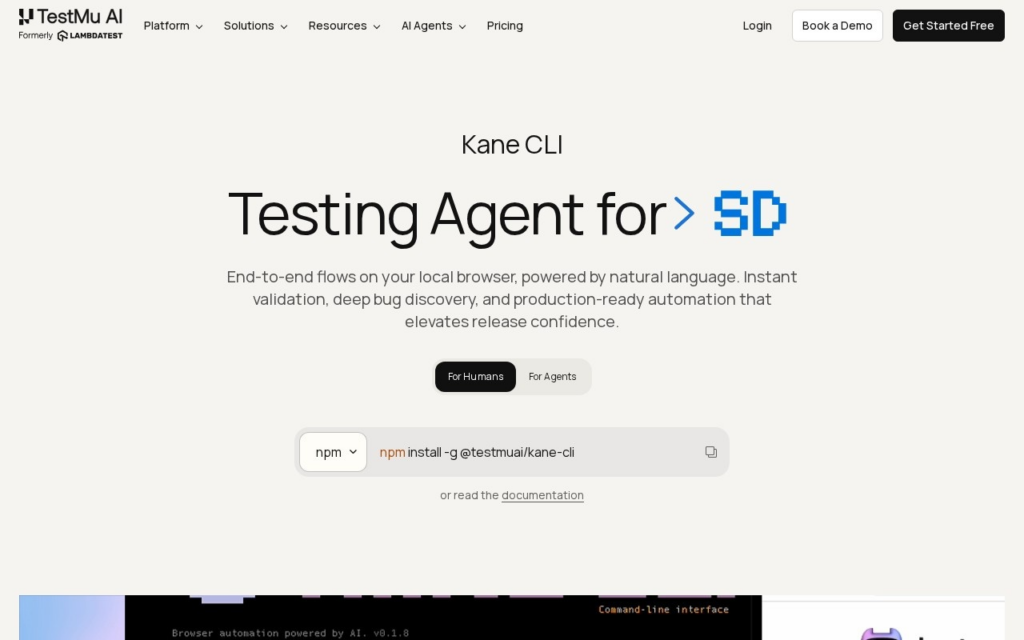
Kane CLI runs from a developer's terminal and opens a local Chrome browser that an AI coding agent (or a human developer) can drive step by step, returning a pass or fail result with shareable proof rather than leaving an agent to guess whether generated code actually works in a browser. Given context about an application, it authors test flows from a single prompt, runs parallel sessions across multiple browser instances, and exports any flow it builds as native Playwright code with one command, so teams are not locked into Kane's own format.

Kane CLI targets developers and teams using AI coding agents (Claude Code, Cursor, and similar tools) who need a way to verify generated front-end code actually renders and functions correctly. The CLI itself installs free, and local browser runs cost nothing; paid usage kicks in on TestMu AI's cloud grid, with a Starter plan at $19 per month (2,000 credits) and a Pro plan at $99 per month (10,000 credits), plus custom Enterprise pricing.

Key features

  • Terminal-native browser automation for AI coding agents and developers
  • Contextual test authoring from a single natural-language prompt
  • Parallel test execution across multiple browser sessions
  • One-command export to native Playwright code
  • Automated bug discovery during flow execution
  • Free local browser runs with paid cloud-grid execution

Screenshots & demo

Demo video

Screenshots

Kane CLI screenshot 1

Pricing

Kane CLI has a free plan, and paid plans start at $19/mo.

  • Pricing modelFreemium
  • Starting priceFrom $19/mo
  • Free planYes
Visit Kane CLI

Pricing is provided as a guide. Check the official site for the latest plans.

Is Kane CLI expensive?

Kane CLI starts at $19, which is right at the Coding median of $19.99 a month across the 87 priced tools we list in that category.

The cheapest paid option in Coding starts at $1 and the most expensive at $500.

66% of Coding tools in the directory offer a free tier, and this is one of them.

Compared against every priced listing in Coding, recalculated as the catalogue changes. Method and the full market breakdown are in our AI tool pricing study.

Pros & cons

Pros

  • Free to install and run locally, with cloud costs only kicking in for scaled execution
  • Playwright export avoids vendor lock-in for teams that later want to run tests outside Kane
  • Built by a testing company (TestMu AI, ex-LambdaTest) with almost a decade of QA infrastructure behind it
  • Purpose-built for the AI-agent coding workflow other browser testing tools were not designed around

Cons

  • Requires a TestMu AI account even for local runs, tying the tool to a broader platform
  • Launched April 2026, so third-party reviews and community troubleshooting resources are still thin
  • Cloud-grid credits add a second cost dimension beyond the flat monthly subscription price
  • Terminal-first design assumes command-line comfort, which is a barrier for less technical QA staff

How it compares

ToolRatingFreeFromBest known for
Kane CLI (this tool)3.9Yes$19/moTerminal-native browser automation for AI coding agents and developers
Gemini CLI4.3YesFreeOpen-source, terminal-native coding agent
Warp4.4Yes$20/moBlock-based terminal interface instead of continuous scroll
Fume3.9No$500/moScreen-recording-to-Playwright-test generation

Alternatives to Kane CLI

4 tools matched to Kane CLI on what they do, their category and their price.

Fume

3.9

AI QA agent that turns screen recordings into maintained Playwright test suites.

Free Trial Coding

Frequently asked questions

What is Kane CLI?
Kane CLI is a browser automation tool released on April 28, 2026 by TestMu AI, formerly known as LambdaTest, a testing platform founded in 2017 by Asad Khan and Jay Singh with offices in India and the United States.
Is Kane CLI free?
Yes, Kane CLI offers a free plan. Paid plans unlock more features and higher usage limits, starting at $19/month.
How much does Kane CLI cost?
Kane CLI starts at $19 per month. See the pricing plans above for full details.
What are the best Kane CLI alternatives?
The closest matches in the directory are Gemini CLI, Warp, and Fume, compared side by side above.

Reviews

3.9 No reviews yet

Write a review

More tools like Kane CLI

Bugster

3.9

Watches user flows in a live application and regenerates end-to-end tests automatically when the UI changes.

Freemium Coding