
List your tool
Paid

AI Renovation

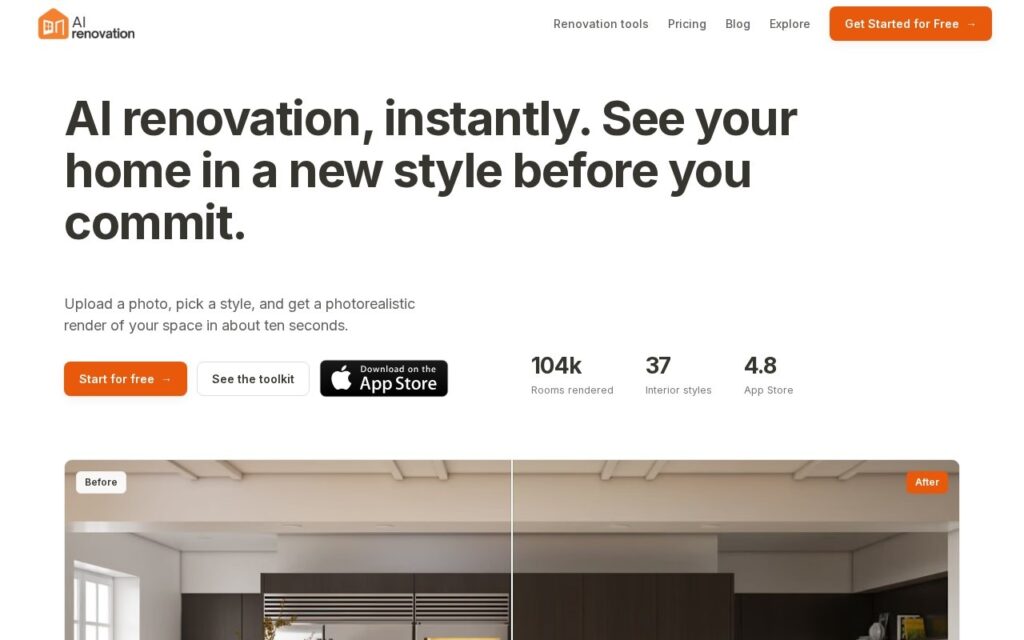
Photo of a room in, thirty-seven styles out, in about ten seconds.

3.6 Design
3.6 Good 3.6
Isolates one surface at a time, which is the real decision people face Rendered materials are predictions, not how a specific product looks
Reviewed by Challenging Voice Editorial · Updated Sep 2026 How we rate
PricingFrom $19/mo
Free planNo
CompanyAI Renovation
PlatformsiOS, Web
CategoryDesign
Last reviewedAug 2026
UpdatedSep 2026

Is this your tool?

  • Claim this listing. Sign in with an email at airenovation.io to manage it. Claim AI Renovation
  • Get into the top 5 of Design. 5 of 5 spots open, from $159/month. See positions
  • Something out of date? Owners can request edits from My listings; anyone can tell us.
Ask AI about AI Renovation ChatGPT Claude Perplexity

Overview

AI Renovation renders a room as it could be. Upload a photograph, pick from 37 interior styles or describe your own, and it returns a photorealistic version in around ten seconds. The edits are specific rather than wholesale: wall paint, cabinetry, benchtops, flooring, furniture placement, decluttering, virtual staging, elevation rendering and upscaling are all separate tools. Trial gives 3 renders free, Starter is $19 a month for 50 credits and Pro $39 for 250. Web and iOS, with Android listed as coming.

Splitting the edits apart is what makes this useful rather than a novelty. A homeowner deciding between two benchtop materials does not want the whole room reimagined – they want that one surface changed and everything else held still, and a tool that can isolate cabinetry from flooring from paint is answering the question people actually have. Ten-second turnaround matters for the same reason, because this is a decision made by comparing many small variations.

Two cautions, both about what a render is. Generated materials look how the model predicts they look, not how that specific tile or laminate behaves under your room’s light – use it to choose a direction and physical samples to choose the product. And virtual staging carries a disclosure obligation if the image ever reaches a property listing, which most MLS rules impose and which sits with the agent rather than the software. Note also that the product was at renovateai.ai until recently, so older reviews refer to that name.

Key features

  • 37 interior styles plus custom descriptions
  • Isolated edits for paint, cabinetry, benchtops and flooring
  • Virtual staging and declutter
  • Elevation rendering and image upscaling
  • Around ten seconds per render

Screenshots & demo

AI Renovation screenshot 1

Pricing

AI Renovation is a paid tool, with plans that start at $19/mo.

  • Pricing modelPaid
  • Starting priceFrom $19/mo
  • Free planNo
Visit AI Renovation

Pricing is provided as a guide. Check the official site for the latest plans.

Is AI Renovation expensive?

AI Renovation starts at $19, which is 27% above the Design median of $15 a month across the 122 priced tools we list in that category.

The cheapest paid option in Design starts at $0.5 and the most expensive at $128.52.

72% of Design tools in the directory offer a free tier, which this one does not.

Compared against every priced listing in Design, recalculated as the catalogue changes. Method and the full market breakdown are in our AI tool pricing study.

Pros & cons

Pros

  • Isolates one surface at a time, which is the real decision people face
  • Fast enough to compare many small variations
  • Published rates with a genuine free trial

Cons

  • Rendered materials are predictions, not how a specific product looks
  • Virtual staging must be disclosed if it reaches a property listing
  • Older reviews refer to the previous name, renovateai.ai

How it compares

ToolRatingFreeFromBest known for
AI Renovation (this tool)3.6No$19/mo37 interior styles plus custom descriptions
Renovate AI3.8No—Photo-to-design visualization across 75+ styles
ReRoom AI3.2No—AI photorealistic rendering from an uploaded room or building photo
Collov AI4.0No$19/moOne-click virtual staging from a photo of an empty or furnished room

Alternatives to AI Renovation

4 tools matched to AI Renovation on what they do, their category and their price.

Renovate AI

3.8

Photo-to-design renovation visualization across 75+ styles in 10-20 seconds, with real cost estimates broken down by material and labor.

Free Trial Design

ReRoom AI

3.2

Upload a photo of any room or building, get back a photorealistic AI rendering in the style you want – virtual staging and architectural visualization in one tool.

Free Trial Design

Collov AI

4.0

Collov AI turns photos of empty or dated rooms into staged, styled renderings for real estate listings and interior design pitches.

Free Trial Design

Frequently asked questions

What is AI Renovation?
AI Renovation renders a room as it could be.
Is AI Renovation free?
AI Renovation does not offer a free plan; paid pricing starts at $19 per month.
How much does AI Renovation cost?
AI Renovation starts at $19 per month. See the pricing plans above for full details.
What are the best AI Renovation alternatives?
The closest matches in the directory are Renovate AI, ReRoom AI, and Collov AI, compared side by side above.

Reviews

3.6 Editorial rating No reviews yet

Write a review

More tools like AI Renovation

InteriorAI

4.0

Turns photos of a room into photorealistic interior design renders and virtual staging across dozens of styles.

Free Trial Design

IACrea

3.6

Virtual home staging, HDR retouching and AI video for estate agents – shoot on the mobile app, finish on the web, publish to social in four independent steps.

Freemium Design