List your tool
Paid

DaVinciFace

Converts a photograph into a portrait in Leonardo da Vinci's style, using a model trained on his work.

3.1 Image Generation
3.1 Good 3.1
Single-style focus captures what general style transfer misses One style only, with no editing controls
Reviewed by Challenging Voice Editorial · Updated Sep 2026 How we rate
PricingPaid
Free planNo
CompanyDaVinciFace
PlatformsWeb
CategoryImage Generation
Last reviewedSep 2026

Is this your tool?

  • Claim this listing. Sign in with an email at davinciface.com to manage it. Claim DaVinciFace
  • Get into the top 5 of Image Generation. 5 of 5 spots open, from $159/month. See positions
  • Something out of date? Owners can request edits from My listings; anyone can tell us.
Ask AI about DaVinciFace ChatGPT Claude Perplexity

Overview

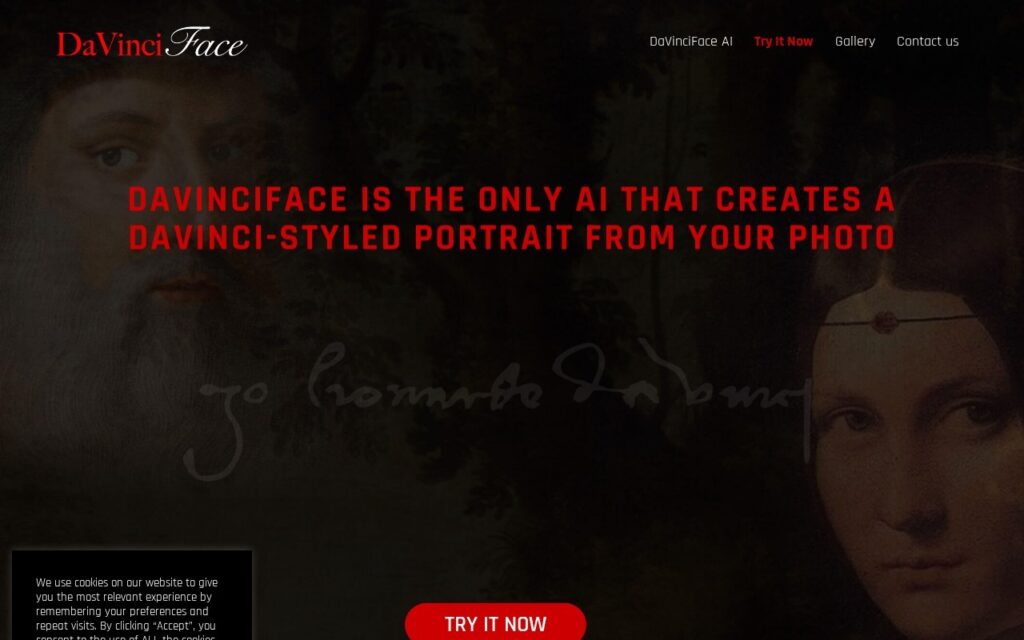
DaVinciFace generates portraits in the style of Leonardo da Vinci from an uploaded photograph, using a deep learning model built specifically for that single transformation.

Committing to one artist is what makes it work. General style transfer applied to a famous painter usually produces something that gestures at the reference – the palette roughly right, the handling wrong – because the model is spreading its capacity across every style at once. A model built for one body of work can capture the specific things that make it recognisable: the sfumato, the particular treatment of light on a face, the three-quarter turn.

Prints are sold alongside the digital output, which suits what people actually want from a portrait like this. It is deliberately narrow – one style, one purpose, no editing controls – so judge it as a keepsake rather than a creative tool, and take the vendor’s “the only AI that” phrasing as marketing rather than a verified claim.

Key features

  • Portraits generated in Leonardo da Vinci's style
  • Model built for a single artist rather than general style transfer
  • Works from any uploaded photograph
  • Printed products alongside digital output
  • Public gallery of results

Screenshots & demo

DaVinciFace screenshot 1

Pricing

Visit the DaVinciFace website for current plans and pricing.

  • Pricing modelPaid
  • Starting priceCustom
  • Free planNo
Visit DaVinciFace

Pricing is provided as a guide. Check the official site for the latest plans.

Pros & cons

Pros

  • Single-style focus captures what general style transfer misses
  • Physical prints suit what people want from a portrait
  • Immediate result with nothing to configure

Cons

  • One style only, with no editing controls
  • A keepsake rather than a creative tool
  • "The only AI that" is marketing, not a verified claim

How it compares

ToolRatingFreeFromBest known for
DaVinciFace (this tool)3.1No—Portraits generated in Leonardo da Vinci's style
Prisma4.0Yes$1.99/moHundreds of art and portrait styles
BabyVideo.ai2.9No$19.99/moBaby portrait blended from one or two parent photos
Diffusion Art3.5No—Text-to-image generation across multiple AI models

Alternatives to DaVinciFace

4 tools matched to DaVinciFace on what they do, their category and their price.

Frequently asked questions

What is DaVinciFace?
DaVinciFace generates portraits in the style of Leonardo da Vinci from an uploaded photograph, using a deep learning model built specifically for that single transformation.
Is DaVinciFace free?
DaVinciFace does not offer a free plan.
What are the best DaVinciFace alternatives?
The closest matches in the directory are Prisma, BabyVideo.ai, and Diffusion Art, compared side by side above.

Reviews

3.1 Editorial rating No reviews yet

Write a review

More tools like DaVinciFace

Frameow

3.5

AI pet portrait studio that turns a cat photo into art in styles such as watercolor, royal Renaissance and 3D cartoon, sold as credit packs valid for a year.