
Freemium Verified

Figma

The design tool Adobe tried to buy for $20 billion, and couldn't

4.6 Design
4.6 Excellent 4.6

Bottom line: The design tool Adobe tried to buy for $20 billion, and couldn't. Free plan available.

Proven, mature real-time collaboration unmatched by most competitors Steeper learning curve than simpler template-first design tools
Reviewed by Challenging Voice Editorial · Updated Jul 2026 How we rate
PricingFrom $3/mo
Free planYes
CompanyFigma
PlatformsWeb
Best forDesign
Founded2012
Visits30
Last reviewedJun 2026
UpdatedJul 2026
Ask AI about Figma ChatGPT Claude Perplexity

Overview

Figma, founded in 2012, became the dominant collaborative design tool for professional product and UI teams well before this category's current AI wave, building its reputation on real-time multiplayer editing that let multiple designers work in the same file simultaneously, a genuine technical achievement when it launched.

That dominance nearly ended its independence: Adobe agreed to acquire Figma for twenty billion dollars in 2022, but the deal collapsed in December 2023 after UK and EU regulators raised serious antitrust concerns, with Adobe paying Figma a one billion dollar termination fee as the deal fell apart. Figma has continued operating independently since, adding AI features, generating design variations, translating designs to code, and more, onto its existing collaborative platform.

A free tier covers individual and small team use, and paid plans start around $16 a month per editor for larger teams and advanced features. For a professional product or design team, Figma's combination of proven real-time collaboration, a massive existing plugin ecosystem, and continued independent development following the abandoned Adobe deal remains the default choice most competitors in this category get compared against.
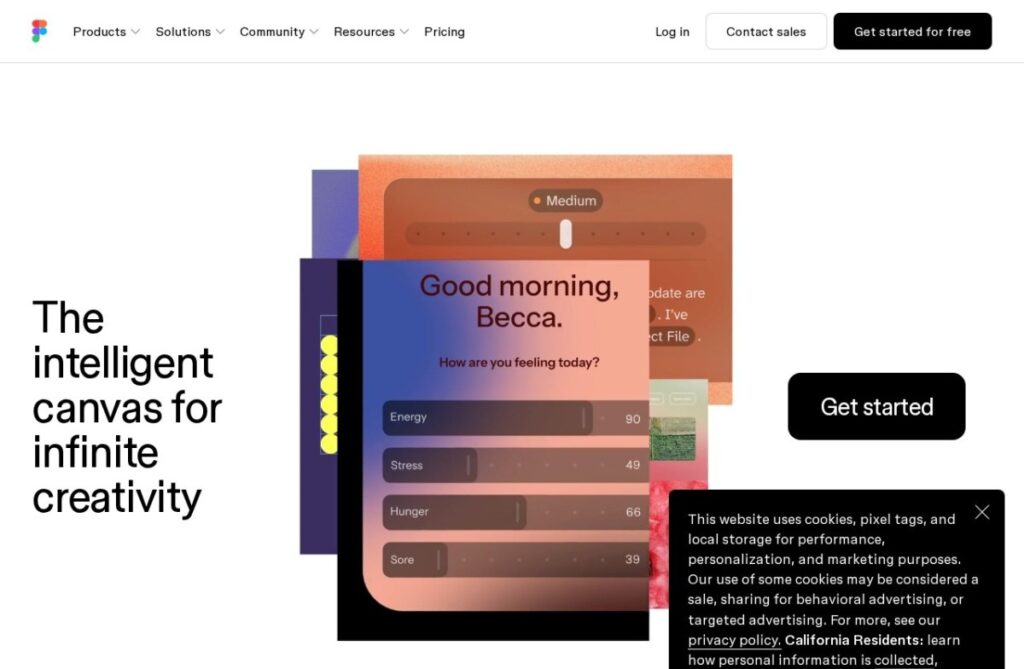

Key features

  • Real-time multiplayer collaborative design editing
  • AI-assisted design variation generation and code translation
  • Survived a blocked $20 billion Adobe acquisition attempt
  • Massive existing plugin and template ecosystem
  • Free tier for individual and small team use
  • Industry-standard for professional product design teams

Screenshots & demo

Demo video

Screenshots

Figma screenshot 1

Pricing

Starter
$0
  • Unlimited drafts
  • UI kits and templates
  • 150 AI credits a day, up to 500 a month
Professional
Full seat $20/mo, or $16 billed yearly; Dev seat $15 or $12; Collab seat $5 or $3
  • Unlimited files and projects for one team
  • Team-wide design libraries
  • Dev Mode and MCP server
  • Full seat: 3,000 AI credits a month
Organization
Full seat $55/mo, Dev seat $25, Collab seat $5; billed yearly
  • Libraries and fonts shared across teams
  • Centralized admin tools
  • Full seat: 3,500 AI credits a month
Enterprise
Full seat $90/mo, Dev seat $35, Collab seat $5; billed yearly
  • Custom team workspaces
  • Design system theming and APIs
  • SCIM seat management
  • Full seat: 4,250 AI credits a month

Checked against Figma’s pricing page on 24 September 2026. Prices change, so confirm on the official site before you buy.

Is Figma expensive?

Figma starts at $3, which is 80% below the Design median of $15 a month across the 105 priced tools we list in that category.

The cheapest paid option in Design starts at $0.5 and the most expensive at $185.

72% of Design tools in the directory offer a free tier, and this is one of them.

Compared against every priced listing in Design, recalculated as the catalogue changes. Method and the full market breakdown are in our AI tool pricing study.

Pros & cons

Pros

  • Proven, mature real-time collaboration unmatched by most competitors
  • Massive existing plugin ecosystem and community
  • Continued independent development and investment
  • Free tier covers real individual and small-team use

Cons

  • Steeper learning curve than simpler template-first design tools
  • Per-editor pricing scales significantly for larger teams
  • Less focused on marketing or social content than tools built specifically for that

How it compares

ToolRatingFreeFromBest known for
Figma (this tool)4.6Yes$3/moReal-time multiplayer collaborative design editing
Subframe3.9Yes$29/moVisual design that exports production Radix UI and Tailwind code
Canva4.7Yes$15/moMagic Studio suite of AI design tools
Wix AI Website Builder4.2Yes$17/moAI site generation from a business description

Alternatives to Figma

3 tools matched to Figma on what they do, their category and their price.

Frequently asked questions

What is Figma?
Figma is a design tool. The design tool Adobe tried to buy for $20 billion, and couldn't.
Is Figma free?
Yes, Figma offers a free plan. Paid plans unlock more features and higher usage limits, starting at $3/month.
How much does Figma cost?
Figma plans: Starter $0; Professional Full seat $20/mo, or $16 billed yearly; Dev seat $15 or $12; Collab seat $5 or $3; Organization Full seat $55/mo, Dev seat $25, Collab seat $5; billed yearly; Enterprise Full seat $90/mo, Dev seat $35, Collab seat $5; billed yearly. Checked against the vendor's pricing page on 24 September 2026.
What are the best Figma alternatives?
The closest matches in the directory are Subframe, Canva, and Wix AI Website Builder, compared side by side above.

Reviews

4.6 No reviews yet

Write a review