
Free Trial

Gliffy

Diagramming built for Confluence and Jira, with AI diagram generation from a prompt and drag-and-drop editing inside the page.

3.7 Design
3.7 Good 3.7

Bottom line: Gliffy is a capable design tool, best known for AI diagram generation from a description.

In-page editing keeps diagrams from going stale the way exported images do The main advantage disappears if you do not use Confluence or Jira
Reviewed by Challenging Voice Editorial · Updated Aug 2026 How we rate
PricingFree Trial
Free planNo
CompanyPerforce Software
PlatformsWeb
Best forDesign
Visits1
Last reviewedAug 2026
UpdatedAug 2026
Ask AI about Gliffy ChatGPT Claude Perplexity

Overview

Gliffy is a diagramming tool whose defining choice is where it lives: deeply integrated into Confluence and Jira rather than standing alone.

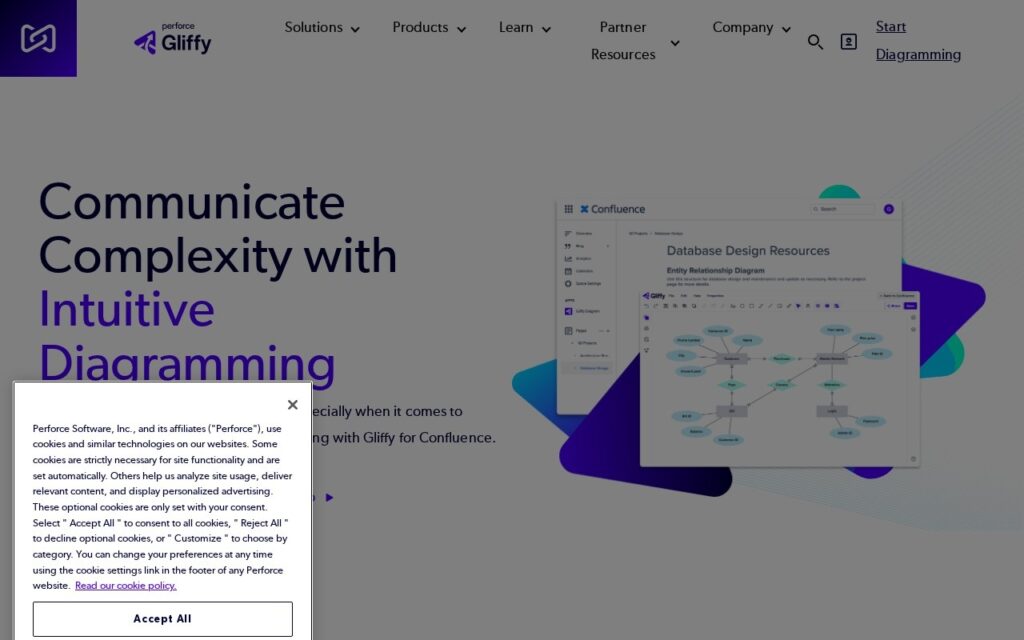
For teams documenting in Atlassian tools that integration is the whole argument. A diagram created and edited inside the Confluence page it belongs to stays current, whereas one exported from a separate tool becomes a stale image nobody updates. AI diagram generation now creates the first version from a description, which removes the blank-canvas problem – most people can describe a process they cannot lay out.

Drag-and-drop editing, precision controls and search across diagrams round it out, with Gliffy Online available for use outside Atlassian. If your documentation does not live in Confluence, a general-purpose diagramming tool will serve you better – the integration is the reason to choose this one.

Key features

  • AI diagram generation from a description
  • Native Confluence and Jira integration
  • In-page editing so diagrams stay current with the docs
  • Drag-and-drop editor with precision controls
  • Search across diagrams
  • Gliffy Online for standalone use

Screenshots & demo

Gliffy screenshot 1

Pricing

Visit the Gliffy website for current plans and pricing.

  • Pricing modelFree Trial
  • Starting priceCustom
  • Free planNo
Visit Gliffy

Pricing is provided as a guide. Check the official site for the latest plans.

Pros & cons

Pros

  • In-page editing keeps diagrams from going stale the way exported images do
  • AI generation removes the blank-canvas problem
  • Deep Atlassian integration rather than a bolt-on macro

Cons

  • The main advantage disappears if you do not use Confluence or Jira
  • Less feature-rich than dedicated standalone diagramming suites
  • Licensing sits alongside your Atlassian costs

How it compares

ToolRatingFreeFromBest known for
Gliffy (this tool)3.7NoAI diagram generation from a description
Canva4.7Yes$15/moMagic Studio suite of AI design tools
Relume4.7Yes$26/moAI-generated wireframes and page structure from a prompt
Durable4.7Yes$25/moWebsite generation marketed at roughly 30 seconds

Alternatives to Gliffy

4 tools our editors picked as direct alternatives to Gliffy.

Our verdict

3.7 / 5 3.7

Gliffy is a solid design tool, best known for AI diagram generation from a description.

What makes it different: Gliffy stands out for AI diagram generation from a description.

How we score it
Overall 3.7
Value for money 4.2
Feature depth 4.9
Popularity 3.7
Best for ProfessionalsTeamsCreatorsCurious learners

Frequently asked questions

What is Gliffy?
Gliffy is a design tool listed in the Challenging Voice directory. Diagramming built for Confluence and Jira, with AI diagram generation from a prompt and drag-and-drop editing inside the page.
Is Gliffy free?
Gliffy does not offer a free plan.
What are the best Gliffy alternatives?
Popular alternatives to Gliffy include Vheer, CoverDesignAI, and Squarespace. Browse them all in the Design category.
Is Gliffy any good?
Gliffy scores 3.7 out of 5 based on our editorial review.

Reviews

3.7 No reviews yet

Write a review

Similar tools you might like

InteriorAI

4.0

Turns photos of a room into photorealistic interior design renders and virtual staging across dozens of styles.

Free Trial Design

Clipping Magic

3.9

Auto-Clip AI trained on millions of real-world images (not lab data) removes backgrounds automatically, then a Smart Editor with a hair tool and scalpel handles the hard edges by hand.

Freemium Design