Free Trial

imagetocaption.ai

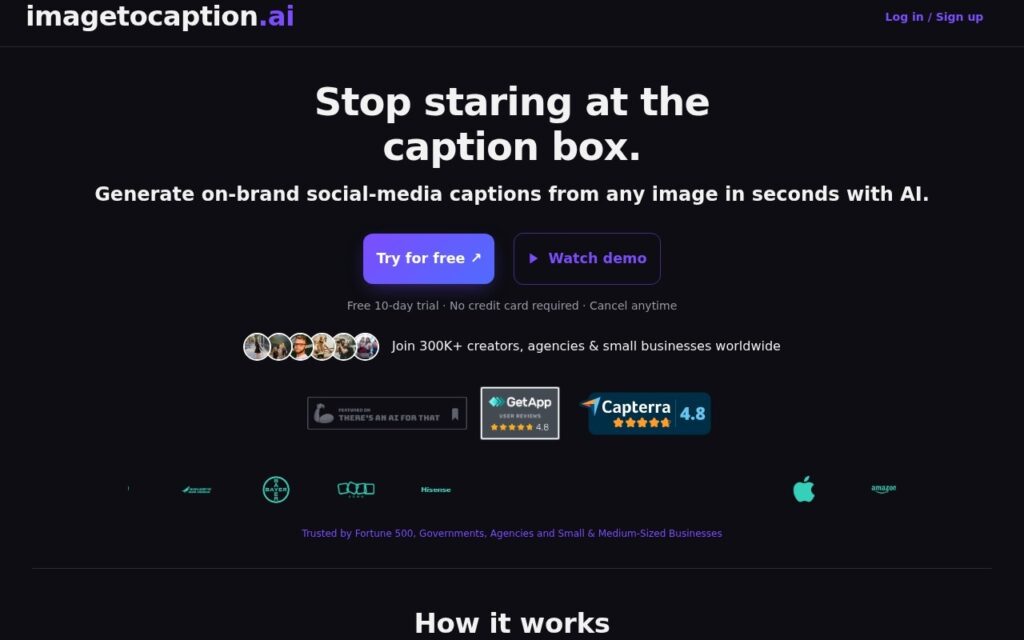
Generates on-brand social captions from any image after you paste your brand guidelines once, on a 10-day free trial with no card required.

3.7 Social Media
3.7 Good 3.7

Bottom line: Generates on-brand social captions from any image after you paste your brand guidelines once, on a 10-day free trial with no card required.

Brand-voice grounding produces captions that need less rewriting Captions only – no scheduling, publishing or analytics
Reviewed by Challenging Voice Editorial · Updated Sep 2026 How we rate
PricingFree Trial
Free planNo
Companyimagetocaption.ai
PlatformsWeb
Best forSocial Media
Visits8
Last reviewedAug 2026
UpdatedSep 2026
Ask AI about imagetocaption.ai ChatGPT Claude Perplexity

Overview

imagetocaption.ai turns an uploaded image into ready social media captions, and its useful idea is the brand voice step rather than the generation itself.

The flow is three steps: set a brand voice by pasting your guidelines, upload an image, and get captions written in that voice. That first step is what separates it from a generic caption generator – without it, output reads like anyone’s captions, which is exactly why generated social copy usually gets rewritten before posting. The vendor reports 300,000+ creators, agencies and small businesses using it, and cites Fortune 500 companies, governments and agencies among its customers.

Access starts with a 10-day free trial requiring no credit card, cancellable at any time. It is a narrow tool, and captions still want a human read before publishing, but the brand-voice grounding means fewer of them need rewriting.

Key features

  • Brand voice set once from pasted guidelines
  • Captions generated from any uploaded image
  • Three-step workflow with no setup beyond the brand guide
  • 10-day free trial with no credit card
  • Used by 300K+ creators, agencies and small businesses

Screenshots & demo

imagetocaption.ai screenshot 1

Pricing

Visit the imagetocaption.ai website for current plans and pricing.

  • Pricing modelFree Trial
  • Starting priceCustom
  • Free planNo
Visit imagetocaption.ai

Pricing is provided as a guide. Check the official site for the latest plans.

Pros & cons

Pros

  • Brand-voice grounding produces captions that need less rewriting
  • Trial requires no card and cancels any time
  • Large existing user base for a tool this narrow

Cons

  • Captions only – no scheduling, publishing or analytics
  • Output quality depends on how well your brand guidelines are written
  • Still needs a human read before posting

How it compares

ToolRatingFreeFromBest known for
imagetocaption.ai (this tool)3.7NoBrand voice set once from pasted guidelines
Chirpy3.6No$29/moWrites posts, designs the visuals and schedules them in one workflow
Brandblast3.7No$27/moBrand-voice learning from a company's existing website and marketing materials
Munch Studio3.9No$38/moLearns the business from its website and uploaded content

Alternatives to imagetocaption.ai

4 tools matched to imagetocaption.ai on what they do, their category and their price.

Frequently asked questions

What is imagetocaption.ai?
imagetocaption.ai turns an uploaded image into ready social media captions, and its useful idea is the brand voice step rather than the generation itself.
Is imagetocaption.ai free?
imagetocaption.ai does not offer a free plan.
What are the best imagetocaption.ai alternatives?
The closest matches in the directory are Chirpy, Brandblast, and Munch Studio, compared side by side above.

Reviews

3.7 No reviews yet

Write a review

More tools like imagetocaption.ai

CopysAI

3.2

AI writes the posts, picks the optimal send time, and replies to your audience 24/7 – one dashboard for Facebook, Instagram, Twitter, and LinkedIn, from $29/month.