List your tool
Freemium

ImgUpscaler

2x and 4x super-resolution in the browser, with uploads deleted after a day.

3.8 Image Generation
3.8 Good 3.8
Distinguishes content types instead of one model for everything Super-resolution invents detail that was never captured
Reviewed by Challenging Voice Editorial · Updated Sep 2026 How we rate
PricingFree
Free planYes
CompanyImgUpscaler
PlatformsAndroid, iOS, Mac, Web, Windows
CategoryImage Generation
Last reviewedAug 2026
UpdatedSep 2026

Is this your tool?

  • Claim this listing. Sign in with an email at imgupscaler.com to manage it. Claim ImgUpscaler
  • Get into the top 5 of Image Generation. 5 of 5 spots open, from $159/month. See positions
  • Something out of date? Owners can request edits from My listings; anyone can tell us.
Ask AI about ImgUpscaler ChatGPT Claude Perplexity

Overview

ImgUpscaler enlarges images 2x or 4x using AI super-resolution, aiming at sharper edges, cleaner textures and detail that reads as natural rather than sharpened. It takes JPG, PNG, WebP and AVIF, handles photos, anime, product shots, portraits and old pictures, offers batch processing on paid plans, and deletes uploads automatically after 24 hours. A companion desktop app, Upscal, does the same job offline across the Microsoft, Mac, Play and App stores.

Naming the content types separately is not marketing padding – it reflects how these models actually work. An upscaler trained to invent plausible skin texture ruins line art, and one tuned for anime turns a photograph into an illustration. A tool that acknowledges the distinction is more likely to route the job correctly than one promising a single model handles everything.

The offline desktop option matters for anyone upscaling material they would rather not upload at all. Single-image upscaling is free with paid plans unlocking batch, and no figures are published on the landing page. Super-resolution invents detail that was never captured, which is a problem for anything evidential; 4x on an already-poor source amplifies its artefacts; and no company is named beyond a copyright line.
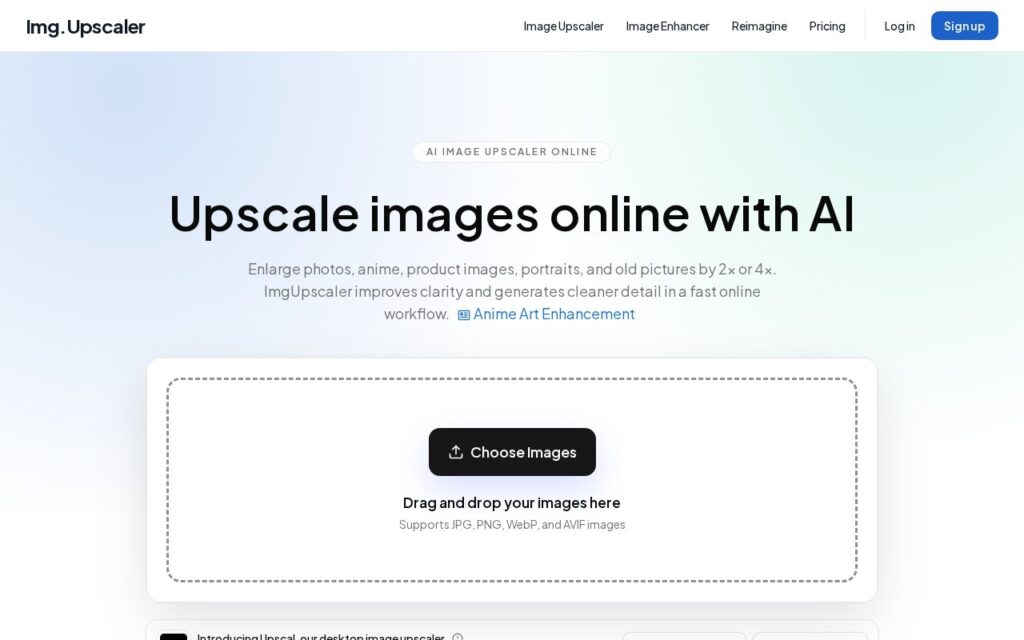

Key features

  • 2x and 4x AI super-resolution
  • JPG, PNG, WebP and AVIF support
  • Separate handling for photos, anime, products and portraits
  • Batch processing on paid plans
  • Upscal desktop app for offline work

Screenshots & demo

ImgUpscaler screenshot 1

Pricing

ImgUpscaler offers a free plan, with paid upgrades for higher limits and more features.

  • Pricing modelFreemium
  • Starting priceFree
  • Free planYes
Visit ImgUpscaler

Pricing is provided as a guide. Check the official site for the latest plans.

Is ImgUpscaler expensive?

ImgUpscaler has no advertised paid tier. Among the 150 priced tools we list in Image Generation, the median entry price is $10 a month.

65% of Image Generation tools in the directory offer a free tier, and this is one of them.

Compared against every priced listing in Image Generation, recalculated as the catalogue changes. Method and the full market breakdown are in our AI tool pricing study.

Pros & cons

Pros

  • Distinguishes content types instead of one model for everything
  • Offline desktop app for material you would rather not upload
  • Uploads deleted automatically after 24 hours

Cons

  • Super-resolution invents detail that was never captured
  • 4x amplifies the artefacts in an already-poor source
  • No pricing figures and no company named

How it compares

ToolRatingFreeFromBest known for
ImgUpscaler (this tool)3.8YesFree2x and 4x AI super-resolution
Bigjpg3.5Yes$6/moAI super-resolution upscaling up to 16 times the original size
Upscale.media3.5YesFreeAI upscaling that predicts and generates missing pixel detail (2x/4x/8x)
LumenFix3.7Yes$7.5/moUnblur, sharpen, restore and colorize photos

Alternatives to ImgUpscaler

4 tools matched to ImgUpscaler on what they do, their category and their price.

Bigjpg

3.5

Free AI image upscaler using deep convolutional neural networks to enlarge artwork and photos up to 16 times, with paid plans from $6.

Freemium Image Generation

Upscale.media

3.5

AI upscales an image 2x, 4x or 8x by predicting and generating the missing pixels – not just stretching what's there. Free tier included, plus face restoration, deblur and colorize tools.

Freemium Image Generation

LumenFix

3.7

AI photo enhancer that unblurs, restores and colorizes photos and upscales to 4K or higher, with free daily credits and no sign-up required.

Freemium Image Generation

Frequently asked questions

What is ImgUpscaler?
ImgUpscaler enlarges images 2x or 4x using AI super-resolution, aiming at sharper edges, cleaner textures and detail that reads as natural rather than sharpened.
Is ImgUpscaler free?
Yes, ImgUpscaler offers a free plan. Paid plans unlock more features and higher usage limits.
What are the best ImgUpscaler alternatives?
The closest matches in the directory are Bigjpg, Upscale.media, and LumenFix, compared side by side above.

Reviews

3.8 Editorial rating No reviews yet

Write a review

More tools like ImgUpscaler

Removal.AI

3.3

Automatically detects the subject in a photo and removes the background in under 3 seconds – batch process up to 1,000 images at once, with API access.

Freemium Image Generation