
Contact for Pricing

Infogram

"AI-Powered Everything" – generate infographics, get chart-type recommendations, and convert an image straight into structured data, all in seconds.

3.7 Design
3.7 Good 3.7

Bottom line: "AI-Powered Everything" – generate infographics, get chart-type recommendations, and convert an image straight into structured data, all in seconds.

Image-to-data conversion solves a real, common data-reuse problem Pricing isn't shown on the homepage
Reviewed by Challenging Voice Editorial · Updated Sep 2026 How we rate
PricingContact for Pricing
Free planNo
CompanyInfogram (Prezi)
PlatformsWeb
Best forDesign
Visits12
Last reviewedAug 2026
UpdatedSep 2026
Ask AI about Infogram ChatGPT Claude Perplexity

Overview

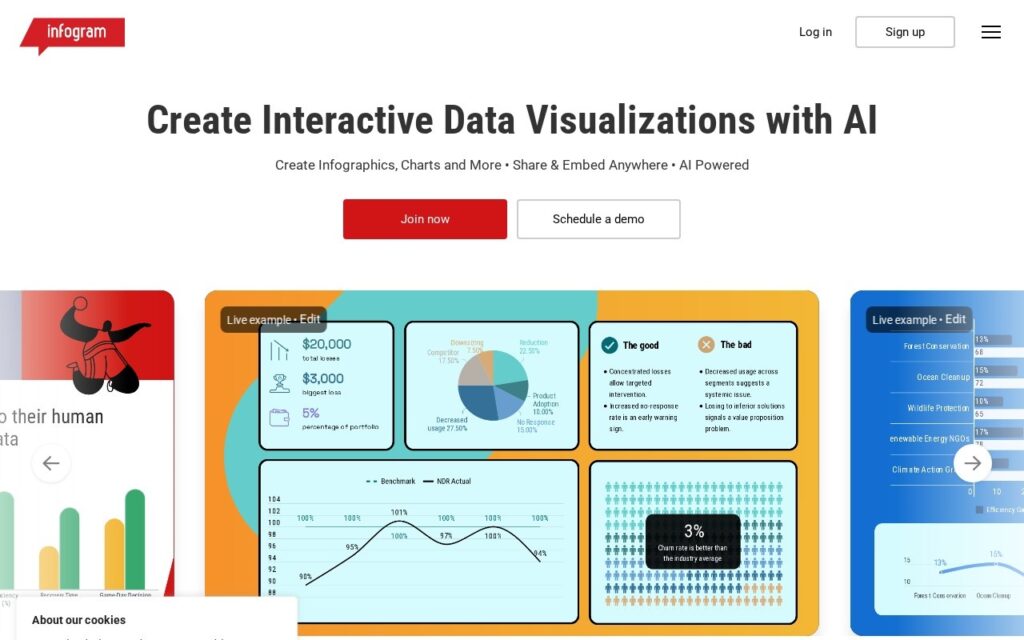
Infogram markets itself around “AI-Powered Everything”: an AI Infographic Maker that generates full infographics automatically, an AI Chart & Graph Generator that builds charts from raw data, AI chart-type recommendations that suggest the optimal visualization for a given dataset, and image-to-data conversion that turns a picture of a chart or table back into structured, editable data.

Image-to-data conversion is the feature worth calling out specifically – it solves the common problem of having data locked inside a screenshot, PDF chart, or someone else’s presentation slide with no easy way to extract and reuse it. Combined with AI chart-type recommendations, the platform is aimed at the actual bottleneck in data visualization: not the drawing itself, but figuring out which chart type correctly represents a given dataset and rebuilding it from source data you may not have in a clean format.

Beyond the AI layer, Infogram offers 35+ customizable chart types, 800+ maps, real-time team collaboration, and SOC 2 Type 2 plus WCAG 2.2 accessibility compliance – relevant for organizations with governance requirements around the tools they adopt. Pricing isn’t shown on the homepage – check the dedicated pricing page.

Key features

  • AI Infographic Maker – automatic infographic generation
  • AI Chart & Graph Generator with chart-type recommendations
  • Image-to-data conversion
  • 35+ chart types and 800+ maps
  • SOC 2 Type 2 and WCAG 2.2 compliance

Screenshots & demo

Infogram screenshot 1

Pricing

Infogram uses custom pricing. Contact their team for a quote based on your needs.

  • Pricing modelContact for Pricing
  • Starting priceCustom
  • Free planNo
Visit Infogram

Pricing is provided as a guide. Check the official site for the latest plans.

Pros & cons

Pros

  • Image-to-data conversion solves a real, common data-reuse problem
  • AI chart-type recommendations reduce visualization guesswork
  • SOC 2 and accessibility compliance matter for governance-conscious teams

Cons

  • Pricing isn't shown on the homepage
  • AI-generated infographics likely still need manual polish for a finished, on-brand result
  • Image-to-data extraction accuracy will vary with source image quality

How it compares

ToolRatingFreeFromBest known for
Infogram (this tool)3.7NoAI Infographic Maker – automatic infographic generation
Creately3.7YesFreeAI diagram generation from ideas
Template.net3.8YesFreeDocuments, decks, diagrams, charts, video and web from prompts
Presentations.AI3.7YesFreeGenerates decks from ideas, documents or data

Alternatives to Infogram

4 tools matched to Infogram on what they do, their category and their price.

Creately

3.7

Infinite-canvas visual collaboration with AI diagram generation and 1000+ templates, spanning whiteboarding through structured diagramming.

Freemium Design

Frequently asked questions

What is Infogram?
Infogram is a design tool. "AI-Powered Everything" – generate infographics, get chart-type recommendations, and convert an image straight into structured data, all in seconds.
Is Infogram free?
Infogram does not offer a free plan.
What are the best Infogram alternatives?
The closest matches in the directory are Creately, Template.net, and Presentations.AI, compared side by side above.

Reviews

3.7 No reviews yet

Write a review

More tools like Infogram

Wonderslide

3.5

Describe the deck you want and AI agents build it, then you refine it by chatting rather than dragging boxes.

Freemium Design

SketchUp

3.8

Six AI tools built into the modeler – text/image-to-3D generation, AI Render, AutoShape sketch conversion, and an AI chat assistant for the software itself.

Paid Design