
Freemium

Luw.ai

Eight distinct AI design tools in one platform – redesign a room, transform a facade, turn a sketch into a photorealistic render, generate exportable 3D models, or ask ArchiGPT for design advice.

3.5 Design
3.5 Good 3.5

Bottom line: Eight distinct AI design tools in one platform – redesign a room, transform a facade, turn a sketch into a photorealistic render, generate exportable 3D models, or ask ArchiGPT for design advice. Free plan available.

Purpose-built tools per task outperform one generic design-AI prompt box Free tier output is watermarked and limited to non-commercial use
Reviewed by Challenging Voice Editorial · Updated Sep 2026 How we rate
PricingFree
Free planYes
CompanyLuw.ai
PlatformsWeb
Best forDesign
Visits17
Last reviewedAug 2026
UpdatedSep 2026
Ask AI about Luw.ai ChatGPT Claude Perplexity

Overview

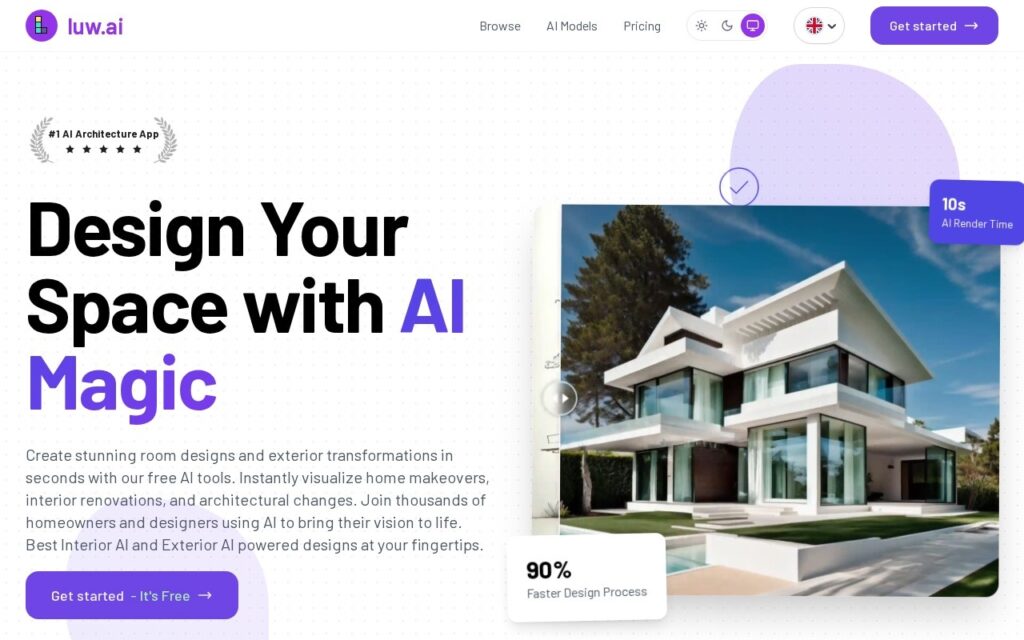
Luw.ai is an AI home-design platform built from eight distinctly named tools rather than one general renderer: Interior AI redesigns rooms from photos with style specifications, Exterior AI transforms building facades and landscapes, Sketch AI converts hand-drawn sketches to photorealistic renders, Magic Wand AI selectively edits specific image regions with text prompts, 3DGen AI generates exportable 3D models from text or images, ArchiGPT is an AI chatbot for design advice, Remove Furniture AI eliminates objects from interior photos, and Video AI creates 3D flythroughs with motion effects.

Splitting these into named, purpose-built tools rather than one generic “design AI” is what lets each handle its specific job well – selectively editing one region of an image with Magic Wand AI is a genuinely different technical task than transforming an entire exterior facade, and a user picks the right specialized tool for the specific change they need rather than fighting one do-everything prompt box.

Luw.ai targets architects and designers, real estate professionals and home stagers, students and hobbyists, and anyone without design expertise wanting quick visualizations. Pricing: free tier (3 generations/exports/trainings per day, watermarked, non-commercial), token packs from $9 (100 tokens) to $36 (2,000 tokens), Pro subscription at roughly $0.10/render for regular use (100-plus renders/month), with 4K exports and no watermark on Max-tier plans.

Key features

  • Eight named, purpose-built design tools (Interior AI, Exterior AI, Sketch AI, and more)
  • 3DGen AI – exportable 3D model generation from text or images
  • ArchiGPT AI chatbot for design advice
  • Video AI – 3D flythroughs with motion effects
  • Free daily tier: 3 generations/exports/trainings

Screenshots & demo

Luw.ai screenshot 1

Pricing

Luw.ai offers a free plan, with paid upgrades for higher limits and more features.

  • Pricing modelFreemium
  • Starting priceFree
  • Free planYes
Visit Luw.ai

Pricing is provided as a guide. Check the official site for the latest plans.

Is Luw.ai expensive?

Luw.ai has no advertised paid tier. Among the 105 priced tools we list in Design, the median entry price is $15 a month.

72% of Design tools in the directory offer a free tier, and this is one of them.

Compared against every priced listing in Design, recalculated as the catalogue changes. Method and the full market breakdown are in our AI tool pricing study.

Pros & cons

Pros

  • Purpose-built tools per task outperform one generic design-AI prompt box
  • 3D model export and video flythroughs go beyond static renders
  • Free daily tier lets users test quality before paying

Cons

  • Free tier output is watermarked and limited to non-commercial use
  • Token-pack pricing requires tracking usage across multiple tools
  • 4K, watermark-free exports require the higher Max-tier plan

How it compares

ToolRatingFreeFromBest known for
Luw.ai (this tool)3.5YesFreeEight named, purpose-built design tools (Interior AI, Exterior AI, Sketch AI, and more)
dsgnr AI4.0YesFreeSketch, CAD file, and photo-to-photorealistic rendering
ArchyBase4.0Yes$15.92/moInterior restyling across 30+ styles
DreamHouse AI3.5YesFreeInterior and exterior redesign from a photo

Alternatives to Luw.ai

4 tools matched to Luw.ai on what they do, their category and their price.

dsgnr AI

4.0

AI rendering platform that turns interior design sketches, CAD files, and photos into photorealistic visuals.

Freemium Design

DreamHouse AI

3.5

Redesigns interiors and exteriors from a photo, with chat refinement and the ability to drop specific products into the scene.

Freemium Design

ReRoom AI

3.2

Upload a photo of any room or building, get back a photorealistic AI rendering in the style you want – virtual staging and architectural visualization in one tool.

Free Trial Design

Frequently asked questions

What is Luw.ai?
Luw.ai is a design tool. Eight distinct AI design tools in one platform – redesign a room, transform a facade, turn a sketch into a photorealistic render, generate exportable 3D models, or ask ArchiGPT for design advice.
Is Luw.ai free?
Yes, Luw.ai offers a free plan. Paid plans unlock more features and higher usage limits.
What are the best Luw.ai alternatives?
The closest matches in the directory are dsgnr AI, ArchyBase, and DreamHouse AI, compared side by side above.

Reviews

3.5 No reviews yet

Write a review

More tools like Luw.ai

RNDRS

4.0

Turns architectural sketches and CAD exports into photorealistic renders on a node canvas.

Freemium Design

RoomSketcher

3.8

AI Convert turns an uploaded floor plan photo into an editable digital project in under 5 seconds – then AI Render generates photorealistic views from a prompt.

Freemium Design

Spacely AI

3.6

Turn a sketch, 3D model or room photo into a photorealistic interior render in under 60 seconds – adjust lighting, materials and furnishings while keeping the original geometry, with live multi-user Team Canvas editing.

Freemium Design