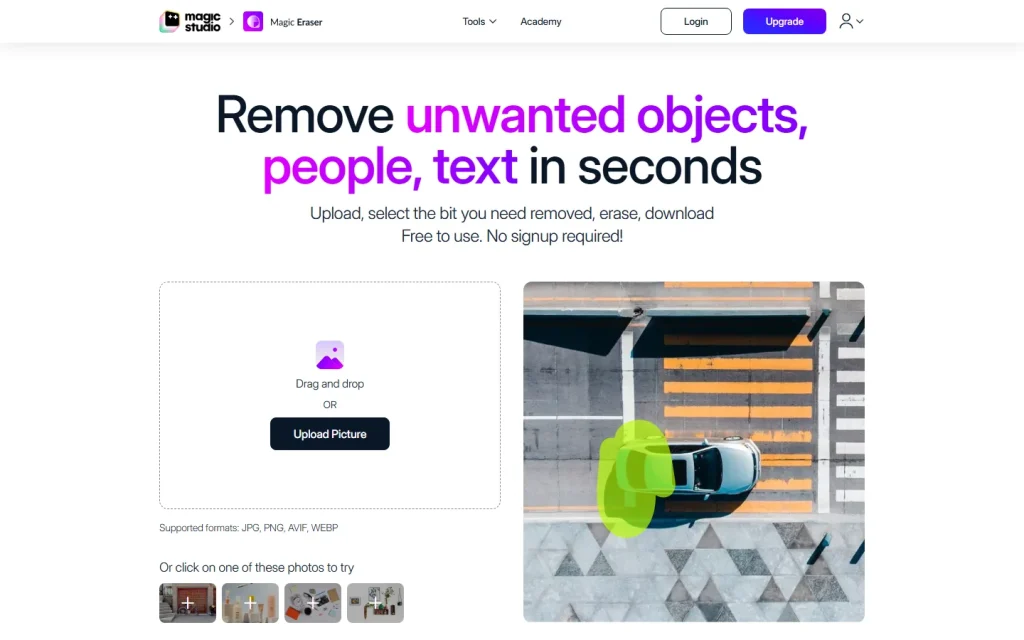
Magic Eraser is a browser-based AI photo cleaner from Magic Studio. You brush over a person, object or piece of text, click erase, and the AI fills the gap. It suits quick fixes for listings, product shots and social posts, and you don't need an account to try it.
How Magic Eraser Removes Objects
Magic Eraser works in four steps: upload, select, erase, download. You drag in a photo, paint over the unwanted area with an adjustable brush, and the AI redraws that area to match its surroundings.
The page lists JPG, PNG, AVIF and WEBP on the uploader, and elsewhere mentions HEIC and TIFF. It also says there's no resolution limit on uploads. Zoom and brush size give you control over small targets like a stray cable or a trash can at the edge of a frame.
The same toolset sits inside the wider Magic Studio suite, which also covers other image edits.
Getting Clean Results
Clean results depend on how you brush, not on the button you press. Magic Studio's own tips are worth following, because they match how generative fill behaves.
- Cover the object and its shadow, or a ghost of the shadow stays behind.
- Erase one thing at a time when a photo has several targets.
- Work long, thin objects such as poles or wires in short sections.
- If the fill looks wrong, brush that spot and erase again instead of undoing.
Expect retries. Complex backgrounds like fences, foliage or patterned floors are where the AI guesses worst, and a second or third pass is normal. Skip it for anything where the missing detail matters, such as faces or logos you'd need to reconstruct faithfully.
What the Free Plan Costs You
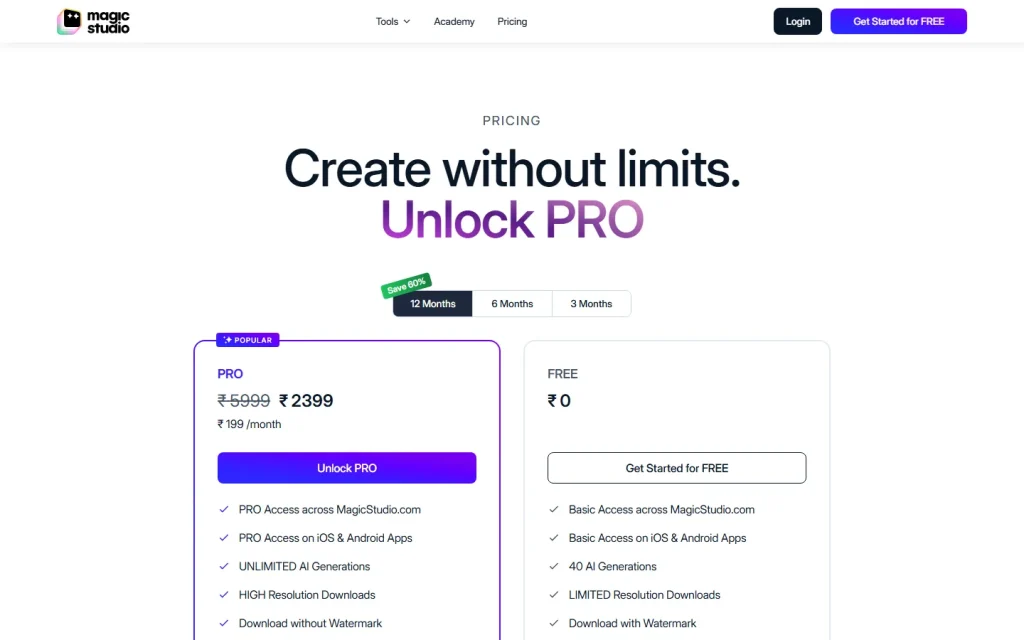
Magic Eraser is free to start, but the free plan has real strings. Magic Studio's pages list ads, its logo on the output, low resolution downloads, and one picture at a time. The pricing page also lists 40 AI generations on the free tier.
PRO removes those limits: unlimited generations, high resolution downloads, no watermark and bulk editing. Magic Eraser's page mentions editing 50 pictures at once. PRO also covers the iOS and Android apps. The price isn't shown in the text we could read on Magic Studio's own page, though our listing shows PRO at $14.99 a month, so check the pricing page for the current monthly and annual price.
If you only need one low-stakes social image, free is fine. If you're cleaning a property gallery or a catalog, the resolution cap and one-at-a-time editing will push you to PRO fast.
Who Should Pick Something Else
Magic Eraser is a single-purpose remover, so people who need cutouts or full design work should look elsewhere. Clipping Magic is the closer pick for background removal. Canva Magic Media fits if you'd rather edit and lay out designs in one place.
Browse the rest of the image category, or compare plans in the price comparator, before you commit to a paid tier.