Freemium

Pixno

Snap a photo of a textbook page or lecture slide, get an organized note in seconds – exports straight to Notion, Obsidian or Google Docs.

3.8 Productivity
3.8 Good 3.8

Bottom line: Pixno is a capable productivity tool, best known for image, audio and document to structured notes. It has a free plan.

Captures directly from a photo, not just typed or already-digital text OCR/audio misreads on handwriting or fast speech deserve a quick review pass
Reviewed by Challenging Voice Editorial · Updated Aug 2026 How we rate
PricingFree
Free planYes
CompanyKanaries Data, Inc.
PlatformsAndroid, iOS, Web
Best forProductivity
Visits5
Last reviewedAug 2026
UpdatedAug 2026
Ask AI about Pixno ChatGPT Claude Perplexity

Overview

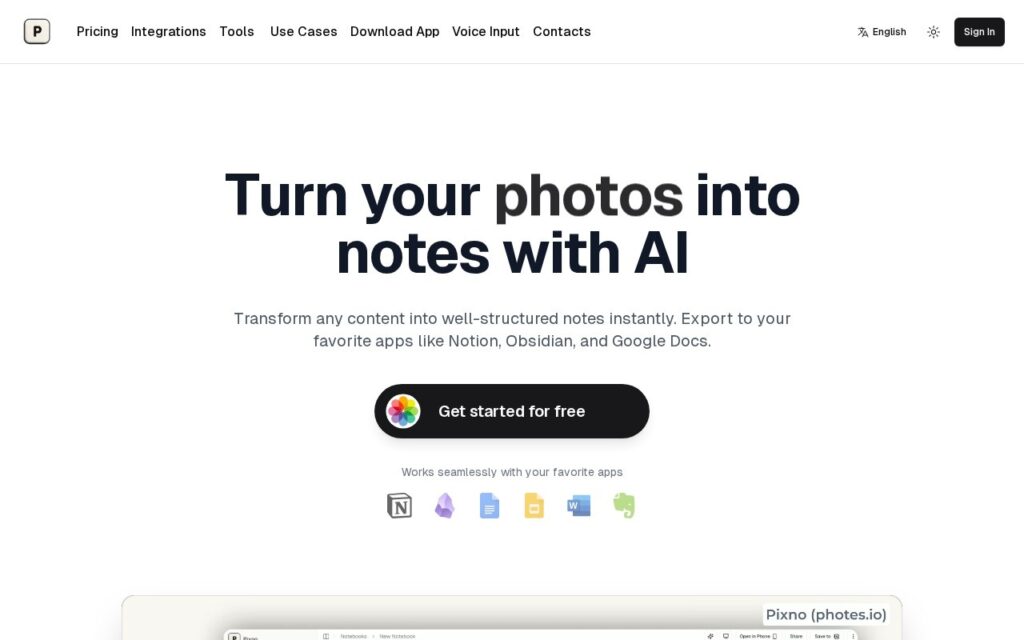
Pixno (at photes.io) converts images, audio recordings and documents into organized, structured notes: photograph a textbook page, lecture slide or whiteboard and get an AI-enhanced note back with context understanding, or feed in an MP3 recording or PDF. It exports directly to Notion, Obsidian, Google Docs, Microsoft Word, Evernote and Google Slides, syncs across devices, and adds web-enhanced notes by finding external readings related to the captured content.

Capturing directly from a photo, rather than requiring text be typed or already digital, is the real time-saver for students and researchers – a lot of source material (textbooks, whiteboards, printed handouts) never starts in a digital, typeable form, and turning a phone photo directly into a structured note skips a manual transcription step entirely. Direct export into the note-taking app someone already uses, rather than a walled-garden app of its own, also means it fits into an existing workflow instead of replacing it.

AI-generated notes from a photo or audio source can misread handwriting, diagrams, or fast speech – worth a quick review pass on anything that needs to be exact (formulas, specific figures) rather than trusted automatically. Detailed pricing beyond a free starter tier wasn’t shown on the page checked.

Key features

  • Image, audio and document to structured notes
  • Direct export to Notion, Obsidian, Google Docs, Evernote and more
  • Web-enhanced notes with related external readings
  • Cross-device sync and real-time collaboration
  • Multi-format input: textbooks, lecture slides, audio, PDFs

Screenshots & demo

Pixno screenshot 1

Pricing

Pixno offers a free plan, with paid upgrades for higher limits and more features.

  • Pricing modelFreemium
  • Starting priceFree
  • Free planYes
Visit Pixno

Pricing is provided as a guide. Check the official site for the latest plans.

Is Pixno expensive?

Pixno has no advertised paid tier. Among the 136 priced tools we list in Productivity, the median entry price is $12 a month.

71% of Productivity tools in the directory offer a free tier, and this is one of them.

Compared against every priced listing in Productivity, recalculated as the catalogue changes. Method and the full market breakdown are in our AI tool pricing study.

Pros & cons

Pros

  • Captures directly from a photo, not just typed or already-digital text
  • Exports into apps you already use instead of a closed note-taking app
  • Web-enhanced notes add related context automatically

Cons

  • OCR/audio misreads on handwriting or fast speech deserve a quick review pass
  • Detailed pricing beyond a free starter tier wasn't shown on the page checked
  • Value depends on your notes app already being one of the supported export targets

How it compares

ToolRatingFreeFromBest known for
Pixno (this tool)3.8YesFreeImage, audio and document to structured notes
Obsidian4.6Yes$4/moNotes stored as local, plain Markdown text files
Google Translate4.6YesFreeGemini-powered text translation that captures idioms and context, not literal word substitution
Trello4.5Yes$5/moAtlassian Intelligence writing assistant built into card descriptions and comments

Our verdict

3.8 / 5 3.8

Pixno is a solid productivity tool, best known for image, audio and document to structured notes. It offers a free plan.

What makes it different: Pixno stands out for image, audio and document to structured notes.

How we score it
Overall 3.8
Value for money 4.7
Feature depth 4.9
Popularity 3.7
Best for ProfessionalsTeamsFoundersFreelancers

Frequently asked questions

What is Pixno?
Pixno is a productivity tool listed in the Challenging Voice directory. Snap a photo of a textbook page or lecture slide, get an organized note in seconds – exports straight to Notion, Obsidian or Google Docs.
Is Pixno free?
Yes, Pixno offers a free plan. Paid plans unlock more features and higher usage limits.
What are the best Pixno alternatives?
Popular alternatives to Pixno include Findle, AtlasFuse, and PrometAI. Browse them all in the Productivity category.
Is Pixno any good?
Pixno scores 3.8 out of 5 based on our editorial review.

Reviews

3.8 No reviews yet

Write a review

Similar tools you might like