
Free Trial

SimCam

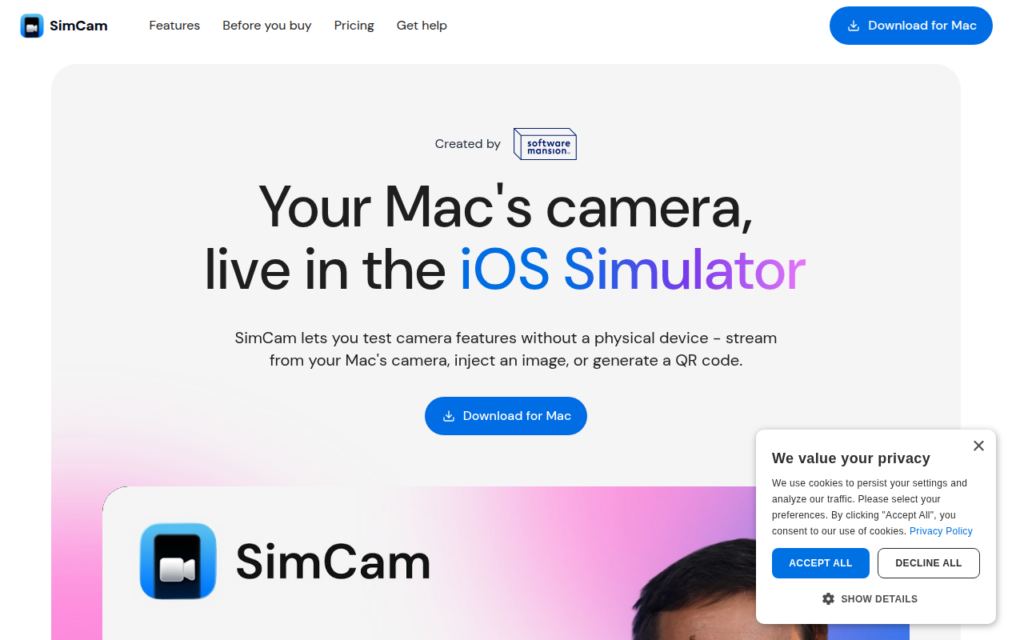
Stream your Mac's camera straight into the iOS Simulator, including for AI agents and CI.

3.8 Coding
3.8 Good 3.8

Bottom line: SimCam is a capable coding tool, best known for streams the Mac camera directly into the iOS Simulator.

Removes physical device deployment from camera feature development macOS and iOS development only, with no other platform relevance
Reviewed by Challenging Voice Editorial · Updated Aug 2026 How we rate
PricingFree Trial
Free planNo
PlatformsMac
Best forCoding
Visits1
Last reviewedAug 2026
UpdatedAug 2026
Ask AI about SimCam ChatGPT Claude Perplexity

Overview

SimCam solves a narrow but genuinely annoying iOS development problem: the Simulator has no camera. Any feature that scans a QR code, captures a document, reads a barcode or applies a filter cannot be exercised without deploying to a physical device, which breaks the fast edit-and-run loop that makes the Simulator useful in the first place.

The tool pipes the Mac's own camera into the Simulator so those flows can be tested in place. That collapses a device deployment cycle into an ordinary simulator run, which matters most during the iterative phase of building a capture feature rather than during final device validation.

It also runs on CI and works with AI coding agents, which is the more forward-looking capability. An agent writing camera-dependent code cannot verify its own work without a camera source, and this supplies one. It comes from Software Mansion, a well-known name in the React Native and mobile tooling community, which lends it credibility as infrastructure rather than a weekend utility.

Key features

  • Streams the Mac camera directly into the iOS Simulator
  • Enables testing of QR, barcode and document capture flows without a device
  • Runs on CI so camera-dependent tests can be automated
  • Works with AI coding agents that need a camera source to verify work
  • Built by Software Mansion, an established mobile tooling team

Screenshots & demo

Demo video

Screenshots

SimCam screenshot 1

Pricing

Visit the SimCam website for current plans and pricing.

  • Pricing modelFree Trial
  • Starting priceCustom
  • Free planNo
Visit SimCam

Pricing is provided as a guide. Check the official site for the latest plans.

Pros & cons

Pros

  • Removes physical device deployment from camera feature development
  • CI support turns manual camera checks into automated tests
  • Credible maintainer with a track record in mobile tooling

Cons

  • macOS and iOS development only, with no other platform relevance
  • Very narrow scope, useful only if you build camera features

How it compares

ToolRatingFreeFromBest known for
SimCam (this tool)3.8NoStreams the Mac camera directly into the iOS Simulator
Mintlify4.5Yes$250/moAI-generated documentation from codebases and API definitions
Graphite4.3Yes$20/moStacked pull request workflow tooling
Aide4.1YesFreeFull VS Code fork, not an extension

Our verdict

3.8 / 5 3.8

SimCam is a solid coding tool, best known for streams the Mac camera directly into the iOS Simulator.

What makes it different: SimCam stands out for streams the Mac camera directly into the iOS Simulator.

How we score it
Overall 3.8
Value for money 4.2
Feature depth 4.9
Popularity 3.7
Best for DevelopersEngineering teamsStudentsIndie hackers

Frequently asked questions

What is SimCam?
SimCam is a coding tool listed in the Challenging Voice directory. Stream your Mac's camera straight into the iOS Simulator, including for AI agents and CI.
Is SimCam free?
SimCam does not offer a free plan.
What are the best SimCam alternatives?
Popular alternatives to SimCam include AI App Generator by UI Bakery, GPTConsole, and Greta. Browse them all in the Coding category.
Is SimCam any good?
SimCam scores 3.8 out of 5 based on our editorial review.

Reviews

3.8 No reviews yet

Write a review

Similar tools you might like

KaneAI

4.1

GenAI-native test automation agent that authors, manages, and debugs software tests from plain language.

Free Trial Coding