
Freemium

StreamAlive

Turns presentations on Zoom, Teams and livestreams into interactive sessions without QR codes.

3.8 Productivity
3.8 Good 3.8

Bottom line: StreamAlive is a capable productivity tool, best known for interaction through the chat participants are already in, with no QR codes. It has a free plan.

Removing the QR-code step materially raises participation Only worthwhile if you present regularly
Reviewed by Challenging Voice Editorial · Updated Aug 2026 How we rate
PricingFrom $20/mo
Free planYes
PlatformsWeb
Best forProductivity
Visits1
Last reviewedAug 2026
UpdatedAug 2026
Ask AI about StreamAlive ChatGPT Claude Perplexity

Overview

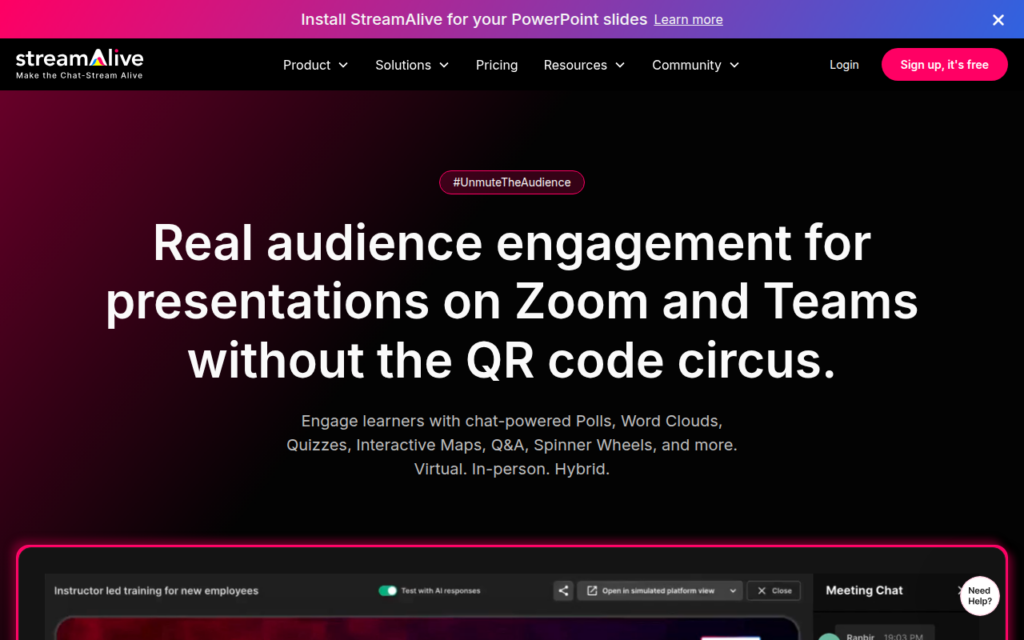
StreamAlive adds live audience interaction to presentations across Zoom, Teams, YouTube Live, Twitch and in-person sessions. Its pitch is blunt and accurate: PowerPoint on Teams or Zoom is boring, and remote audiences disengage in a way they do not in a room.

The design decision that matters is no QR codes. Most audience-interaction tools require participants to open a phone, scan a code and load a separate site, and each of those steps loses people. Working through the chat participants are already in removes the friction entirely, which is why participation rates differ so much between approaches.

It reports real-time engagement metrics, which gives a presenter feedback that a silent grid of muted cameras does not. Priced around twenty to forty dollars monthly with a free tier, it suits trainers, educators and anyone presenting regularly rather than occasionally.

Key features

  • Interaction through the chat participants are already in, with no QR codes
  • Works across Zoom, Teams, YouTube Live, Twitch and in-person
  • Real-time engagement metrics during the session
  • Polls, word clouds and audience input tools
  • Free tier with modest paid plans

Screenshots & demo

Demo video

Screenshots

StreamAlive screenshot 1

Pricing

StreamAlive has a free plan, and paid plans start at $20/mo.

  • Pricing modelFreemium
  • Starting priceFrom $20/mo
  • Free planYes
Visit StreamAlive

Pricing is provided as a guide. Check the official site for the latest plans.

Pros & cons

Pros

  • Removing the QR-code step materially raises participation
  • Covers remote, hybrid and in-person from one tool
  • Live metrics give presenters real feedback

Cons

  • Only worthwhile if you present regularly
  • Interaction depth is limited by working through chat

How it compares

ToolRatingFreeFromBest known for
StreamAlive (this tool)3.8Yes$20/moInteraction through the chat participants are already in, with no QR codes
Sembly AI4.2Yes$10/moMeeting recording, transcription, and AI summarization
Mastt4.1Yes$165/moAI Upload and AI Templates for digitizing project paperwork
Nuclino4.4Yes$6/moDeliberately minimal, fast team wiki and documentation

Our verdict

3.8 / 5 3.8

StreamAlive is a solid productivity tool, best known for interaction through the chat participants are already in, with no QR codes. It offers a free plan, with paid upgrades from $20/mo.

What makes it different: StreamAlive stands out for interaction through the chat participants are already in, with no QR codes.

How we score it
Overall 3.8
Value for money 4.7
Feature depth 4.9
Popularity 3.7
Best for ProfessionalsTeamsFoundersFreelancers

Frequently asked questions

What is StreamAlive?
StreamAlive is a productivity tool listed in the Challenging Voice directory. Turns presentations on Zoom, Teams and livestreams into interactive sessions without QR codes.
Is StreamAlive free?
Yes, StreamAlive offers a free plan. Paid plans unlock more features and higher usage limits, starting at $20/month.
How much does StreamAlive cost?
StreamAlive starts at $20 per month. See the pricing plans above for full details.
What are the best StreamAlive alternatives?
Popular alternatives to StreamAlive include DeepL, Box, and Brief My Meeting. Browse them all in the Productivity category.
Is StreamAlive any good?
StreamAlive scores 3.8 out of 5 based on our editorial review.

Reviews

3.8 No reviews yet

Write a review

Similar tools you might like

Dr. Fone

4.0

Mobile toolkit for phone data recovery, screen unlocking, and device repair with AI-assisted photo restoration and device detection.

Free Trial Productivity