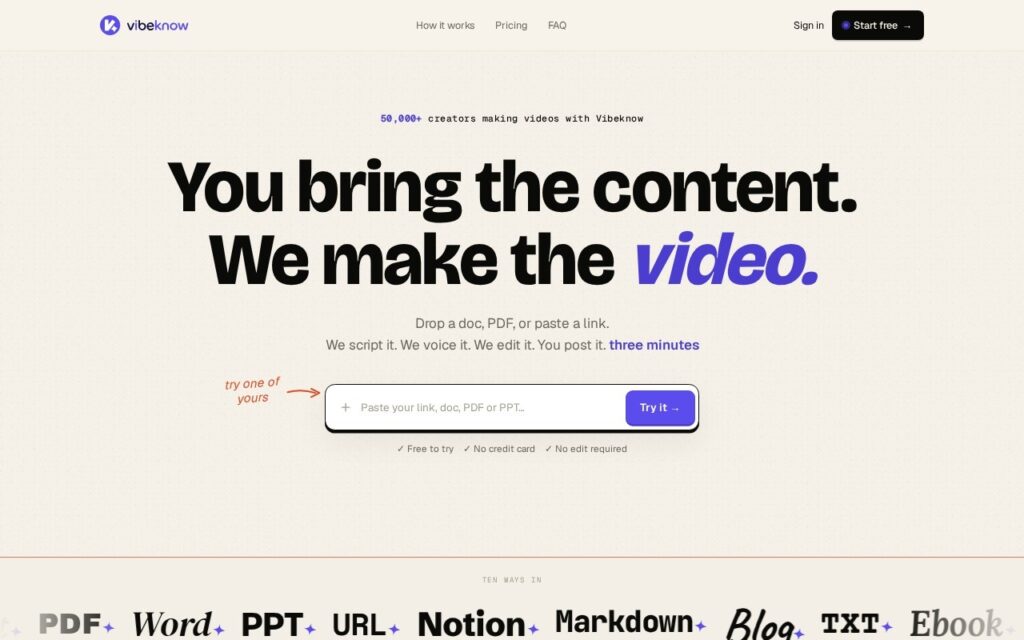
Vibeknow converts documents and PowerPoint presentations directly into explainer videos, generating narration and pacing from the source material rather than requiring a separate script, recording, and edit pass. The pitch is speed: content that already exists as a doc or deck becomes a shareable video without anyone screen-recording, voicing over, or editing it by hand.
That source-to-video shortcut is the genuine value here – most explainer-video tools start from a blank canvas or a prompt, while Vibeknow starts from content a team has usually already written, which is both faster and keeps the video faithful to material that’s already been reviewed and approved.
Output quality is bounded by how video-friendly the source document already is – a dense, text-heavy slide deck will need editing before conversion produces a video that actually explains well rather than just narrates slides in order. Detailed pricing wasn’t available on the pages checked, so confirm current plans directly.
Key features
Converts documents and PPT decks directly into explainer video
Automatic narration and pacing generation from source content
No separate screen-recording or voiceover step required
Preserves already-reviewed source material rather than starting from a blank prompt
Free tier to test conversion quality before upgrading
Screenshots & demo
Pricing
Vibeknow offers a free plan, with paid upgrades for higher limits and more features.
Pricing is provided as a guide. Check the official site for the latest plans.
Is Vibeknow expensive?
Vibeknow has no advertised paid tier. Among the 145 priced tools we list in Video, the median entry price is $15.9 a month.
65% of Video tools in the directory offer a free tier, and this is one of them.
Compared against every priced listing in Video, recalculated as the catalogue changes. Method and the full market breakdown are in our AI tool pricing study.
Pros & cons
Pros
Skips the screen-recording-plus-voiceover workflow entirely
Keeps video content faithful to already-approved source material
Meaningfully faster than building an explainer video from scratch
Cons
Text-heavy source decks may need editing first for a good result
Detailed pricing wasn't available on the pages checked
Narration quality depends on how clearly the source document is written
Vibeknow converts documents and PowerPoint presentations directly into explainer videos, generating narration and pacing from the source material rather than requiring a separate script, recording, and edit pass.
Is Vibeknow free?
Yes, Vibeknow offers a free plan. Paid plans unlock more features and higher usage limits.
What are the best Vibeknow alternatives?
The closest matches in the directory are Wan AI, Pictory, and RepoClip, compared side by side above.
AI video tool for faceless YouTube Shorts that turns a one-line prompt into a script, AI visuals, a voiceover and captions, then publishes or schedules the finished video to YouTube.
Instructional video platform that builds how-to and support videos from screen recordings, slides or PDFs, with AI voiceovers in 300+ voices, talking AI avatars, subtitles and a hosted video knowledge base.