

Free Trial

Workflow

Design feedback on live sites, Figma, video and decks, with no signup for reviewers.

3.8 Design
3.8 Good 3.8

Bottom line: Workflow is a capable design tool, best known for feedback on live sites, Figma, images, video and decks.

Reviewers need no account, which is what actually blocks adoption No base pricing published, only discounts
Reviewed by Challenging Voice Editorial · Updated Aug 2026 How we rate
PricingFree Trial
Free planNo
CompanyWorkflow Design
PlatformsWeb
Best forDesign
Visits3
Last reviewedAug 2026
UpdatedAug 2026
Ask AI about Workflow ChatGPT Claude Perplexity

Overview

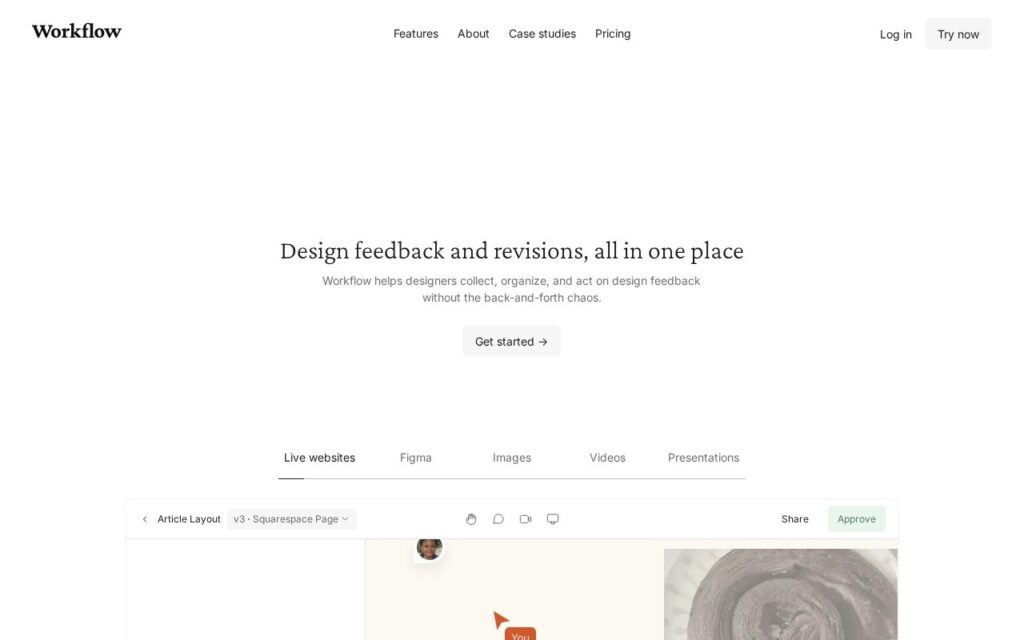
Workflow collects design feedback in one place across live websites, Figma files, images, videos and presentations, with comment threading, version history and video walkthroughs, pushing into Jira, Asana, Notion, Trello, ClickUp and Frame.io.

Zero-signup sharing for reviewers is the detail that decides whether a feedback tool gets used. The people whose feedback matters most, the client, the stakeholder, the person who signs off, are exactly the people who will not create an account, and every tool that demands one ends up receiving its feedback by email anyway. AI pre-flight checks for responsiveness, accessibility and copy are listed as coming.

A free trial is offered with discounts advertised but no base prices published. Version history is only as useful as the discipline behind it, feedback across five asset types means the tool is broad rather than deep in any of them, and the pre-flight checks that would differentiate it are not shipped yet.
Key features

  • Feedback on live sites, Figma, images, video and decks
  • Zero-signup sharing for external reviewers
  • Comment threading and version history
  • Built-in video walkthroughs
  • Jira, Asana, Notion, Trello and Frame.io integration

Screenshots & demo

Workflow screenshot 1

Pricing

Visit the Workflow website for current plans and pricing.

  • Pricing modelFree Trial
  • Starting priceCustom
  • Free planNo
Visit Workflow

Pricing is provided as a guide. Check the official site for the latest plans.

Pros & cons

Pros

  • Reviewers need no account, which is what actually blocks adoption
  • Covers five asset types rather than Figma alone
  • Pushes into the trackers teams already run

Cons

  • No base pricing published, only discounts
  • AI pre-flight checks are listed as upcoming, not shipped
  • Broad across asset types rather than deep in any

How it compares

ToolRatingFreeFromBest known for
Workflow (this tool)3.8NoFeedback on live sites, Figma, images, video and decks
Relume4.7Yes$26/moAI-generated wireframes and page structure from a prompt
Canva4.7Yes$15/moMagic Studio suite of AI design tools
Durable4.7Yes$25/moWebsite generation marketed at roughly 30 seconds

Our verdict

3.8 / 5 3.8

Workflow is a solid design tool, best known for feedback on live sites, Figma, images, video and decks.

What makes it different: Workflow stands out for feedback on live sites, Figma, images, video and decks.

How we score it
Overall 3.8
Value for money 4.2
Feature depth 4.9
Popularity 3.7
Best for ProfessionalsTeamsCreatorsCurious learners

Frequently asked questions

What is Workflow?
Workflow is a design tool listed in the Challenging Voice directory. Design feedback on live sites, Figma, video and decks, with no signup for reviewers.
Is Workflow free?
Workflow does not offer a free plan.
What are the best Workflow alternatives?
Popular alternatives to Workflow include VoxDeck, Mockuplabs, and SITE123. Browse them all in the Design category.
Is Workflow any good?
Workflow scores 3.8 out of 5 based on our editorial review.

Reviews

3.8 No reviews yet

Write a review

Similar tools you might like

Qbiq

4.0

Automated architectural space planning that generates optimised layouts

Contact for Pricing Design