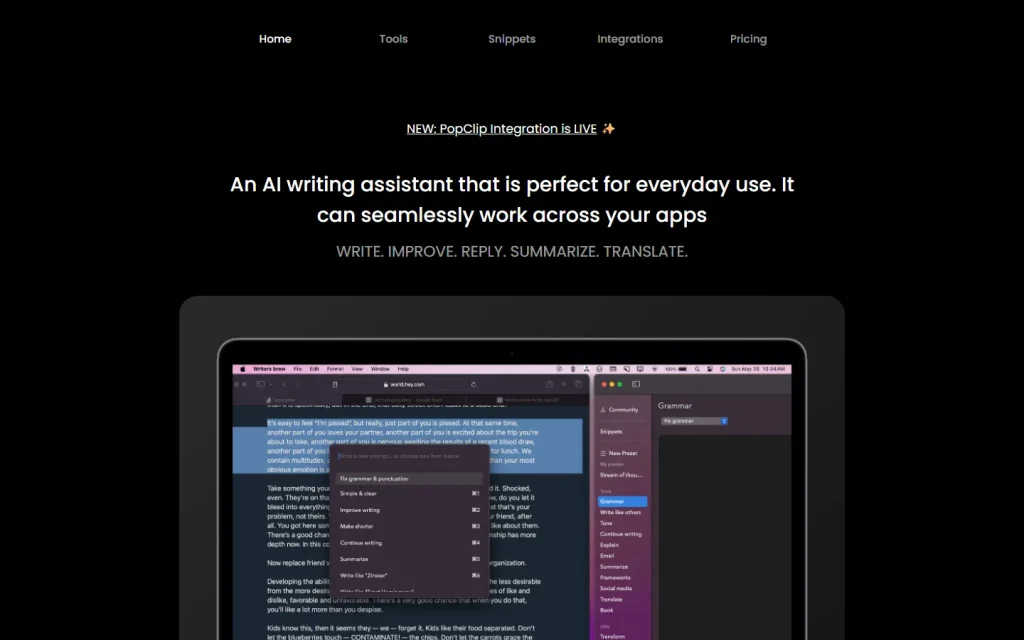
Writers Brew is an AI writing assistant for macOS that runs on text you select in any app. Highlight a sentence, press a shortcut, and rewrite, summarize, translate or reply without opening a browser tab. It suits Mac users who write all day across email, docs and chat.
How You Use Writers Brew Day to Day
Writers Brew gives you four or more ways to trigger it, and that's the main reason it fits busy workflows. You can highlight text in any macOS app and press a keyboard shortcut. You can open a Spotlight-style launcher, use the menu bar, or work in the full app.
A newer route is PopClip. The vendor's site says that once you install the Writers Brew actions, selecting text pops up options like Fix Grammar, Improve Writing and Professional Tone. Raycast is listed among its integrations too.
The practical win is no context switching. You stay in your email client or editor, and the result comes back where you were working.
More Than AI Prompts: Utils, Snippets and OCR
Writers Brew bundles more than prompts. The vendor describes 30+ AI writing tools, plus a build-your-own-presets feature where you save prompts you reuse.
Three non-AI extras sit alongside:
- Utils for small text chores, such as find and replace or adding a prefix or suffix to each line.
- Snippets, a text expander in the style of TextExpander, with placeholders like {date}, {time}, {day} and {clipboard}.
- OCR that pulls text out of images anywhere on macOS.
Snippets can also take custom placeholders such as {name} or {phone}, so you can build small fill-in forms. If you already pay for a separate text expander, this could replace it. If you don't use one, ignore it.
Who Should Use It and Who Should Skip It
Writers Brew suits Mac users who edit and reply to text constantly: support staff, freelancers, marketers, students. Its strength is small, repeated jobs, not long-form drafting from a blank page.
Skip it if you work on Windows or Linux, since only macOS is stated. Skip it too if you want a research assistant or a full document editor. For team-wide style control and governance, look at Writer instead.
What to Check Before You Buy
Pricing isn't published on the pages we could read, so check the vendor's pricing page. The homepage advertises a 40% discount and says 4800+ paid users, both vendor claims. Whether AI usage is included or needs your own API key isn't stated on those pages either, so confirm that with the vendor.
Two questions matter most. Is it a one-time purchase or a subscription? And does it include the AI model usage, or do you bring a key? Those answers decide whether it's good value for you.
Other Writing Tools to Compare
If you write mostly email, AI Email Writer by WPS is built around that one job. For job applications, AI Resume Writer is more focused. Browse the Writing category on Challenging Voice to compare more options before you commit.