
Paid

Kinovi

AI video and image generation through a studio interface or a pay-as-you-go REST API.

3.6 Video
3.6 Good 3.6
Serves creators and developers from the same platform Model roster changes quickly and needs checking
Reviewed by Challenging Voice Editorial · Updated Aug 2026 How we rate
PricingFree
Free planYes
PlatformsAPI, Web
CategoryVideo
Visits17
Last reviewedAug 2026
UpdatedAug 2026
Ask AI about Kinovi ChatGPT Claude Perplexity

Overview

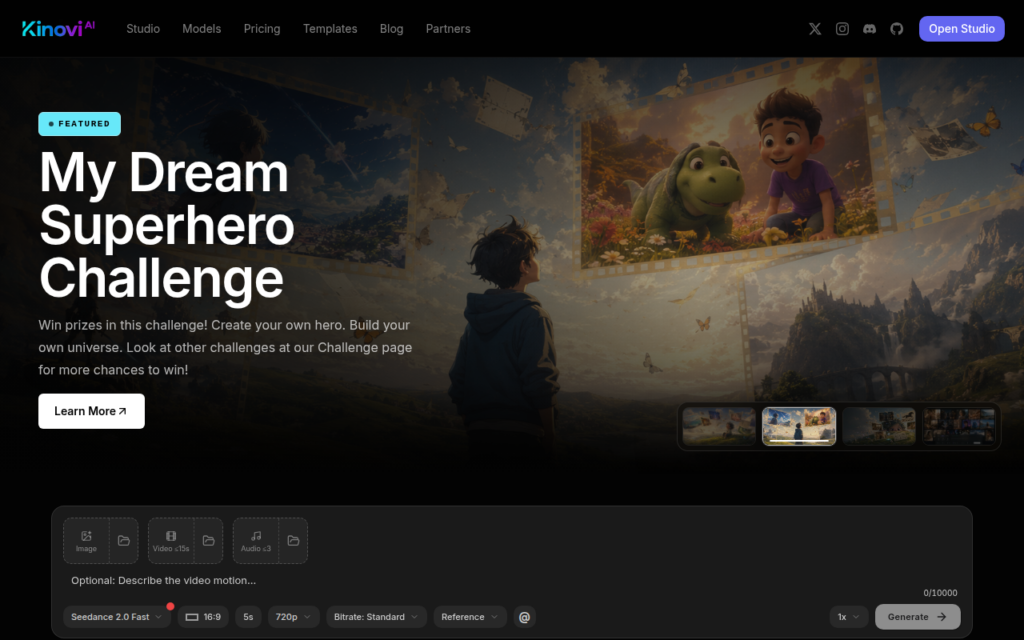
Kinovi offers AI video and image generation two ways: a studio interface for direct creative work, and a public REST API for building generation into a product. Serving both audiences from one platform is less common than it sounds, since most tools commit to either creators or developers.

The developer side is unusually transparent. Publishing current model IDs, supported inputs and pay-as-you-go rates lets an engineer evaluate cost and capability before writing code, which is the opposite of the common pattern where pricing requires a sales conversation and model availability is undocumented.

Pay-as-you-go suits variable workloads, where a monthly subscription is poor value for intermittent use. Templates support the creator side for people who want output rather than parameters. As always with multi-model platforms, check which models are current, since the roster changes quickly.
Key features

  • Studio interface alongside a public REST API
  • Published model IDs, supported inputs and rates
  • Pay-as-you-go pricing suited to variable workloads
  • Ready-made templates for faster creative output
  • Both video and image generation supported

Screenshots & demo

Demo video

Screenshots

Kinovi screenshot 1

Pricing

Kinovi offers a free plan, with paid upgrades for higher limits and more features.

  • Pricing modelPaid
  • Starting priceFree
  • Free planYes
Visit Kinovi

Pricing is provided as a guide. Check the official site for the latest plans.

Is Kinovi expensive?

Kinovi has no advertised paid tier. Among the 130 priced tools we list in Video, the median entry price is $15.95 a month.

65% of Video tools in the directory offer a free tier, and this is one of them.

Compared against every priced listing in Video, recalculated as the catalogue changes. Method and the full market breakdown are in our AI tool pricing study.

Pros & cons

Pros

  • Serves creators and developers from the same platform
  • Transparent published pricing and model documentation
  • Pay-as-you-go avoids paying for unused subscription capacity

Cons

  • Model roster changes quickly and needs checking
  • Smaller platform than the leading generation services

How it compares

ToolRatingFreeFromBest known for
Kinovi (this tool)3.6YesFreeStudio interface alongside a public REST API
Google Flow4.3No$20/moScene-by-scene storytelling interface, formerly known as VideoFX
Artlist4.2No$11.99/moAI video, image, and voiceover generation under a shared credit system
sync.4.0No$5/moLipsync generation matched to a new audio track

Alternatives to Kinovi

4 tools matched to Kinovi on what they do, their category and their price.

Artlist

4.2

Creative platform combining royalty-free music, footage, and an AI Suite for generating video, image, and voiceover content.

Paid Video

Frequently asked questions

What is Kinovi?
Kinovi offers AI video and image generation two ways: a studio interface for direct creative work, and a public REST API for building generation into a product.
Is Kinovi free?
Yes, Kinovi offers a free plan. Paid plans unlock more features and higher usage limits.
What are the best Kinovi alternatives?
The closest matches in the directory are Google Flow, Artlist, and sync., compared side by side above.

Reviews

3.6 No reviews yet

Write a review

More tools like Kinovi