Freemium

MimicPC

Runs open-source AI apps like ComfyUI in the browser, with no local install or GPU.

4.1 Very good 4.1

Bottom line: MimicPC is a strong ai infrastructure & agent tooling tool, best known for prebuilt library of open-source AI apps including ComfyUI. It has a free plan.

Removes the hardest part of open-source AI, the local setup Rented sessions get expensive under heavy continuous use
Reviewed by Challenging Voice Editorial · Updated Aug 2026 How we rate
PricingFree
Free planYes
Best forAI Infrastructure & Agent Tooling
Visits3
Last reviewedAug 2026
UpdatedAug 2026
Ask AI about MimicPC ChatGPT Claude Perplexity

Overview

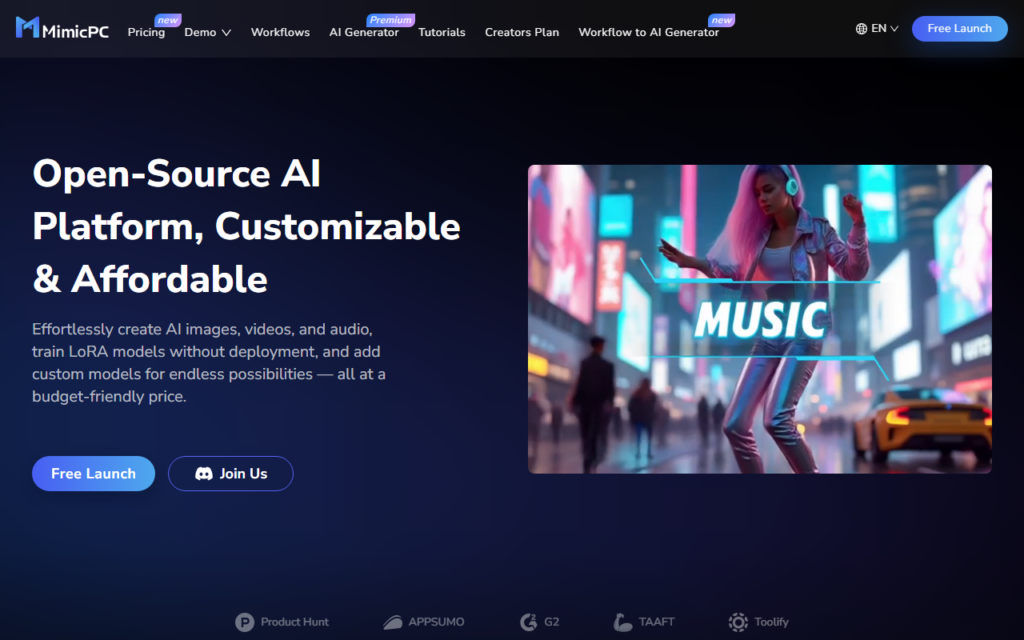
MimicPC hosts open-source AI applications in the browser so you can run them without owning a GPU or setting up a local environment. The friction it targets is real: the strongest image, video and audio models are open-weight, but getting ComfyUI or a LoRA training stack running on your own machine means dependency management, driver versions and a card most people do not have.

The catalogue is the point rather than any single model. You pick an app from a prebuilt library, it launches in a managed session, and you can add custom models on top. Training LoRAs without deployment work is called out specifically, which is the step that usually pushes hobbyists back to a paid closed service.

This suits people who want open-source flexibility without the sysadmin work. The trade is the usual one for hosted compute: you are renting sessions rather than owning hardware, so heavy continuous use eventually costs more than a local card would.
Key features

  • Prebuilt library of open-source AI apps including ComfyUI
  • LoRA model training without local deployment
  • Custom model uploads on top of the hosted apps
  • Browser-based sessions requiring no GPU

Screenshots & demo

Demo video

Screenshots

MimicPC screenshot 1

Pricing

MimicPC offers a free plan, with paid upgrades for higher limits and more features.

  • Pricing modelFreemium
  • Starting priceFree
  • Free planYes
Visit MimicPC

Pricing is provided as a guide. Check the official site for the latest plans.

Pros & cons

Pros

  • Removes the hardest part of open-source AI, the local setup
  • Custom model support keeps the open-weight flexibility intact

Cons

  • Rented sessions get expensive under heavy continuous use
  • Performance depends on the hosted tier rather than your own hardware

How it compares

ToolRatingFreeFromBest known for
MimicPC (this tool)4.1YesFreePrebuilt library of open-source AI apps including ComfyUI
Ollama4.6YesFreeRun open models locally with a single command
Hugging Face4.5Yes$9/moPublic hub hosting hundreds of thousands of open models, datasets, and Spaces
Replicate4.5NoSingle API to run thousands of community-contributed open-source models

Our verdict

4.1 / 5 4.1

MimicPC is a strong ai infrastructure & agent tooling tool, best known for prebuilt library of open-source AI apps including ComfyUI. It offers a free plan.

What makes it different: MimicPC stands out for prebuilt library of open-source AI apps including ComfyUI.

How we score it
Overall 4.1
Value for money 4.7
Feature depth 4.9
Popularity 3.7
Best for ProfessionalsTeamsCreatorsCurious learners

Frequently asked questions

What is MimicPC?
MimicPC is an ai infrastructure & agent tooling tool listed in the Challenging Voice directory. Runs open-source AI apps like ComfyUI in the browser, with no local install or GPU.
Is MimicPC free?
Yes, MimicPC offers a free plan. Paid plans unlock more features and higher usage limits.
What are the best MimicPC alternatives?
Popular alternatives to MimicPC include Trigger.dev, Temporal, and TensorFlow. Browse them all in the AI Infrastructure & Agent Tooling category.
Is MimicPC any good?
MimicPC scores 4.1 out of 5 based on our editorial review.

Reviews

4.1 No reviews yet

Write a review

Similar tools you might like